Your church already has the raw material for a podcast: a sermon recording every week. The only technical piece between that file and Spotify is an RSS feed.
To start a church podcast, decide whether to publish the recording untouched or turn it into a shorter produced episode, host it on an RSS feed, and submit that feed once to Spotify, Apple Podcasts, and YouTube. Jellypod supports both paths: upload the recording and publish it as-is, or add it as a source and edit a script before any audio is generated. Both get the same hosted feed and podcast website.
There is an audience for it. Pew Research Center's 2025 survey found 23% of U.S. adults watch religious services online or on TV at least monthly, next to one-third who attend in person monthly.
Key takeaways
- You have two paths: upload the recording and publish it untouched, or use it as a source for a short, AI-hosted episode with a script you edit.
- An RSS feed is what puts episodes on Spotify, Apple Podcasts, and YouTube. Jellypod generates it, and you submit it once per platform.
- Private Jellypod podcasts have no RSS feed, so a members-only show works differently (see below).
- Credits are charged when narration is generated, at 30 per minute. A 6-minute devotional costs 180 credits, and Starter includes 5,000 a month.
What do you need to start a church podcast?
Three things: audio, a decision about format, and a feed.
For audio, use what you already capture: a phone near the pulpit, a feed from the soundboard, or the audio track from your livestream. A direct soundboard feed will sound cleaner than a room recording, but any of them works to start. Jellypod accepts MP3, WAV, and M4A, plus video files (MP4, MOV, and others) from which it extracts the audio.
The format decision is covered in the next section. The feed is the RSS link podcast apps read. Every public podcast on Jellypod gets one automatically, along with a podcast website.
Should you publish the sermon as-is or make an episode from it?
It depends on whether you want the sermon itself or a shorter piece about it. Jellypod handles each differently.
| Upload the recording | Use the sermon as a source | |
|---|---|---|
| What listeners hear | The full recording, exactly as captured | A new episode with AI hosts, drafted from the sermon |
| Editing | Title, description, and cover art only | Full script editor, line by line, before audio |
| File limit | 250 MB per upload | 100 MB per source file |
| Credits | Generation is what uses credits, and nothing is generated | 30 credits per minute of narration |
| Best for | The weekly full-length sermon | A 5 to 10 minute recap, study guide, or daily devotional |
Publishing as-is keeps the pastor's voice and the full message. The cost is that Jellypod does not clean up the recording. Uploaded episodes have no script or timeline editor, so what you upload is what plays.
A source-based episode is a different product. Jellypod drafts a conversational script from the sermon, and the hosts you choose speak it. It is not the pastor's recording, so treat it as a companion to the sermon rather than a replacement. Most churches will want both: the full recording weekly, and a short episode for members who will not sit through 40 minutes.
How do you turn a sermon into a podcast episode?
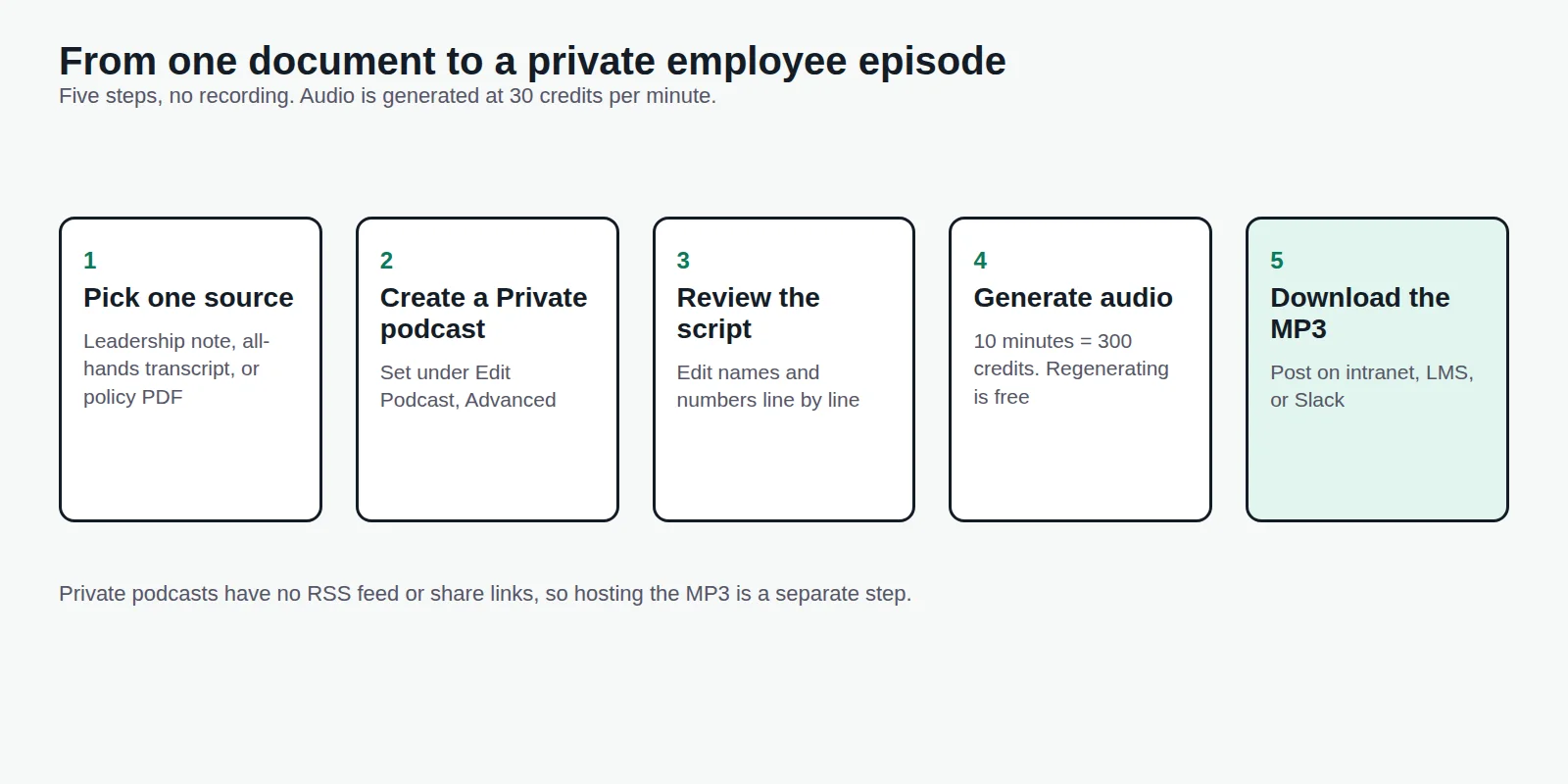
Add the sermon as a source, review the script, then generate the audio and publish.
- Click the plus button next to the chat input and upload the recording, or paste in your sermon notes as text. Scripture references and a written outline work as extra sources.
- Pick your hosts. Use a cloned voice for the pastor if you have their consent, or any of the library voices. Episodes are generated in the podcast's language setting.
- Read the script and fix it. Check names, dates, and every scripture quotation and reference, because the script is written by AI and the hosts will say whatever is on the page.
- Generate the audio. A 6-minute episode is 180 credits. Regenerating narration after an edit is free.
- Publish. Rendering, scheduling, and publishing use no credits.
A pastor's voice clone needs at least 30 seconds of clean audio and a confirmation that you have the rights to the voice. Get that consent in writing first. Our guide to AI voice cloning consent covers what to record.
How do you host a church podcast and get it on Spotify and Apple Podcasts?
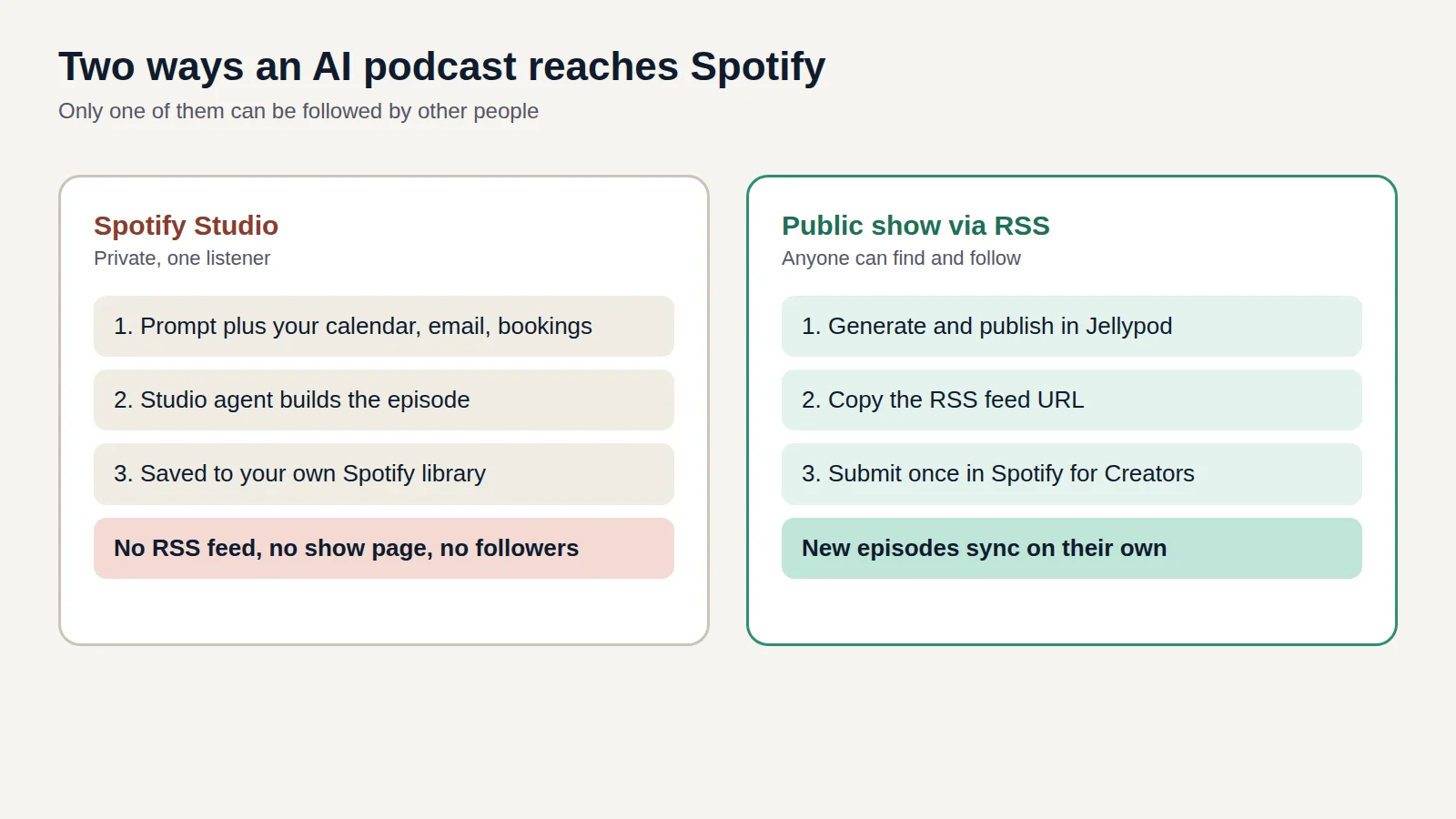
Publish an episode, copy your RSS feed URL from the Studio, and submit it to each platform once.
Jellypod's podcast hosting and distribution creates the feed, a podcast website, and play analytics for every public show. Spotify and Apple Podcasts each review a new feed, which can take a few hours. After approval, every new episode appears on its own. Jellypod forwards the platforms' verification emails, so your personal address stays out of the feed.
Distribution to Spotify, Apple Podcasts, and YouTube is included on paid plans. If a volunteer already hands you a finished MP3 every week, any hosting service can carry it. Jellypod's hosting earns its place when you also want the production step, and the feed, in one account.
Spotify's own AI podcast tool is a different thing: it makes private episodes for one listener, not a show your congregation can follow. What Spotify Studio does and does not do explains the difference.
Can a church keep its podcast members-only?
Not through a feed. A Private Jellypod podcast has no RSS feed, no website, and no share links, and its feed URL returns a 404 to everyone.
For a members-only devotional, keep the podcast Private, download each MP3 from the Studio, and post it where members already sign in: a member portal, an email list, or a group chat. The internal communications podcast guide walks through that setup for teams, and it works the same for a congregation. Anything on a Public podcast is reachable by anyone with the feed.
Can a church podcast reach a multilingual congregation?
Yes. Jellypod generates episodes in 121 languages, chosen through the podcast's language setting.
Set up one podcast per language, for example a Spanish devotional beside your English sermon feed, and generate each from the same sermon notes. Have a fluent member read every script before it publishes. Religious terms and names are easy to get wrong in any language, and the script editor lets you fix a line before it is spoken.
What do real faith podcasts made with Jellypod look like?
Two examples, one small and one national.
Between Sundays is Jellypod's own demo devotional show. Its episodes run about five and a half minutes, such as "When Grace Refuses to Let You Earn It" (5:44), and they are built from scripture notes and reflections rather than a full recorded service. You can hear them on the Faith and Religion use case page.
At the other end, Worship Road Radio, a national Christian radio station in Canada, uses Jellypod to bring AI podcasting to its listeners. Its CEO, Scott Fehrenbacher, describes it here.
How much does a church podcast cost?
Narration is the only thing metered: 30 credits per minute of audio generated. Drafting, editing, regenerating audio, scheduling, publishing, and downloading use no credits.
Script edits, publishing, and exports use no credits but require an eligible trial or plan. Jellypod offers a 7-day free trial you can cancel anytime.
Starter includes 5,000 credits a month, roughly 166 minutes of narration. In a four-week month, a weekly 10-minute recap (300 credits each) plus a 6-minute devotional every weekday (180 credits each) comes to 4,800 credits, inside that allowance. Plans start with a 7-day free trial that requires a card, and current prices are on the pricing page.
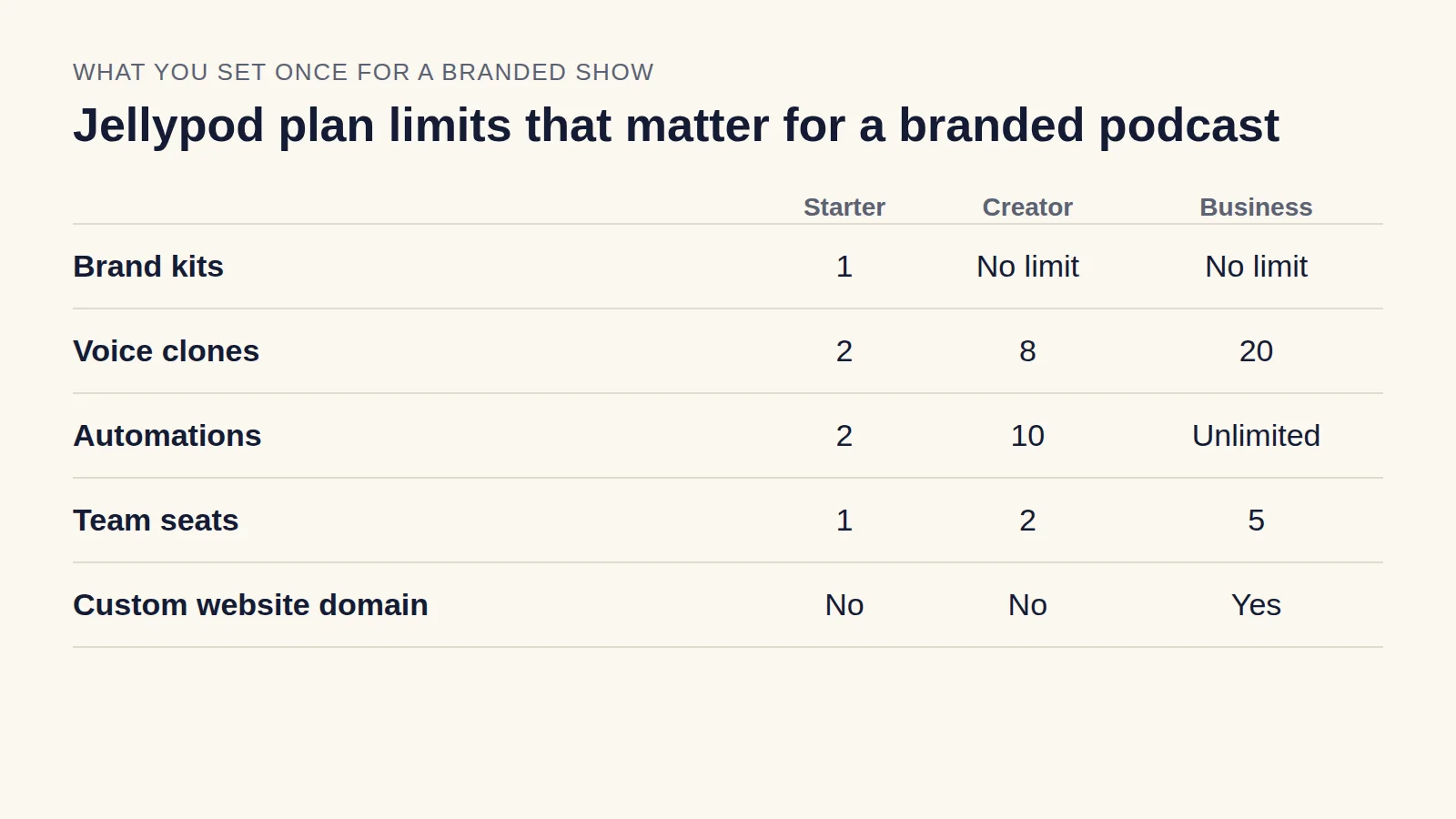
A church podcast is also a branded podcast for a ministry, so the choices in our branded podcast guide, such as a consistent cover, a fixed format, and a regular schedule, apply here too.
Turn your sermon into a podcast episodeTry Jellypod