



Trusted by 100K+ creators
AI Podcast Generator
Turn your notes, PDFs, links, or ideas into a conversational podcast. Choose your AI hosts, edit the script, and make an episode to listen to yourself or share with an audience.
4.6out of 5 on G2












What is an AI podcast generator?


An AI podcast generator turns your source material or topic into a spoken episode with AI hosts. Jellypod drafts an outline and script from your notes, PDFs, links, or prompt. Choose the voices, review and edit the discussion, then generate the audio.
Make a track-by-track album discussion, explore a historical figure, or turn a lecture or team handbook into audio. Keep the same hosts across a series as you add new subjects. Listen in the studio, download an episode without publishing, or share your show through Spotify, Apple Podcasts, and YouTube.
Professors, physicians, and marketers on their shows
It's not about replacing lectures. It's about reinforcing the arc of learning in the moments students actually have.
 Steve DeNunzioMBA ProfessorThe Ohio State University
My podcast was downloaded so many times... people were hungry for information from a real psychiatrist.
 Dr. Muhamad Aly RifaiPhysician and CEOBlue Mountain Psychiatry
It enables us to make podcasts of peer-reviewed medical papers that nobody, until now, was going to read.
 Kris VanhaechtProfessor of MedicineKU Leuven
I've cloned my own voice with just a 60 second recording... They just work beautifully.
 Llew JurySEO Pioneer, VC, and Entrepreneur
Jellypod is the complete package to create a podcast for yourself or your company.
 Kegan RiversSVP of Marketing3 Rivers Energy Partners
How to make a podcast with AI
Step 01
Add your content
Paste text or a link, attach a file, or describe your idea. Jellypod turns it into a structured outline.Step 02
Shape the show
Cast your hosts, edit the script line by line, and adjust pacing. Add music or sound effects.Step 03
Generate and publish
Generate the episode and publish to Spotify, Apple Podcasts, and YouTube, or download an MP3 or audiogram.

Start from what you already have
Bring a file, a blog post, or a rough outline. The generator accepts over 70 file types, including PDFs, URLs, and YouTube videos.
Pasted text is the most common source on Jellypod, ahead of PDFs and links, so you don't need a polished document. Have bullets? Use notes to podcast. Have a file? Use PDF to AI podcast.
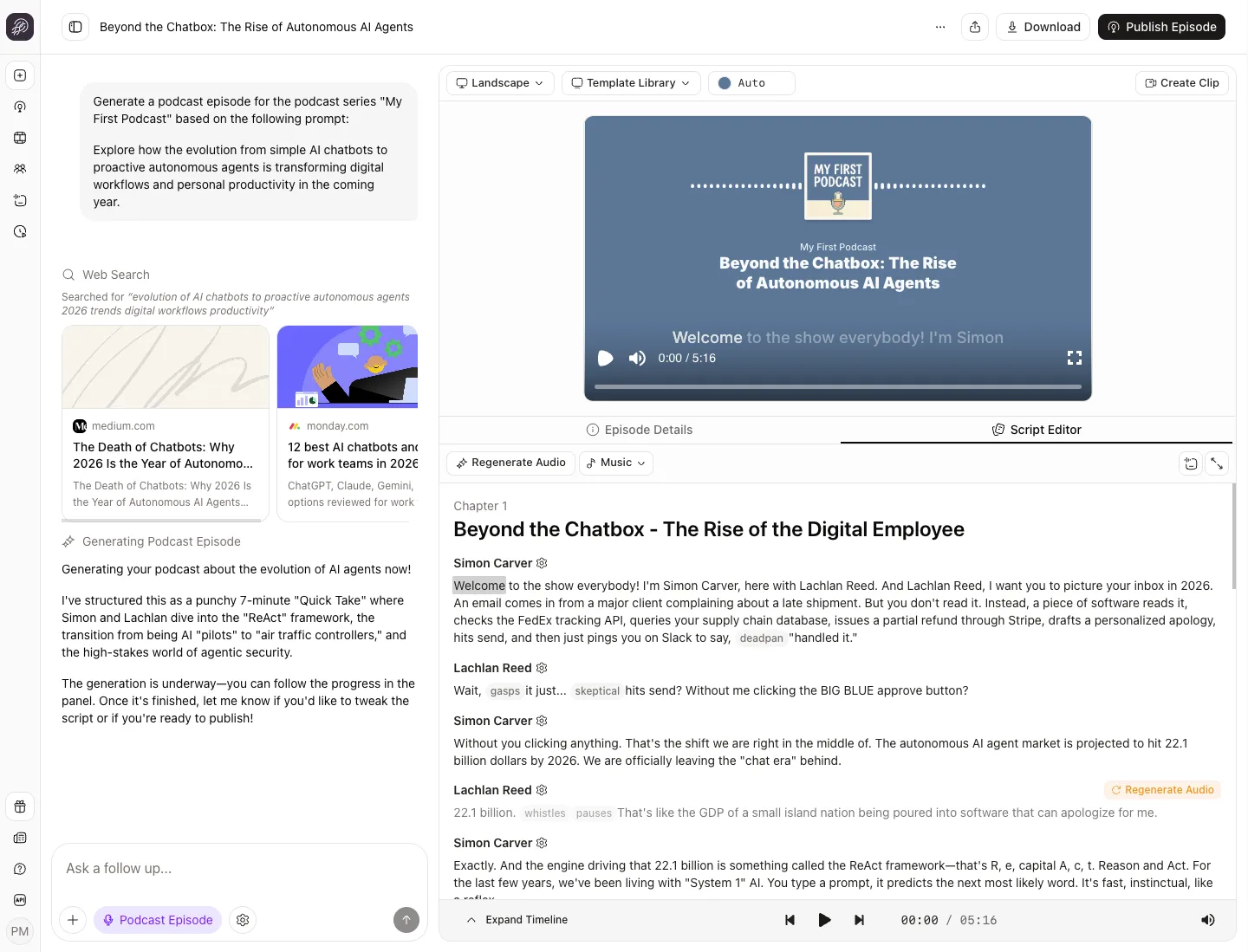
Jellypod vs NotebookLM: edit before you publish
NotebookLM turns your sources into an audio overview you can steer with a prompt, read by two fixed voices. Jellypod gives you the script: edit any line before audio is generated, and only that segment regenerates.
Then cast up to four characters as hosts from 3,300+ AI voices, or clone your own. Read the full Jellypod vs NotebookLM comparison.
Publish everywhere people listen
Every public show gets a podcast website, an RSS feed for Spotify, Apple Podcasts, and YouTube, and built-in analytics. Submit the feed once and new episodes appear automatically. Schedule a show with automations.
Podcast ideas you can make your own
An album discussion
Try this prompt: "Use my album notes to create a two-host discussion. Compare the opening and closing tracks, explore recurring themes, and explain where the hosts disagree." Continue the series with another album or artist.A historical biography
Try this prompt: "Use my sources to introduce Ada Lovelace. Explain her early life, her collaboration with Charles Babbage, and which claims about her legacy are debated." Review the facts before making the audio.A local history deep dive
Try this prompt: "Turn my notes on the history of my hometown into a conversational episode. Explain how its landmarks changed and what those changes meant for residents." Start with your notes and listen yourself or share the finished episode.
Why use an AI podcast generator?
Spend more time on your subject
Go from an idea to a published episode in one sitting, without a studio, a mic, or a raw recording to edit.Reach a global audience
Publish in 121 languages and accents. Hosting and distribution to Spotify, Apple Podcasts, and YouTube are built in, so you skip a separate hosting subscription.Review before generating audio
Review the script, correct names and pronunciations, and choose voices that fit your show. One customer called it "the easiest thing I've ever done". Read Dr. Louise Lambert's story.Publish on a steady cadence
Shows stall when every episode takes as much work as the last. Script, voices, and hosting live in one place, and automations can generate episodes on a schedule, so you skip studio bookings, editing sessions, and guest cancellations.
Who uses an AI podcast generator?
Music Fans & Commentators
Turn your album notes, artist research, and track comparisons into a music commentary series. Give each host a perspective and review the discussion in the script editor.History & Biography Enthusiasts
Explore a historical figure, place, or period across connected episodes. Bring your sources, check names and dates in the script, and reuse your hosts as the series grows.Educators
Turn lectures, readings, and slides into short episodes students finish on the commute or between classes. Educators start free.Clinicians & Health Teams
Turn clinical updates, CME material, and patient education into audio staff and patients can play on their own time. See health teams.Trainers & L&D Teams
Turn onboarding docs, training sessions, and leadership talks into audio your team can finish during a commute. See L&D teams.Marketers & Business Owners
Turn launch briefs, newsletters, and product updates into episodes customers can play on the go. See marketers.
Example shows made with Jellypod
The below podcasts are two live shows created by Jellypod. Give them a listen here (or on Spotify)!
FAQ
How much does it cost to generate a podcast?
How does the AI podcast generator work?
What file types and languages does it support?
How is this different from NotebookLM or text-to-speech?
Can I create a music commentary or history podcast?
Can I keep the same AI hosts across a podcast series?
Can I listen or download without publishing?
Does Jellypod offer a free trial?
Discover more
Explore related tools
More from Jellypod
Best AI Podcast Generators in 2026: How to Pick and Test One
Five tools compared on what happens after the audio: script control, credit cost per episode, and a listener test that proves the show reaches Spotify and Apple.
Read more![A script with [Maya] and [Dev] speaker labels beside the three speaker blocks an import reads from it](/_next/image?url=%2Fblog%2Fhow-to-write-a-podcast-script%2Fscript-block-format.webp&w=3840&q=75&dpl=dpl_F7TtenUeRHUN69A8wpj3odoKdSx3)
How to Write a Podcast Script: Speaker Labels and Formats
Write a script you can record or hand to AI voices: the block format, two ready templates, and the length math for your episode.
Read more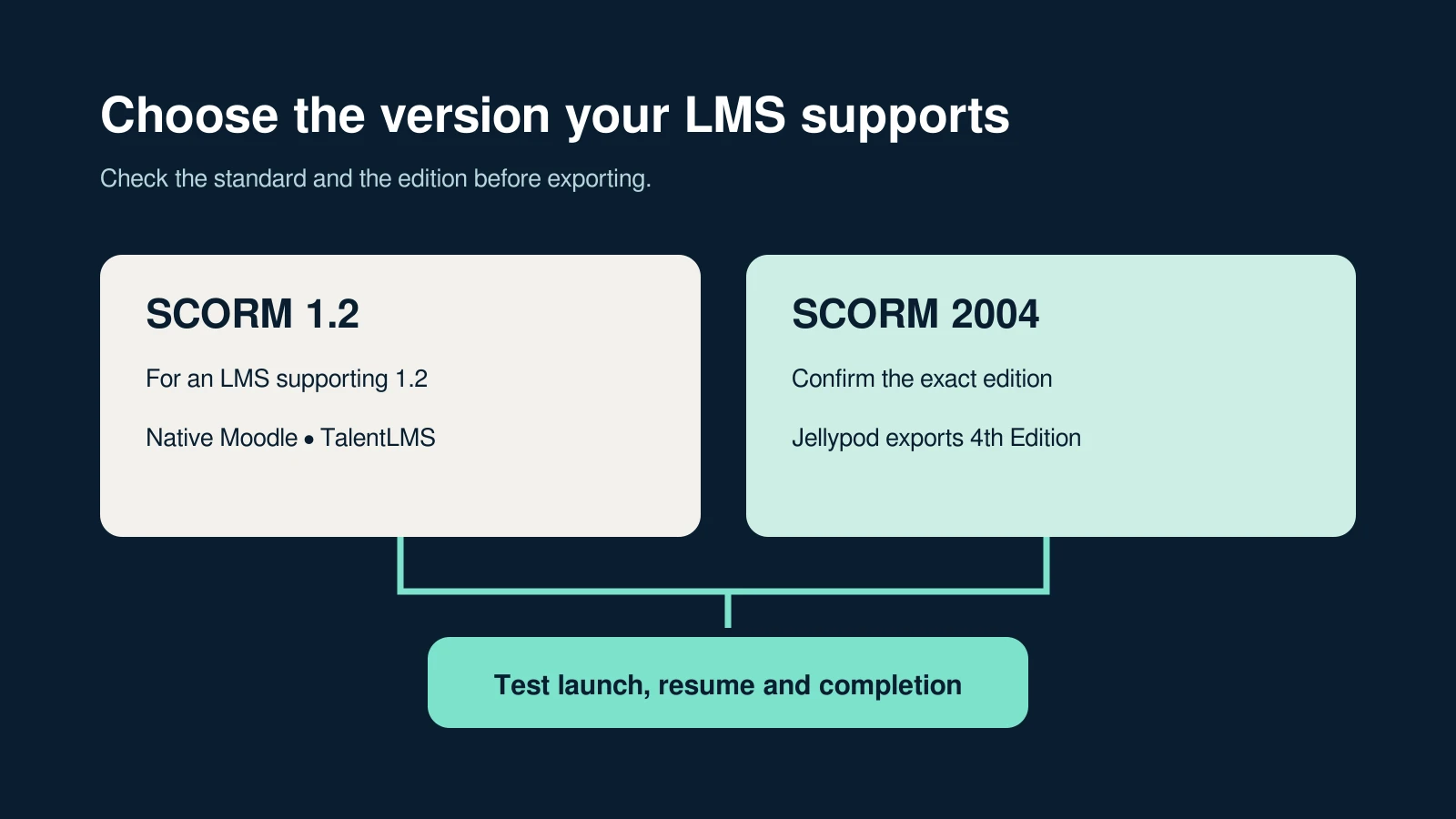
SCORM 1.2 vs 2004: Which Should You Export?
Choose the version your LMS supports, understand completion and success, and test one lesson before assigning it to learners.
Read more
Make the full version in Jellypod
7-Day Free Trial. Cancel Anytime.

Script, cast, and publish in one place
In Jellypod, the AI content platform behind this tool, you can cast up to four hosts from the voice library or clone your own voice, edit every line of the script, and publish to Spotify, Apple Podcasts, and YouTube with hosting included.