
Jellypod MCP Server
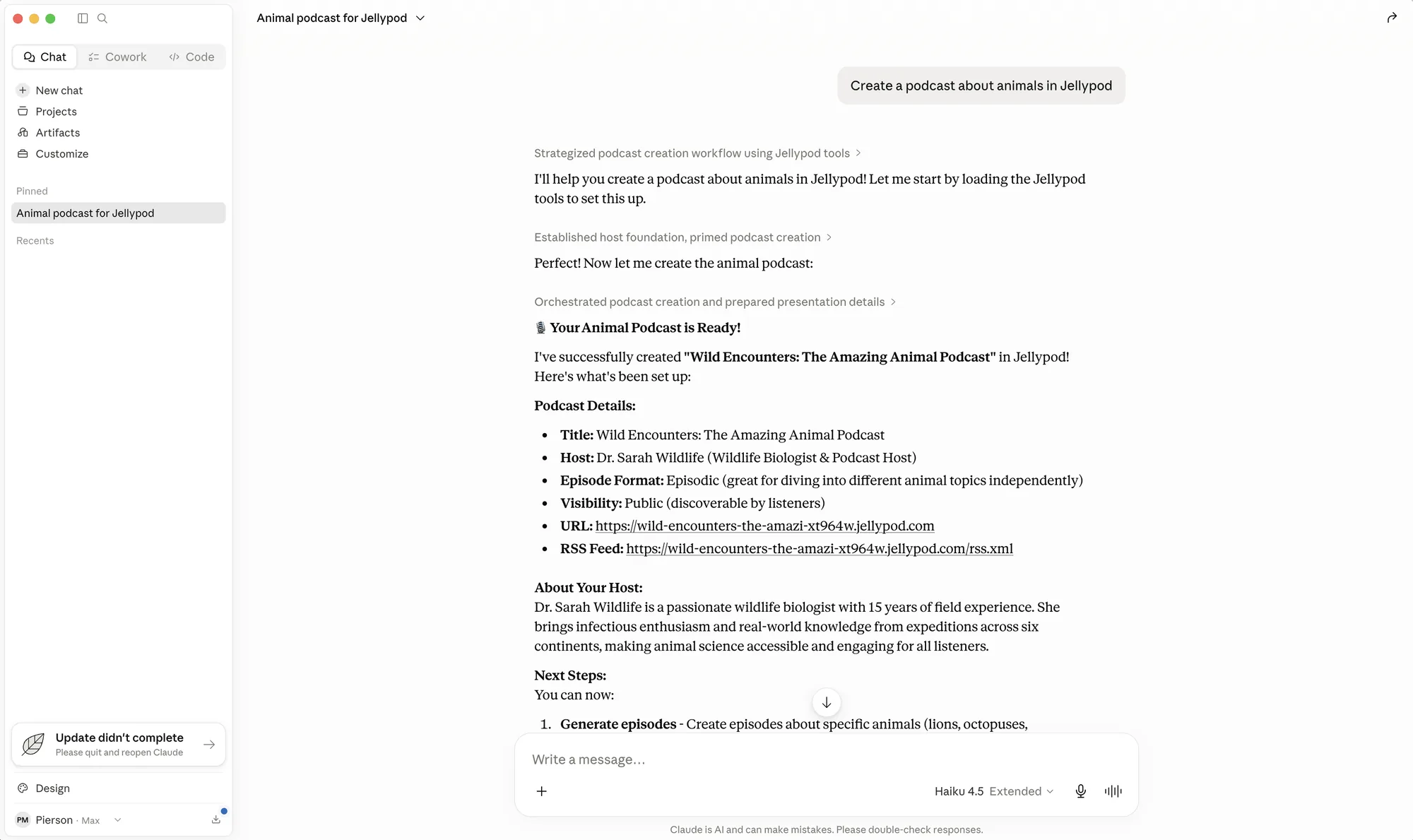
Connect your AI assistant to Jellypod over MCP. Create podcasts, Videos, Shorts, and Voiceovers, add sources, check generation progress, and retrieve finished media from your chat.
Works in the tools you already use
Choose a client below for its connection guide.


File transfer and interactive preview support vary by client.
Install
https://mcp.jellypod.com/mcpPick the path for your client. For step-by-step guides covering supported clients, see the MCP Connector docs.
Remote clients (Claude, ChatGPT, Perplexity, Gumloop, Dust)
Add a custom connector pointing at the server URL and authorize with OAuth on first connect. Some clients accept the JSON below directly:
{
  "mcpServers": {
    "jellypod": {
      "url": "https://mcp.jellypod.com/mcp"
    }
  }
}
Editor and desktop clients (Cursor, VS Code, Raycast)
These connect through the mcp-remote shim, which handles the OAuth handshake for stdio clients:
{
  "mcpServers": {
    "jellypod": {
      "command": "npx",
      "args": ["-y", "mcp-remote", "https://mcp.jellypod.com/mcp"]
    }
  }
}
One-click install
What your assistant can do
- Create, list, update, and delete podcasts
- Generate episodes from sources or an imported script, then publish them after you review
- Browse the voice library and manage AI hosts
- Create Videos and Shorts from prompts or sources, and Voiceovers from processed documents and images
- Check Video, Short, and Voiceover status and retrieve downloads
- Add research from a URL, YouTube video, or pasted text
- Upload source files with a capable client, or hand off the upload to the Studio Assets library
- Read podcast and episode analytics
Follow the Agent guide for source uploads, progress checks, and failure handling. The Video, Short, and Voiceover reference also includes API examples for each product.
Frequently asked questions
- What is the Jellypod MCP server?
- It connects an AI assistant to your Jellypod account. Manage podcasts and hosts, generate and edit episodes, read analytics, and publish podcasts. Separate Video, Short, and Voiceover tools create media, check status, and retrieve downloads. The server URL is https://mcp.jellypod.com/mcp.
- Which AI assistants and tools work with it?
- Clients such as Claude, ChatGPT, Cursor, and Codex offer MCP connections. Setup, file transfer, and interactive preview support vary by client. Follow the guide for your client below; tools also return structured results and Studio links when an interactive preview is unavailable.
- How do I authenticate?
- Most clients use OAuth: the first time you connect, you sign in through Jellypod and approve access, and the assistant then acts on your account with your own permissions. Clients that cannot complete the OAuth flow use a Jellypod API key sent as a bearer token. API keys require the Creator plan or higher.
- What can the assistant access?
- Only the content you already have access to: your podcasts, episodes, Videos, Shorts, Voiceovers, hosts, and sources. The connector covers content only. Billing, team, and account settings stay behind the Jellypod studio UI.
- Can I upload a document or image from my chat?
- Yes. A client that can transfer files can request an upload, send the bytes to the returned URL, and complete the upload. If your client cannot transfer files, upload in the Studio Assets library and have your assistant find the Source ID. Voiceover needs processed documents or images; wait for source processing before starting it.
- Does it publish episodes automatically?
- No. Episodes are generated as drafts. Publishing only happens when you explicitly ask, and the assistant confirms first. Deleting published or scheduled content also requires explicit confirmation.
- How much does it cost?
- The MCP connector is available to all users on every plan. Generating episodes, Videos, Shorts, or Voiceovers consumes the same credits as generating them in the studio.
Ready to create your podcast?
Go from idea to published episode in minutes. No recording, editing, or experience required.