
A decent USB microphone costs about $100. A full setup, mic, audio interface, headphones, and basic acoustic treatment, runs $400 to $600 before a single episode gets recorded. Both numbers are accurate, and neither one is required: across more than 150,000 hosts configured on Jellypod, fewer than 1 in 100 are a clone of someone's recorded voice. The rest run on a built-in AI voice, which means nobody involved ever bought a microphone, let alone learned to use one.
This guide covers both sides honestly. The real equipment list and price tags for anyone recording their own voice, and the point in that list where you can stop spending money entirely because there is nothing left to record.
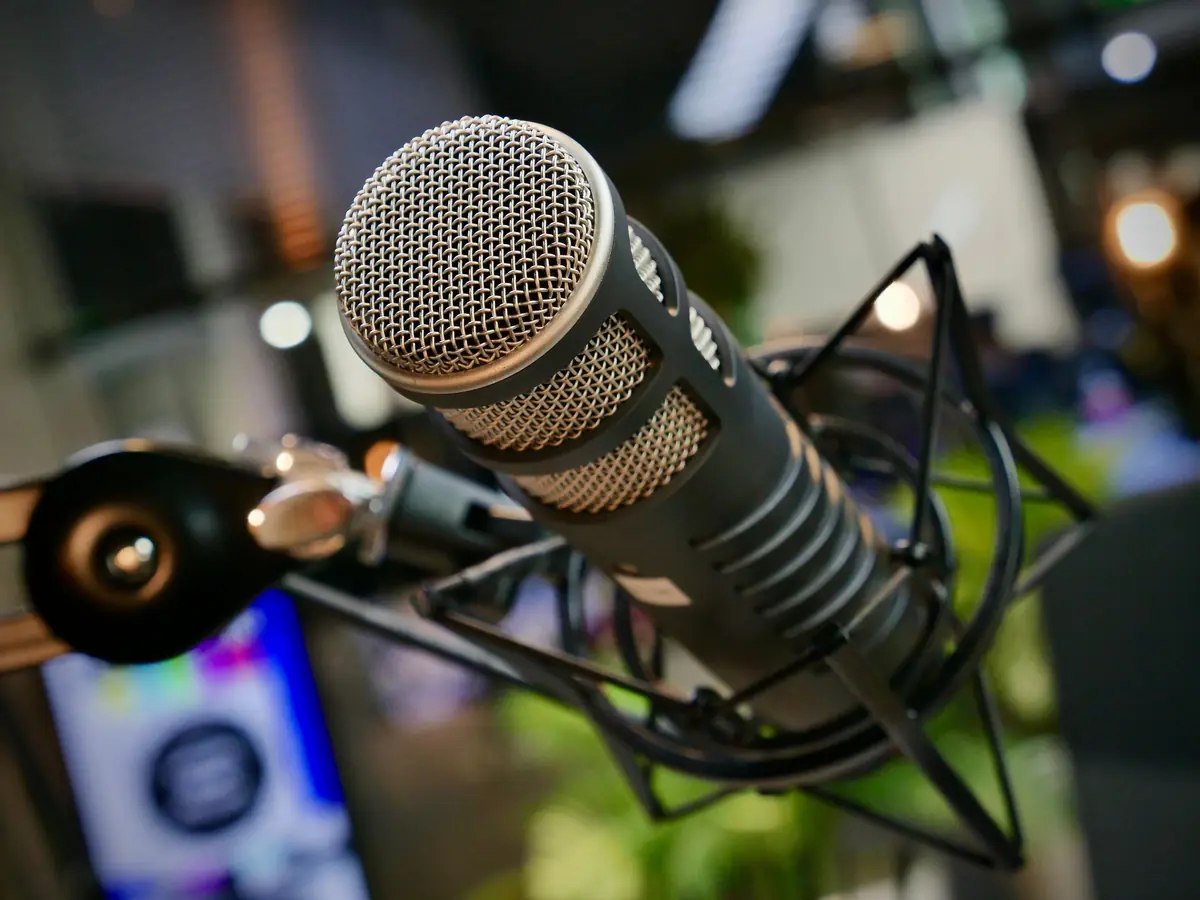
What do you actually need to record a podcast?
Strip out the affiliate-link padding, and a real recording setup comes down to four things: a microphone, a way to get it into a computer, something to record and export with, and a room quiet enough that none of that matters.
| Item | Minimum viable | Comfortable | Notes |
|---|---|---|---|
| Microphone | $70 to $100 (USB) | $150 to $250 (USB or XLR) | Cardioid pattern, not omnidirectional |
| Audio interface | $0 (skip with USB mic) | $100 to $180 | Only needed for XLR mics |
| Headphones | $20 to $50 | $80 to $150 | Closed-back, for monitoring while you talk |
| Recording software | $0 (Audacity) | $12 to $24/month (Riverside, Descript) | Free tier is genuinely usable |
| Room treatment | $0 (a closet full of clothes) | $150 to $300 (foam panels) | Soft surfaces beat foam for the price |
The minimum column is a real, professional-sounding setup. The comfortable column buys convenience and a wider margin for error, not a categorically different sound.
Podcast microphones: what actually matters
Pattern matters more than price. A cardioid microphone picks up sound mainly from directly in front of it and rejects room noise from the sides and back, which is why it matters more than the price tag on the box. A $70 cardioid mic in a quiet room beats a $200 omnidirectional one in a live one.
USB mics plug straight into a computer and need nothing else. The Shure MV7 (around $250) and Rode NT-USB+ (around $170) are the two most commonly recommended starting points, and the Audio-Technica ATR2100x-USB (around $99) covers the same ground for less. All three double as XLR mics if you add an interface later, so buying one is not a decision you outgrow.
The Blue Yeti shows up on almost every "best podcast mic" list because it is cheap and easy to find, but its default cardioid pattern is looser than a dedicated podcasting mic, so it picks up more of the room. It is a fine mic for a treated space and a frustrating one for an untreated bedroom.
Do you need an audio interface?
Only if the microphone has an XLR connector instead of USB. An interface converts that analog signal into something a computer understands and gives you a physical gain knob instead of a software slider. If you bought a USB mic, skip this line item entirely, it is already built in.
Headphones and room treatment
Closed-back headphones matter for one reason: they keep the audio you are monitoring out of the microphone's pickup pattern, so you are not recording your own recording. Any $30 to $50 closed-back pair does this job; the extra money in premium options buys comfort and frequency response, not a fix for a problem budget headphones have.
Room treatment is the most overpriced line item in most gear guides. A carpeted room with a couch, curtains, and a closet full of clothes absorbs reflections about as well as a few hundred dollars in foam panels. Hard surfaces (bare walls, tile, glass) are the actual enemy. Recording inside an open closet is a real, commonly used trick, not a joke.
Recording and editing software
Audacity is free, has been maintained for two decades, and does everything a first fifty episodes need: multitrack recording, basic noise reduction, and export to MP3 or WAV. Riverside and Descript charge $12 to $24 a month for cloud recording, automatic transcription, and text-based editing, which mainly saves time once you are producing on a schedule rather than experimenting.
Editing is where most first-time podcasters lose the most hours: cutting filler words, leveling volume between takes, removing dead air. The AI podcast editors guide breaks down which tools handle that automatically once you already have a recording, as opposed to the tools covered next, which skip the recording step altogether.
What equipment do you need if you're not recording at all?
None. A document, a URL, or a topic prompt, and nothing on the list above applies.
This is the fork most equipment guides never mention because they assume recording is the only path. On Jellypod, a script gets written from your source material, a voice reads it, and the episode gets produced without a microphone touching the process at any point. There are three ways to handle the voice itself:
- A fully AI-generated voice. Pick one from a library, assign it to a host persona, and every episode renders from the script. No recording, ever, for any episode.
- A cloned version of your own voice. Record one short reference sample, and future episodes generate in that voice from a script. The AI voice cloning guide covers how that reference sample works and what the output actually sounds like.
- Your actual recorded voice, using the traditional gear list above, for shows where a live take matters more than convenience.
Across the hosts actually configured on the platform, the first two options make up more than 99 percent. The step-by-step guide to starting a podcast walks through choosing between all three based on what a given show actually needs, not which one sounds more legitimate.
What does the full setup actually cost, gear vs. no gear?
| Path | Upfront cost | Ongoing cost | Time per episode |
|---|---|---|---|
| Record yourself | $150 to $600 | $10 to $30/month (hosting, software) | 2 to 4 hours (record, edit, export) |
| Clone your voice | $0 (one reference sample) | Usage-based credits | Minutes (script to render) |
| Fully AI-generated voice | $0 | Usage-based credits | Minutes (script to render) |
Traditional gear is not a bad investment for a show built around live conversation or a distinct on-mic personality. It is simply not a requirement for a podcast to exist, and most of what fills a "beginner equipment checklist" is optional the moment nothing is being recorded.
Frequently asked questions
Do you need a microphone to start a podcast?
No. A microphone is required only if a human is recording their own voice for the episode. Shows built on a fully AI-generated or cloned voice never touch a microphone at any point in production.
What is the minimum equipment needed for a podcast?
For a recorded show: a $70 to $100 USB cardioid microphone, closed-back headphones, free recording software like Audacity, and a room with soft surfaces. That is a complete, professional-sounding setup.
Can I record a podcast on my phone?
Yes, for a rough draft or a first test episode. Phone mics pick up more room noise and handling noise than a dedicated cardioid mic, so most creators upgrade once they are publishing on a schedule rather than testing the format.
Do I need a mixer or audio interface?
Only if your microphone uses an XLR connector. USB microphones plug directly into a computer and need no additional hardware.
What is the best beginner podcast microphone?
The Shure MV7, Rode NT-USB+, and Audio-Technica ATR2100x-USB are the three most commonly recommended starting points, all cardioid, all USB-ready, and all under $250.
Can you make a podcast without recording anything at all?
Yes. AI podcast generators write a script from source material and produce the audio using a built-in or cloned voice, with no recording session at any stage. Across hosts set up on Jellypod, this is how more than 99 percent of shows actually run.
The short version
Buy the gear if your show genuinely needs a live, on-mic take, a $70 to $250 cardioid microphone and a treated-enough room cover almost every case. But check the assumption first: if the goal is a published episode rather than a recording session, Jellypod's free AI podcast generator turns a topic or document into a finished episode with no equipment list at all.