Your best B2B content is probably already written. Most of it sits in a resource center where a 47-minute webinar or a 30-page whitepaper competes with everything else on a buyer's calendar.
B2B content repurposing means converting those assets into shorter audio and video that a specific audience will finish. Start with assets that answer a question customers already ask, such as webinars, whitepapers, case studies, and product docs. Give each one a single listener, a single promise, and a transcript that links back to the original. Jellypod fits at the conversion step: you upload the file, URL, or transcript, edit the script it drafts, then generate the episode.
Key takeaways
- Repurpose by audience, not by format. Match each source to one listener and one output before you generate anything.
- Webinars, case studies, and product docs convert best. A source qualifies when it answers a repeated customer question and stands alone without slides.
- One asset can yield five outputs: an episode, a transcript page, clips, a summary, and a sales note. Start with the episode and derive the rest.
- Scale with a fixed show template and a real source for every episode. Volume with no new substance is what Google's spam policy targets.
- Get speaker permission in writing before any recorded voice or likeness is reused.

Which B2B assets are worth repurposing?
Not every asset earns the effort. Score each candidate against these questions, and treat three or more yeses as a green light:
- Does it answer a question customers, prospects, or reps already ask?
- Does it explain a hard concept, or carry a real point of view?
- Is the current format too long or too dense to finish?
- Does it work without visuals?
- Is it evergreen enough to stay accurate for a year?
Skip anything that depends on a live demo, needs a slide to make sense, or is private (customer data, embargoed research). A weak asset in audio form is still a weak asset.
How do you match each source to an audience and output?
Choose the audience first, then the format. This mapping shows what we would build from each common source, using outputs Jellypod produces today.
| Source | Audience | Output | Jellypod format |
|---|---|---|---|
| Webinar | Customers, prospects | 10-minute recap, plus a Q and A episode | Podcast episode, Shorts |
| Whitepaper or report | Prospects, analysts | 3 to 5 episode series, one argument each | PDF to podcast |
| Case study | Prospects, sales reps | Customer story breakdown | Podcast episode, video |
| Product docs | Customers, support | Workflow briefing | Podcast episode |
| Sales deck | Reps, partners | Private enablement episode | Private feed |
| Conference talk | Members, community | Event recap season | Podcast episode, clips |
For whitepapers and reports, the PDF to podcast tool takes the file directly.
The pattern to avoid is turning one long asset into another long asset. A 45-minute webinar should not become a 45-minute podcast.
What is the one-asset, five-outputs model?
Each strong source becomes five connected outputs, and the episode is the one you build first because it forces you to state the idea plainly:
- Episode. The spoken version. Jellypod episodes can run up to 60 minutes, though a recap should be 10 or less.
- Transcript page. The searchable, skimmable version, published with the episode.
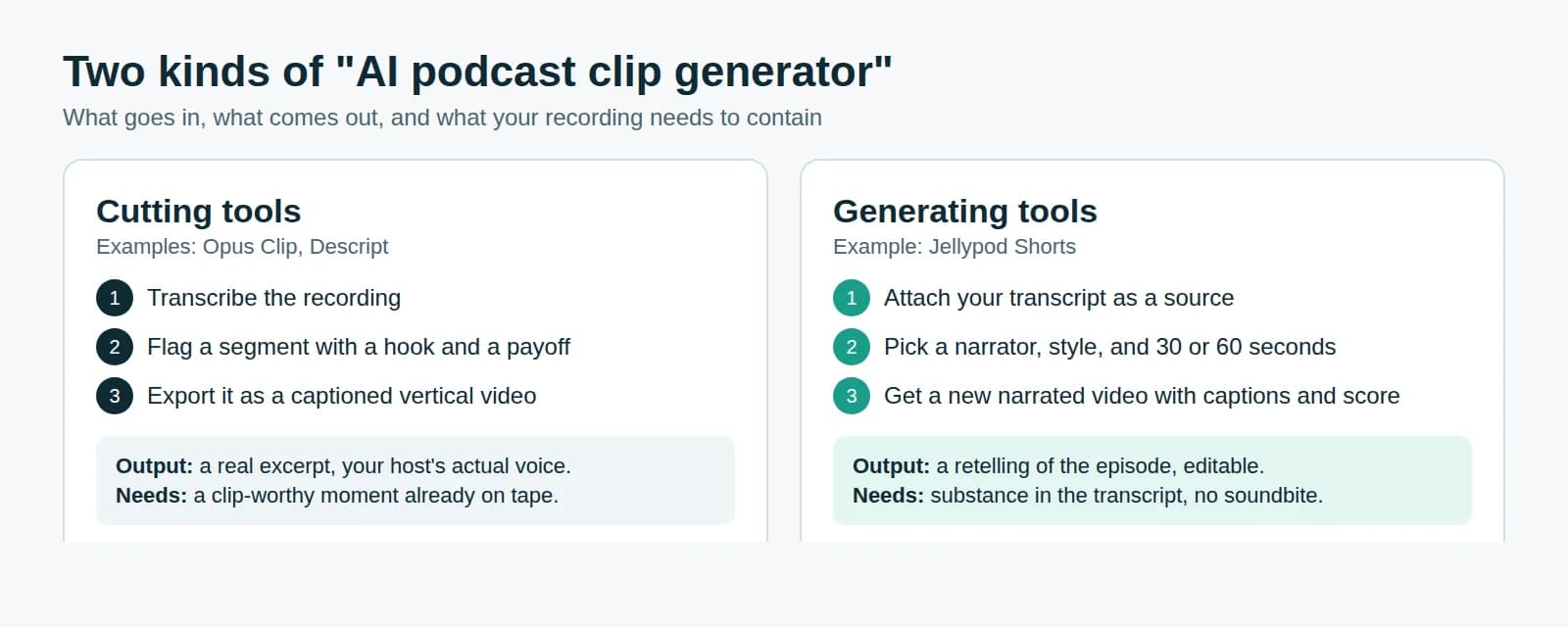
- Clips. Vertical Shorts cut from the episode. See how AI podcast clip generators work for the two approaches.
- Video. Any episode can render as an MP4 with captions or an audiogram, with no new filming. How to make a video podcast covers it.
- Sales note. A one-page summary for reps, written by a human, with the link to the episode.
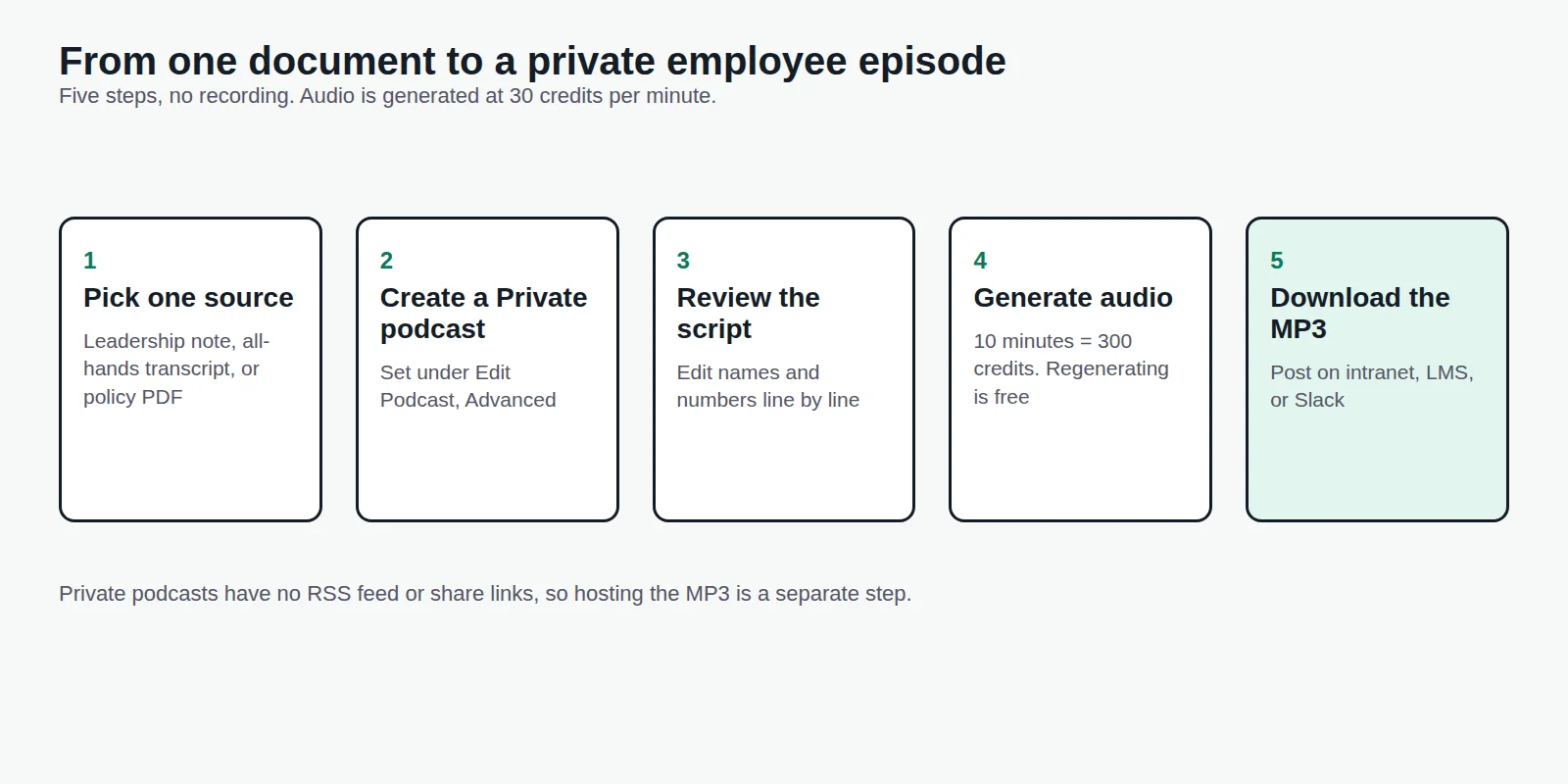
Publishing the episode as a public show under your company name is the branded podcast route. For employees and partners, a private feed suits the internal communications podcast model better.
How do you turn a webinar library into a series?
Webinars are the highest-yield source because the transcript already exists. The workflow:
- Audit topics. List every webinar, then group them by the question they answer and the listener who asks it. Cut duplicates and anything out of date.
- Reuse the transcript. Upload the transcript, slide deck, and the questions from chat. Jellypod accepts over 70 file types up to 100 MB each, including PDFs, slides, URLs, and YouTube videos.
- Write for the ear. Drop introductions, housekeeping, and "as you can see on this slide" moments. Edit the drafted script line by line before any audio is generated. Editing and drafting are free, and credits are charged only when audio is generated.
- Get speaker permission. Speakers agreed to a live session, not to a podcast, an AI voice, or a clip on social media. Ask in writing, state exactly which formats you will publish, and honor a no. Cloning a speaker's voice needs its own explicit consent; our AI voice cloning consent guide covers what to capture.
- Publish with a transcript and a link back. Point every episode to the original session, and do not present a recap as the full talk.
How do you scale repurposing without publishing filler?
Once one episode works, freeze the format and vary only the source. This is template plus structured data: the same hosts, structure, and length applied to a whole catalog of whitepapers, release notes, or webinars.
Jellypod supports this in three ways:
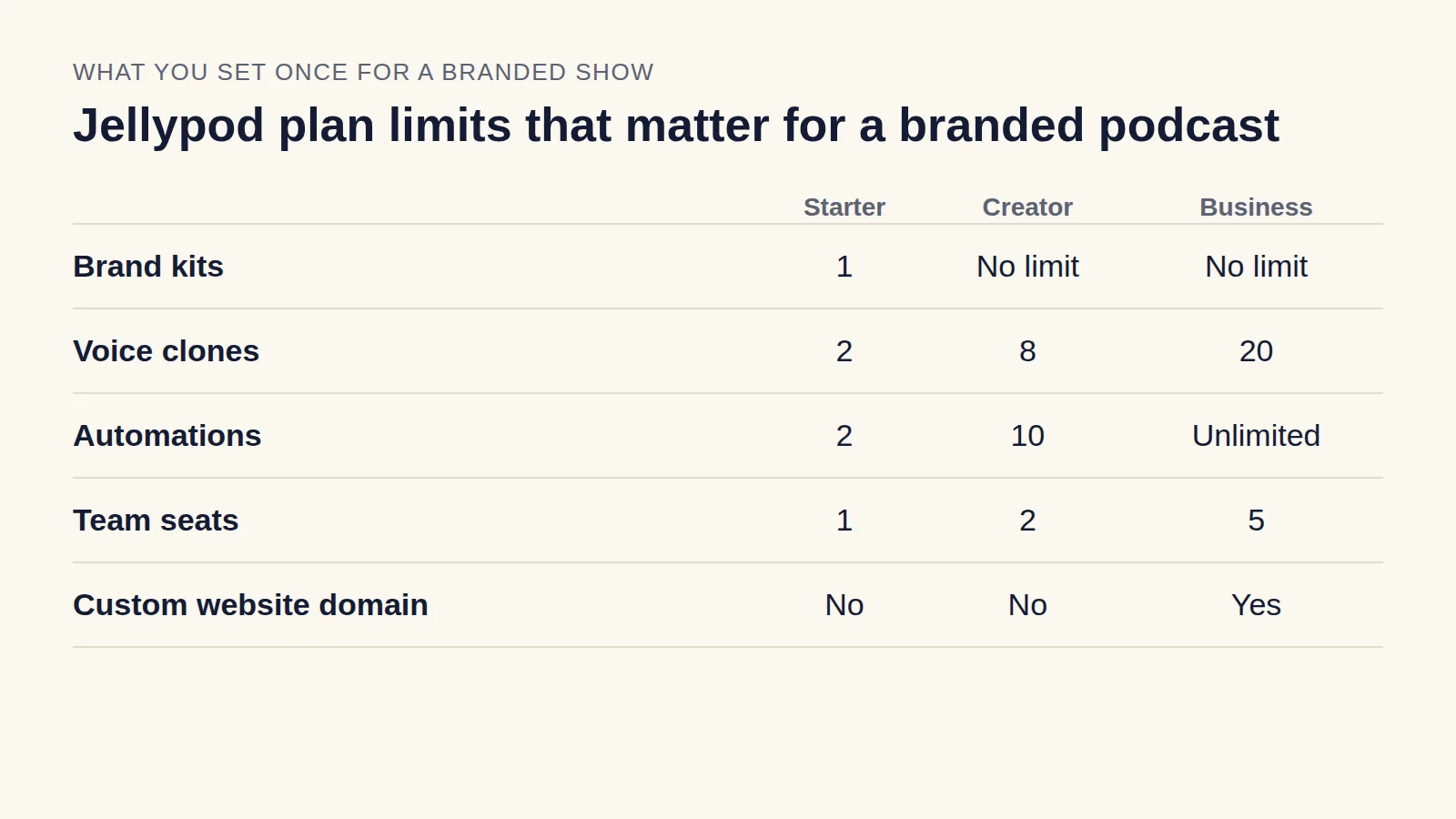
- Automations. An automation runs on a daily or weekly schedule, or whenever an email arrives at its unique address, and generates an episode, video, or short. Runs save as drafts unless you turn on auto-publish. The schedule pauses after repeated failures or when credits run out. Starter allows 2 automations, Creator 10, and Business is unlimited.
- MCP connector. Connect Claude, ChatGPT, or Cursor to your Jellypod account and generate episodes, videos, and shorts from chat, with each new episode created as a draft until you ask to publish. The connector is on every plan.
- API. The API is available on Creator and above, for pipelines that feed structured source data straight in.
Budget by credits. Audio costs 30 credits per minute (one credit per two seconds), so a 10-minute episode is 300 credits. Starter includes 5,000 credits a month, Creator 11,000, and Business 30,000, and extra credits are $10 per 1,000. Regenerating audio is free.
Does scaled repurposing risk Google's spam policy?
It can, if you do it badly. Google's spam policies define scaled content abuse as "many pages are generated for the primary purpose of manipulating search rankings and not helping users," and list "using generative AI tools or other similar tools to generate many pages without adding value for users" as an example.
The policy targets the purpose and the value, not the tool. Four habits keep a catalog on the right side of it:
- Base every episode on a source you own, such as your webinar, your research, or your docs.
- Have a person review each script before it ships, and correct anything the source does not support.
- Publish only episodes a real audience would want. Ten strong ones beat a hundred thin ones.
- Put the transcript on a page that adds context, and link to the original asset, rather than scattering near-duplicate pages.
If a batch of episodes would read the same with the source swapped out, do not publish it.
What should you check before you publish?
- One listener and one promise per episode.
- Facts, names, and numbers checked against the source.
- Speaker and sponsor permissions on file.
- Private or member-only material kept off public feeds.
- A transcript published, with a link to the original.
Start with one webinar or whitepaper, publish it, and see whether people finish it. Then apply the same template to the next source.