
Trusted by 100K+ creators
Brand Kits
Save your colors and logos once, and your podcast website, videos, and shorts pick them up.
Create a brand kit7-day free trial. Cancel anytime.

4.6out of 5 on G2












Brand kits: one set of colors and logos for your site and videos
A brand kit holds your five brand colors and your logos for light and dark backgrounds. Paste your website and Jellypod pulls them in for you to review, or set them up by hand.
Pick a default kit and every new short and video starts from it. Assign a kit to a podcast and its website takes on your colors, updating the moment you change the kit.
How to use Brand Kits
Step 01
Create the kit
Paste your website or set your colors and logos by hand.Step 02
Set where it applies
Mark it as the default, or assign it to a podcast.Step 03
Create on brand
Generate videos and shorts in your colors, and your podcast website follows.

Start from your website
Enter your website and Jellypod finds your brand name, logos, and colors. Review every value before it saves.

On-brand videos and shorts
Choose a default kit and new shorts and videos start with it. Switch kits or turn branding off for any single video before you generate.
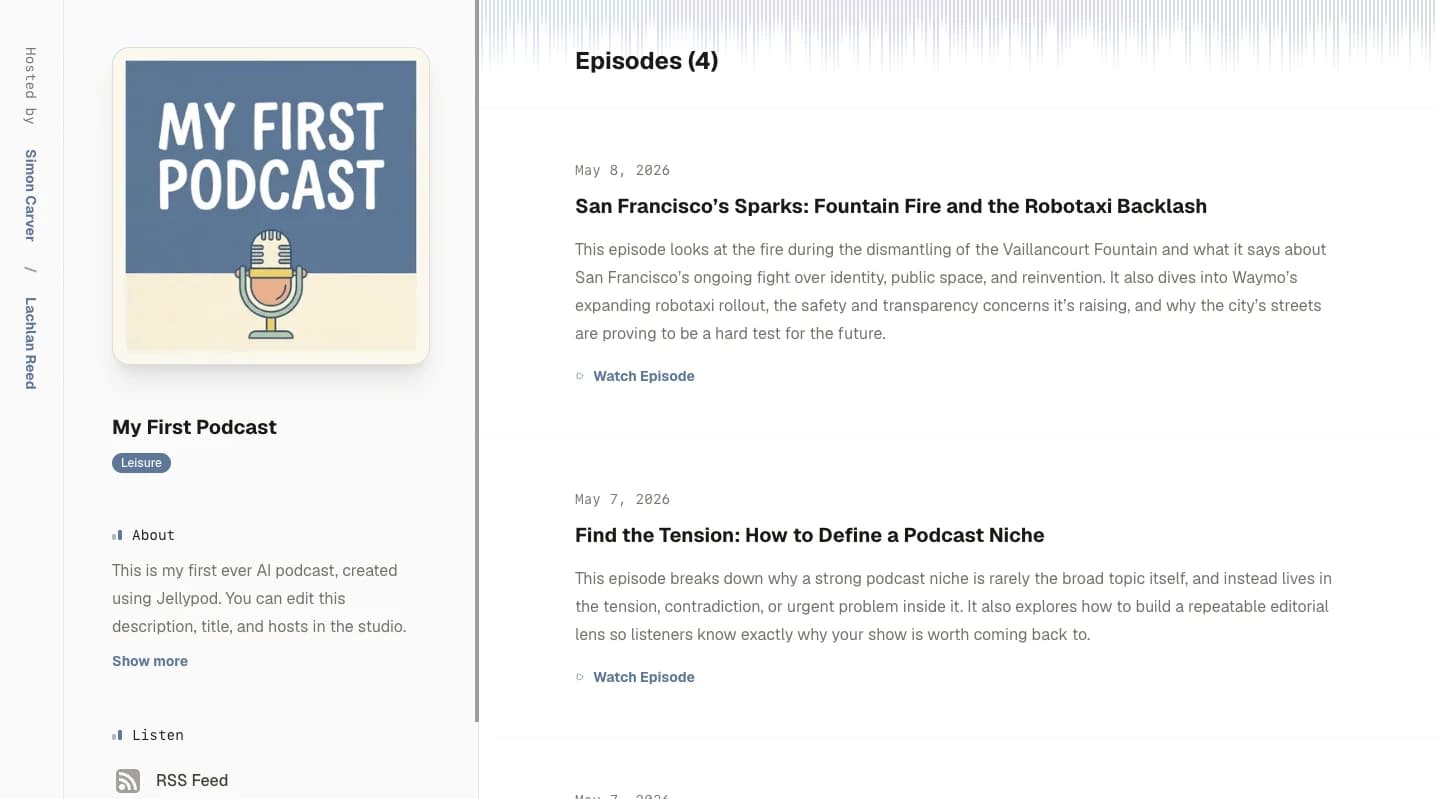
A website that matches
Assign a kit to a podcast and its website takes on your colors. Edit the kit and the live site updates right away. Read the help guide.
Stories from Ohio State, Busylike, and Johns Hopkins
It's not about replacing lectures. It's about reinforcing the arc of learning in the moments students actually have.
 Steve DeNunzioMBA ProfessorThe Ohio State University
If you are already investing in content marketing, Jellypod is a must-have to integrate into your strategy.
 Vadi EfeFounderBusylike
It's a digital version of myself and a way to amplify [my voice] without having to hire another employee.
 Boi CarpenterVP Alumni RelationsJohns Hopkins University
You just dump in your information and structure your podcast. It was the easiest thing I've ever done.
 Dr. Louise LambertAssociate Professor, Psychologist
FAQ
What is a brand kit?
Can Jellypod build a brand kit from my website?
Where does a brand kit apply?
Does every video style use my brand colors?
How many brand kits can I have?
Discover more about Brand Kits
Explore related
More from Jellypod
Brand Kits
Save your colors and logos once, then apply them across your podcast website, shorts, and videos.
Read moreCustomize Episode Background Color
Customize your video background color and your podcast site accent, or let Auto match it to your cover art.
Read more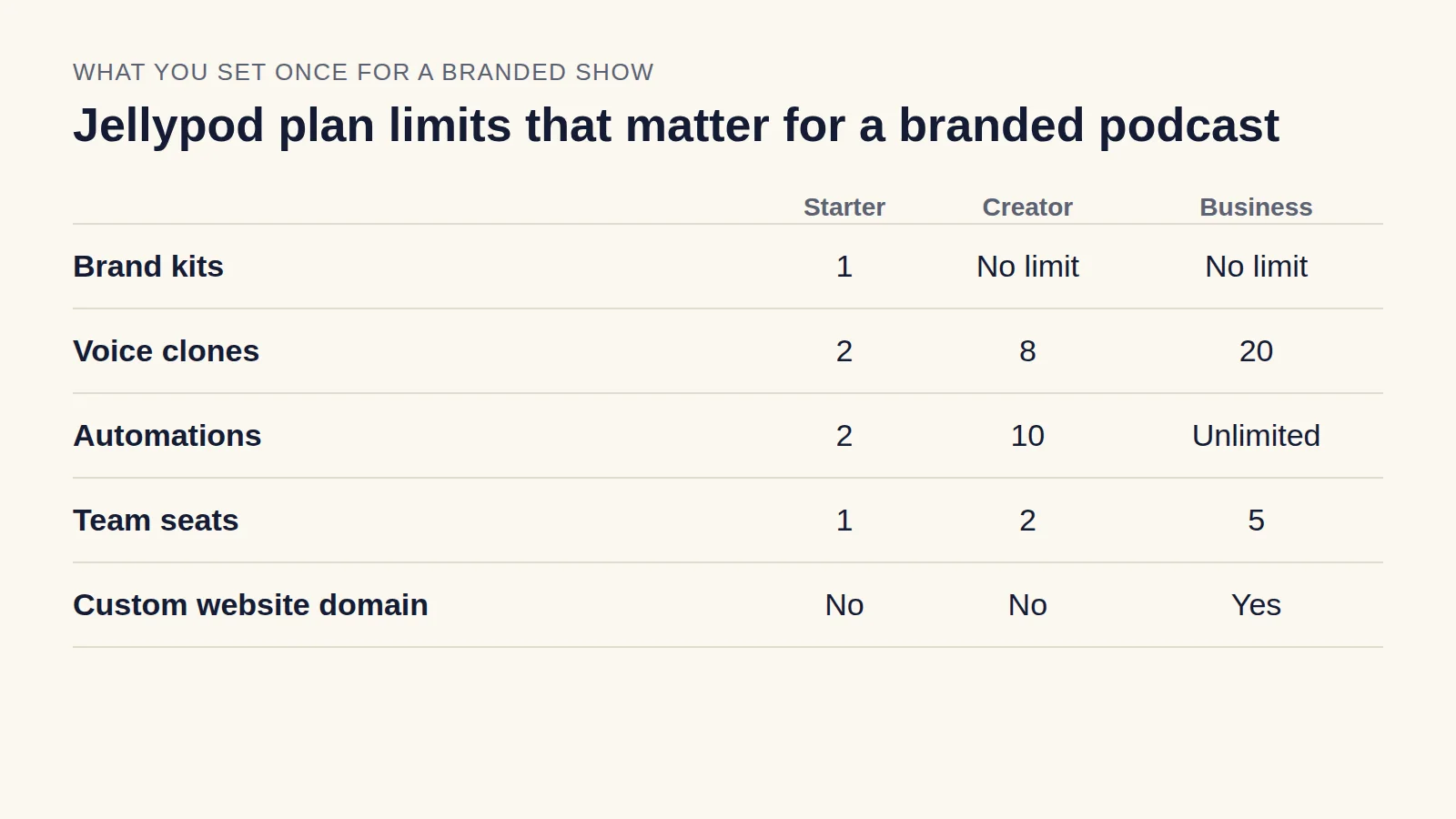
Branded Podcast: How to Launch One That Stays on Brand
Pick a show your buyers would subscribe to, keep the voice and look consistent across episodes, and publish on a schedule your team can sustain.
Read more
Put your brand on your site, videos, and shorts
7-day free trial. Cancel anytime.
One brand across your whole studio
The same kit feeds your podcast website, shorts, videos, and Magic Video episodes, so what you publish looks like one brand.