An internal communications podcast is a private audio show for employees: leadership messages, all-hands recaps, and policy changes delivered as short episodes instead of another email. To start one, pick one source document you already have, generate an episode from it, review the script, and share the audio where employees already sign in.
Jellypod turns an uploaded document into a two-host episode with an editable script, so nobody records anything. The catch is privacy. A Private Jellypod podcast has no RSS feed, so you download the MP3 and host it yourself. The steps below cover both options.
Key takeaways
- Start with one recurring source (all-hands notes, a weekly leadership update, or a policy change) and make short episodes from it.
- Jellypod Private podcasts have no website, RSS feed, or share links. Download the MP3 and post it on your intranet, LMS, or Slack.
- A Public podcast does get an RSS feed, but anyone can reach it. Keep confidential material off it.
- Sales and enablement teams can reuse the same setup with four episode formats: battlecard, launch, objection, and customer story.
- Judge the show by whether people act on the message, not by plays alone.
How do you start an internal communications podcast?
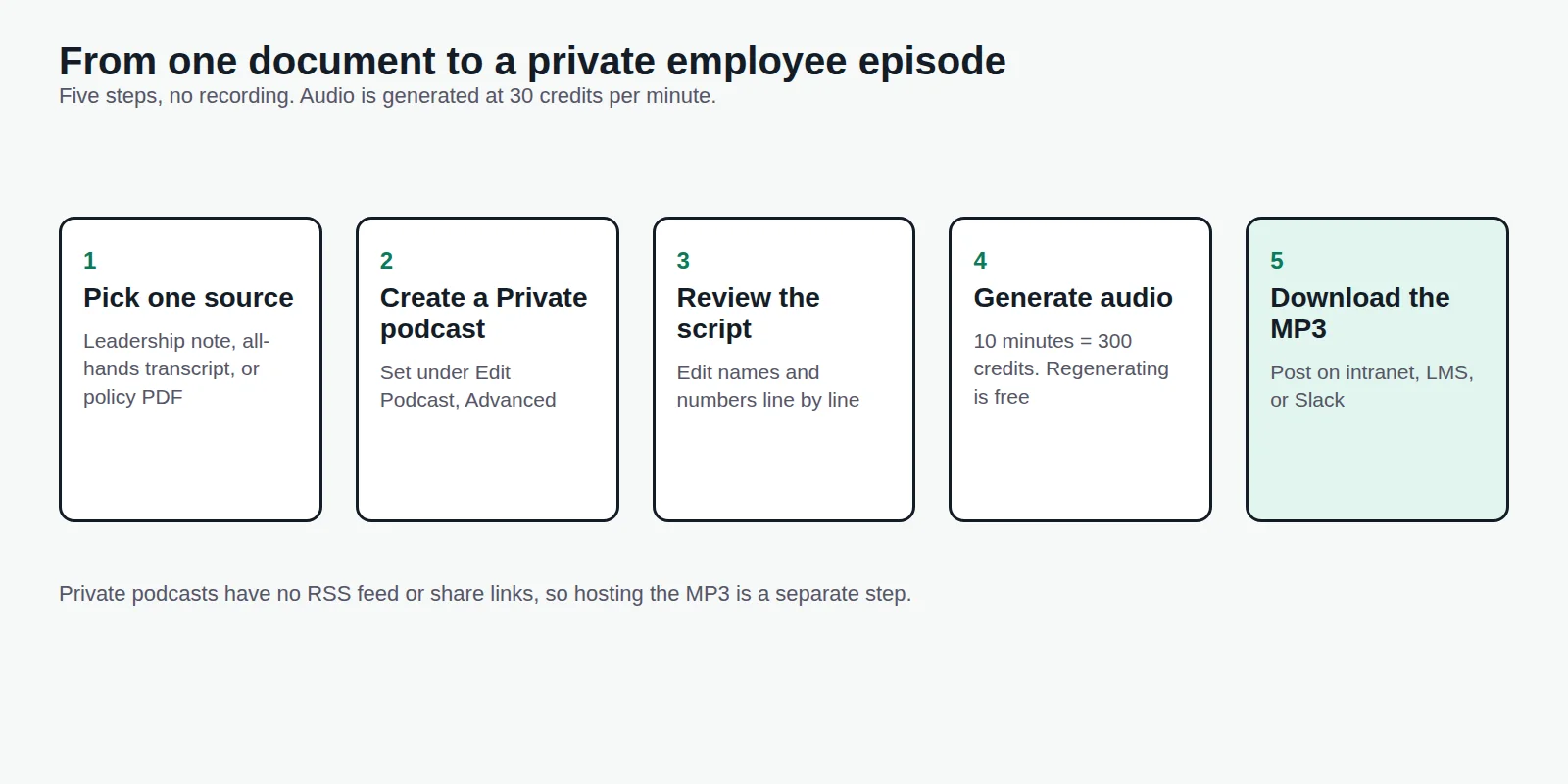
- Pick one recurring source. A weekly leadership note, the quarterly all-hands transcript, or the latest policy PDF. One source, one episode.
- Create a Private podcast in Jellypod. Visibility is set when you create the podcast and can be changed under Edit Podcast, then Advanced. Private is the setting for anything internal.
- Upload the source and review the script. Jellypod drafts a conversational script and you edit it line by line before any audio is generated. Fix names, numbers, and anything a listener might repeat to a colleague.
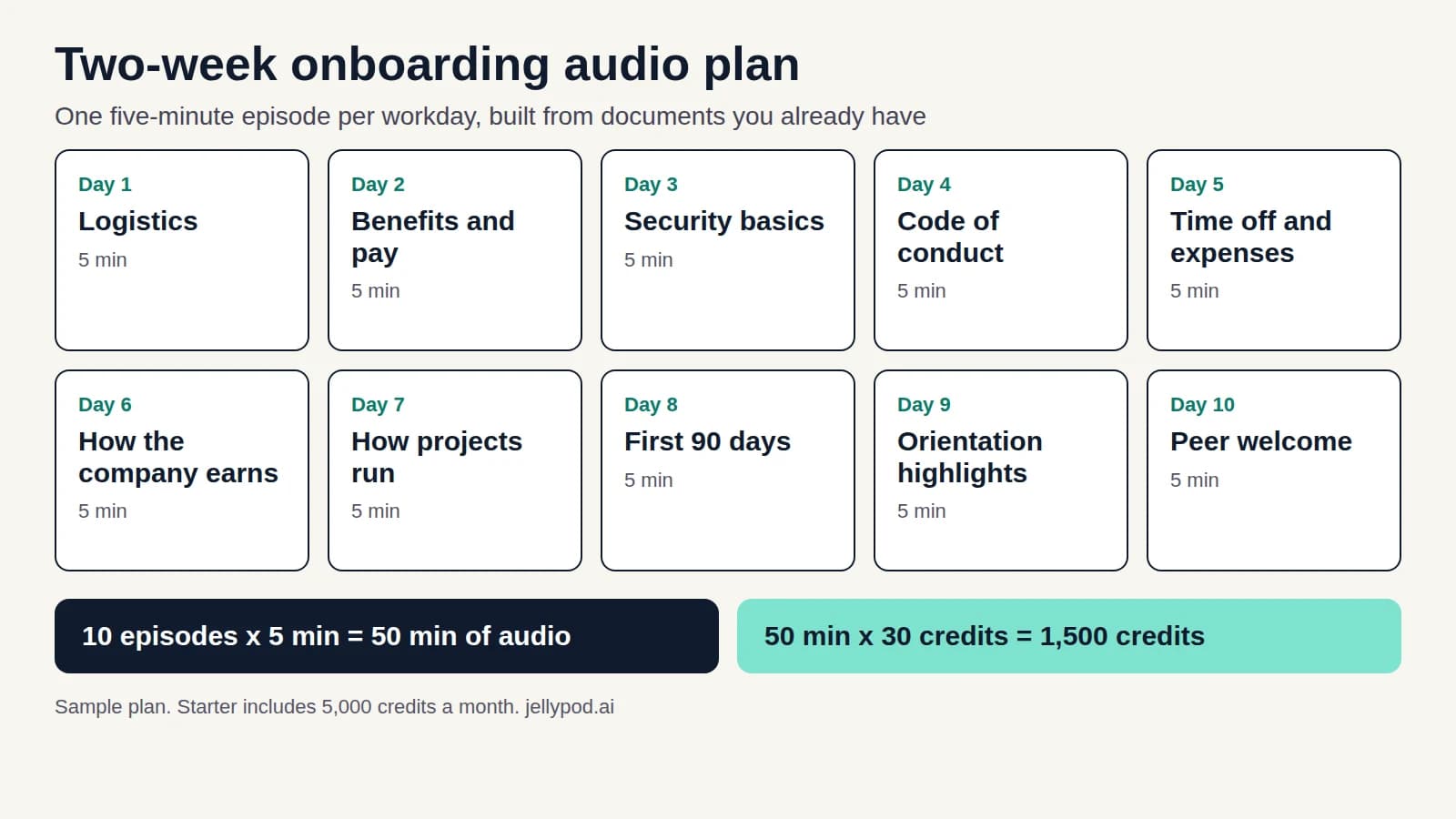
- Generate the audio. Audio costs 30 credits per minute, so a 10-minute episode is 300 credits. Regenerating audio is free. Starter includes 5,000 credits a month, and a single episode can run up to 60 minutes.
- Download the MP3 and post it. Put it on the intranet, in your LMS, or in the Slack channel where the update would have gone. Add the transcript for anyone who prefers to read.
Jellypod's help docs cover downloading audio and the Public and Private settings.
Can an internal podcast be private?
Yes, with one limit. Jellypod has two visibility settings for new podcasts, and neither is a password-protected feed.
| Setting | Who can listen | What you get |
|---|---|---|
| Private | Members of your Jellypod workspace | No website, RSS feed, or share links. Episodes are downloaded from the Studio. |
| Public | Anyone with the link or feed | Website, RSS feed, Spotify, Apple Podcasts, and YouTube distribution (see podcast hosting). |
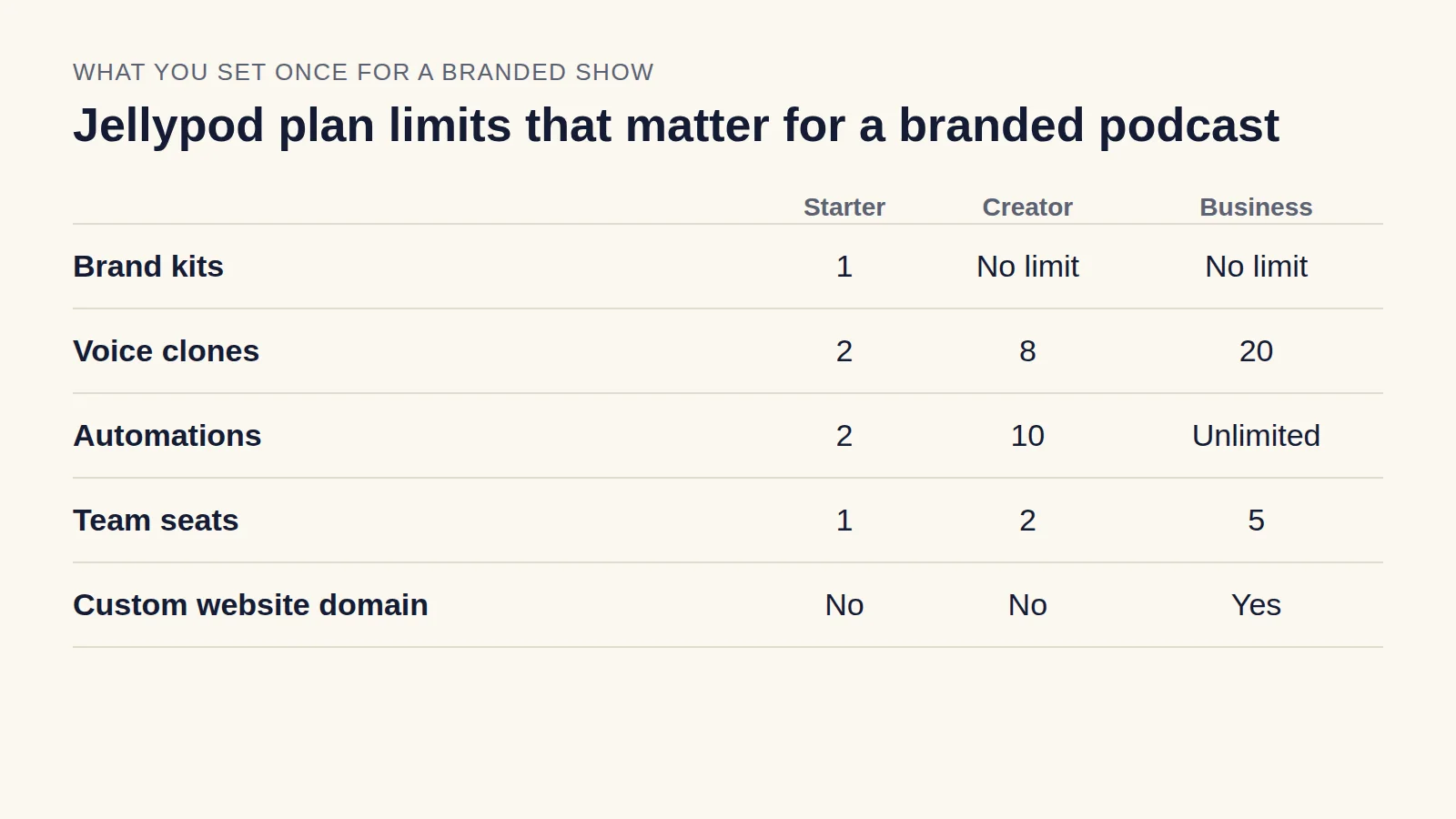
Private is a generation workspace. Seats are limited (Creator includes 2, Business includes 5), so you do not send employees into Jellypod to listen. You download the audio and host it behind the sign-in you already have.
If employees must subscribe in Spotify or Apple Podcasts, use a Public podcast for material that is fine for outsiders to hear, such as benefits explainers or culture stories. Do not put internal-only policy on a public feed. A podcast host that offers password-protected feeds is the other route, and Jellypod does not provide one.
Enterprise plans add SSO, centralized billing, and dedicated support. See Jellypod for enterprise. Everyone in a workspace can open every podcast in it, so invite people after sensitive drafts are finished.
What should an internal communications podcast include?
Audio suits context and reasoning, not tables or exact procedures. These formats hold up, with lengths that fit the job:
| Episode | Length | Source | Notes |
|---|---|---|---|
| Safety or schedule update | 1 to 3 minutes | Bulletin or memo | One update per episode, heard on a floor or in a truck |
| Weekly leadership update | 5 to 8 minutes | Leader's notes | What changed and why |
| Policy or benefits change | 3 to 6 minutes | HR document | Explain the reasoning, then link the PDF for details |
| All-hands recap | 10 to 15 minutes | Transcript | For people who missed the live session |
| Onboarding series | 5 to 10 minutes each | Handbook | One topic per episode, see onboarding training new hires finish |
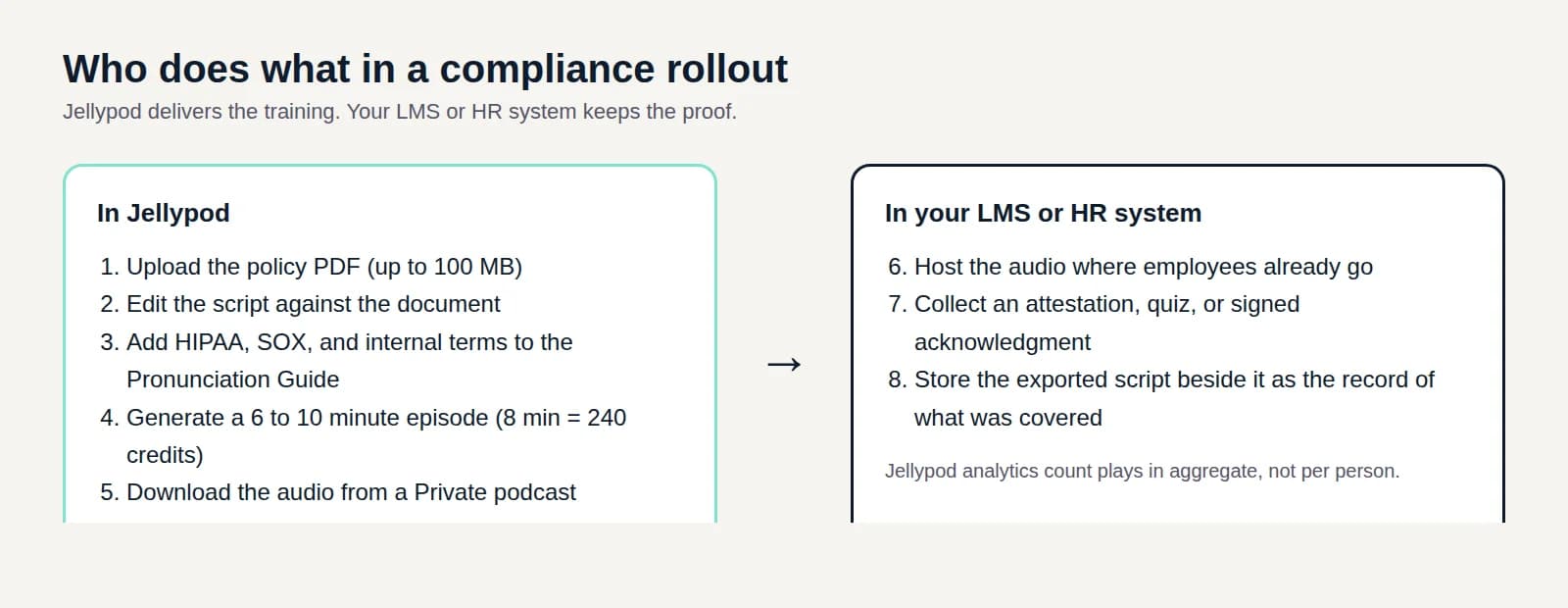
Regulated topics need more than audio. Compliance training best practices covers what a recording can and cannot prove. Crews that start every shift with a briefing can use the same setup for toolbox talks.
How do you reach employees who are not at a desk?
Frontline and deskless employees are the reason audio helps most. The 2025 Employee Communication Impact Study from Staffbase, based on 3,574 employees in six countries, found that only 9% of non-desk employees are very satisfied with internal communication. Of employees considering leaving, 63% named poor internal communication as a factor.
Keep these episodes to one update and under three minutes. Post the file where the crew already looks: a group text, an LMS module, or a QR code at the time clock. Jellypod does not track who listened to a Private episode, so keep your sign-in sheet if attendance matters.
Can it sound like our CEO?
Yes, with the leader's consent. Jellypod can clone a voice from 30 seconds of audio, with 60 seconds recommended, and the cloner confirms they have rights to the voice. An executive who is not a Jellypod user can record samples through an emailed invite link, with no account. Invite links are single-use and expire after 24 hours.
Voice cloning includes 2 voice clones on Starter, 8 on Creator, and 20 on Business. Have the leader approve every script, since the episode speaks in their name. Some teams pick a neutral host voice for routine notices and reserve a cloned voice for messages that should sound personal.
How do sales and enablement teams use an internal podcast?
Reps skip long documents but will replay a short briefing before a call. Pick one enablement asset and match it to a format:
- Battlecard briefing (5 to 7 minutes). Who the competitor is, when they appear, what they claim, where they are strong, and how to position honestly.
- Launch briefing (3 to 5 minutes). What shipped, who should care, how to explain it, and what not to promise.
- Objection episode (4 to 6 minutes). One host voices the skeptical buyer, the other answers with recommended language.
- Customer story (5 minutes). The starting problem, what changed, and how a rep can retell it.
Keep episodes under 10 minutes and tie each to a real sales moment. Anything that needs a screen, like pricing tables or exact workflows, stays in the doc, and the episode points to it. Battlecards and competitive notes are internal, so use a Private podcast and post the MP3 in your enablement hub. Customer-facing education can go on a Public podcast, as the branded podcast guide explains.
To measure it, watch outcomes: fewer repeated questions in the enablement channel, manager feedback on how reps handle the new message, and whether reps replay episodes before a launch. Play counts from your host are a weak proxy on their own.
How do you keep an internal podcast running?
Shows stall when each episode is a production project. The fix is a standing workflow: a source arrives, an episode is drafted, a person reviews the script. Jellypod automations can run that draft step on a schedule (Starter includes 2 automations, Creator 10, Business unlimited).
Weekly works for most comms teams and biweekly for smaller ones. If you retire episodes when the news is stale, the library stays trustworthy.
If your organization is a congregation rather than a company, how to start a church podcast applies the same workflow to sermons and devotionals.
FAQ
How long should an internal podcast episode be?
Match length to the job: 1 to 3 minutes for safety updates, 5 to 8 for leadership updates, and 10 to 15 for all-hands recaps. Jellypod episodes can run up to 60 minutes, but few internal topics need that.
Do we need to record anyone?
No. Jellypod generates the episode from your document with AI hosts, and you edit the script before audio is made. For messages that should sound personal, a consented voice clone stands in for the leader.
Can employees subscribe in Spotify or Apple Podcasts?
Only with a Public podcast, which anyone can reach. For internal-only content, post the downloaded MP3 on your intranet or LMS instead.