
On August 27, 2026, Google added Expert Intelligence to Gemini Notebook: a way to drop a book you already bought straight into a notebook as a source. Ask it a question and the answer comes back grounded in that book's actual text, with a citation pointing back to the page.
The catch sits in the word bought. Expert Intelligence only works with titles purchased through Google Play Books, so a notebook can generate an Audio Overview, a quiz, or an infographic from a book you own, but everything it produces stays tied to that purchase. Share the notebook with a colleague and Google's own announcement says they need to buy the book themselves before they can see any of it.
Jellypod runs on the opposite assumption. Across more than 170,000 sources uploaded to Jellypod episodes, more than 85% are files creators already had on their own computer, a PDF, a slide deck, a report, not a title bought through one retailer's storefront. Turn any of them into a podcast and the script, the voices, and the finished audio belong to you outright, with nothing tied to a purchase record someone else has to duplicate before they can listen.
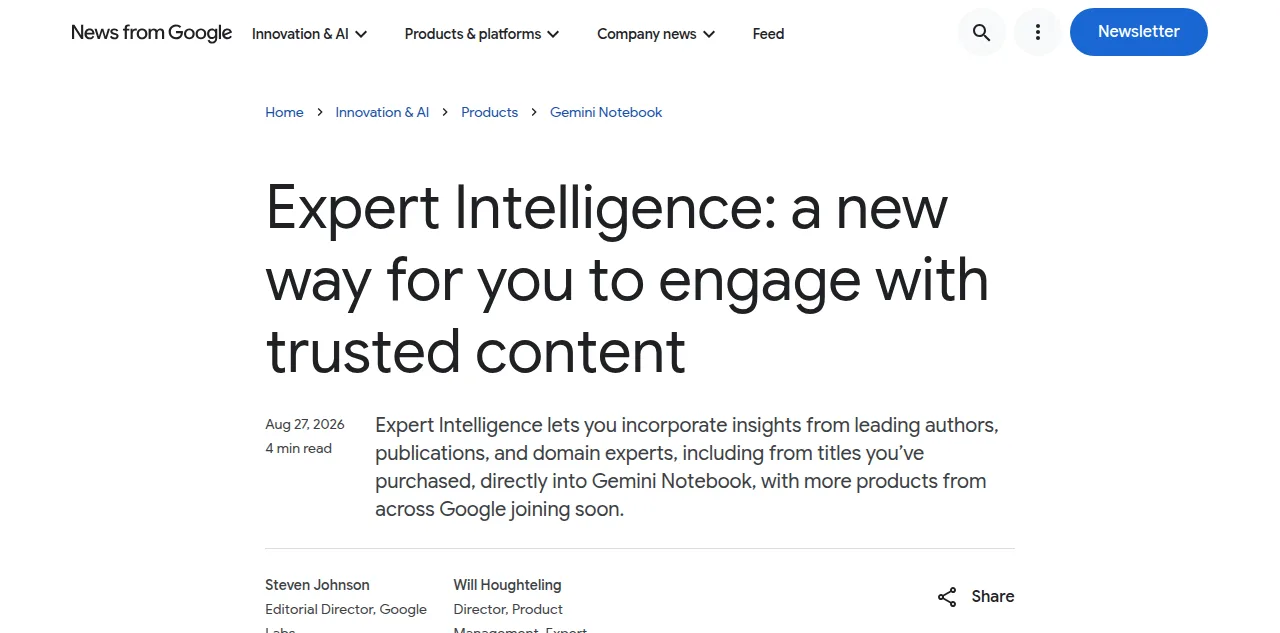
What is Expert Intelligence in Gemini Notebook?
It is a way to add licensed books as sources, not just your own documents.
Google announced Expert Intelligence on August 27, 2026, in a post co-written by Steven Johnson, Editorial Director at Google Labs, and Will Houghteling, who leads product management for the feature. Before this, a Gemini Notebook source had to be something you uploaded or linked to directly. Expert Intelligence adds a second kind of source: an e-book you purchased through Google Play Books, brought in whole so the notebook can answer questions, build study guides, or generate an Audio Overview grounded in that specific text, with citations pointing back to where each answer came from. The launch covers more than 100,000 titles from publishers including Bloomsbury, De Gruyter Brill, Johns Hopkins University Press, Macmillan Publishers, O'Reilly Media, and Penguin Random House, and Google worked with more than 15 bestselling authors, among them Steven Pinker, Michael Pollan, and Jennifer Wallace, to build featured notebooks around their own books.
What books can you actually use with Expert Intelligence?
Only ones you already bought, and only through one storefront.
Expert Intelligence works exclusively with e-books purchased through Google Play Books today. You cannot point it at a library copy, a PDF you own outright, or a book bought from a different retailer, even if you legally own that copy elsewhere. Google says the feature will expand: "people will also be able to add more sources like third-party subscriptions, business research reports, and textbooks." None of that is live yet. For now, the gate is narrower than "a book you own" suggests. It is "a book you own, and specifically bought here."
What can an Expert Intelligence notebook actually generate?
The same output formats Gemini Notebook already had, now grounded in a book's text instead of your own uploads.
| Output | What it does | Editable before it's final? |
|---|---|---|
| Audio Overview | A two-host discussion of the book's content | No |
| Infographic | A visual summary of key points | No |
| Quiz | Comprehension questions drawn from the text | No |
| Chat answer | A direct response grounded in the book, with a citation | No |
Every format here is a finished artifact, not a working draft. You get one generated version, you cannot rewrite the script behind an Audio Overview before it renders, and there is no way to swap in a different narrator voice for the discussion. That is the same ceiling Gemini Notebook's Audio Overview has always had, covered in how to turn Gemini Notebook into a published podcast; Expert Intelligence just widens what can feed into it.
Can you share an Expert Intelligence notebook with someone else?
Only with people who buy their own copy of the same book.
Per Google's announcement, "for people to interact with a book in Gemini Notebook, they must own the book through Google Play Books." Share a notebook built on Expert Intelligence with a colleague, a study group, or a class, and each of them hits a paywall the moment they try to open the book-grounded content, regardless of whether they can see the rest of the notebook. A teacher building a semester's reading list this way hands every student a shopping list, not a shared resource.
How is that different from a Jellypod episode you own?
An Expert Intelligence notebook is a license you extend by asking others to buy the same book. A Jellypod episode is yours once, for anyone who hears it.
| Expert Intelligence notebook | Jellypod podcast | |
|---|---|---|
| What unlocks the source | Buying the book through Google Play Books | Any document, link, or idea you already have |
| Who can access the finished piece | Only people who separately buy the book | Anyone with the link, or anyone subscribed to the feed |
| Script | One fixed, auto-generated version | Fully editable before you publish |
| Hosts | Two fixed Gemini voices | Your own named hosts, or your cloned voice |
| Distribution | Stays inside the notebook | A real RSS feed to Spotify, Apple Podcasts, and YouTube |
Where Jellypod fits when the source is something you already made
Most of what Jellypod creators turn into episodes was never for sale in the first place. It is a professor's own slide deck, a clinician's own research, a training manual their own team wrote. Kris Vanhaecht, Professor of Medicine at KU Leuven, uses Jellypod to turn his peer-reviewed papers, work he authored himself, into episodes students and colleagues around the world can hear in their own language. As he put it, Jellypod "enables us to make podcasts of peer-reviewed medical papers that nobody, until now, was going to read." Nobody in his audience has to buy anything to listen. The education workflow runs the same way for lectures, readings, and slides: upload what you already have, edit the script before anything renders, and publish once to a feed everyone can subscribe to for free.
Frequently asked questions
Do I need to buy a book to use it with Gemini Notebook's Expert Intelligence? Yes. Expert Intelligence only works with e-books you have already purchased through Google Play Books. You cannot use a library copy, a book bought elsewhere, or a PDF you own outright, even if you legally own that copy some other way.
Can Expert Intelligence turn a book into an Audio Overview? Yes. Once a purchased book is added as a source, Gemini Notebook can generate an Audio Overview, an infographic, or a quiz grounded in that book's text, the same output formats it already offered for your own uploaded sources.
Will Expert Intelligence work with textbooks or research reports? Not yet. Google's announcement says textbooks, business research reports, and third-party subscriptions are coming, but at launch on August 27, 2026, the feature covers Google Play Books e-books only.
Can someone I share a notebook with hear an Expert Intelligence Audio Overview without buying the book? No. Google's own announcement states that anyone interacting with book-grounded content must own the book through Google Play Books themselves, so sharing a notebook does not extend access to a book you already bought.
Can I publish an Expert Intelligence Audio Overview to Spotify or Apple Podcasts? No. Expert Intelligence changes what a notebook can draw on, not what it can do with the result. There is still no RSS feed or distribution option, the same gap covered in how to turn Gemini Notebook into a published podcast.
The short version
Expert Intelligence lets Gemini Notebook ground an Audio Overview, a quiz, or an infographic in a book you bought through Google Play Books, but everyone who wants to hear the result has to buy that same book first. Jellypod starts from what you already made, not what you have to purchase, and publishes it once to a feed anyone can subscribe to for free.