PowerPoint to Video
- PPTX
- KEY
- PPT
- ODP
Want to narrate a longer file? Voiceovers
4.6out of 5 on G2












Your slides, narrated and timed
Upload a PPT, PPTX, Keynote, PDF, or OpenDocument deck up to 100 MB. Jellypod renders your slides, writes a narration from their content, records it with one AI voice, and advances each slide as the narration reaches it.
Sign up to process the whole deck, pick up to four of your hosts as narrators, edit the script and slide timing, and download the MP4. A sales rep can send a narrated deck as a leave-behind after the call.
Last updated September 2026
Keep the slides, or restyle the deck?
| Path | Product | When to use it |
|---|---|---|
| Keep my slides as the video | Voiceover | Sales leave-behind, lecture replay, or L&D training that should still look like the deck. |
| Restyle the deck as a whiteboard, paper cutout, or chalkboard explainer | AI Video | The slides are the source, and you want new illustrated scenes instead of the original layout. |
How to convert PowerPoint to video
Step 01
Upload your deck
Drop a PPT, PPTX, Keynote, PDF, or ODP deck into the upload area, then sign up to generate.Step 02
Generate the narration
Jellypod renders the slides, writes the narration from their content, and records the AI voiceover.Step 03
Review and download
Play the rendered slides advancing with the narration. In Jellypod, choose up to four hosts, edit the script and timing, and download the MP4.

Uses your actual slides
Your fonts, charts, diagrams, and layouts are rendered into the video instead of being replaced with a generic template.

AI-written voiceover
Jellypod turns the deck content into narration, including the explanation that sparse slide bullets usually need.

Reads your speaker notes
Speaker notes in a PPTX become context for that slide, so the voiceover says what you would have said instead of paraphrasing your bullets back at the viewer.
More features
Automatic slide timing
Each slide stays on screen for the part of the narration it supports.PPT and PPTX support
Upload a modern PPTX or a legacy PPT file. Both use the same slide rendering, narration, and timing workflow.Finish it in Studio
Process the complete deck in Jellypod, choose up to four of your hosts as narrators, edit the script and timing, and download the finished MP4.PDF, Keynote, and OpenDocument
Keynote, PDF exports, and OpenDocument decks render the same way PowerPoint does, so a deck you already exported needs no conversion first.
Who uses PowerPoint to Video
Sales and marketing
Turn a sales or product deck into a leave-behind video when the presenter cannot stay in the room.Educators
Give students an on-demand narrated lecture without recording the session again.L&D and trainers
Convert onboarding, SOP, and enablement decks into training employees can finish asynchronously.
FAQ
How do I convert a PowerPoint to video?
Is the PowerPoint to video converter free?
What presentation formats does Jellypod support?
Does it use the speaker notes in my deck?
Can I choose the narrator and edit the result?
Discover more
Explore related tools
More from Jellypod
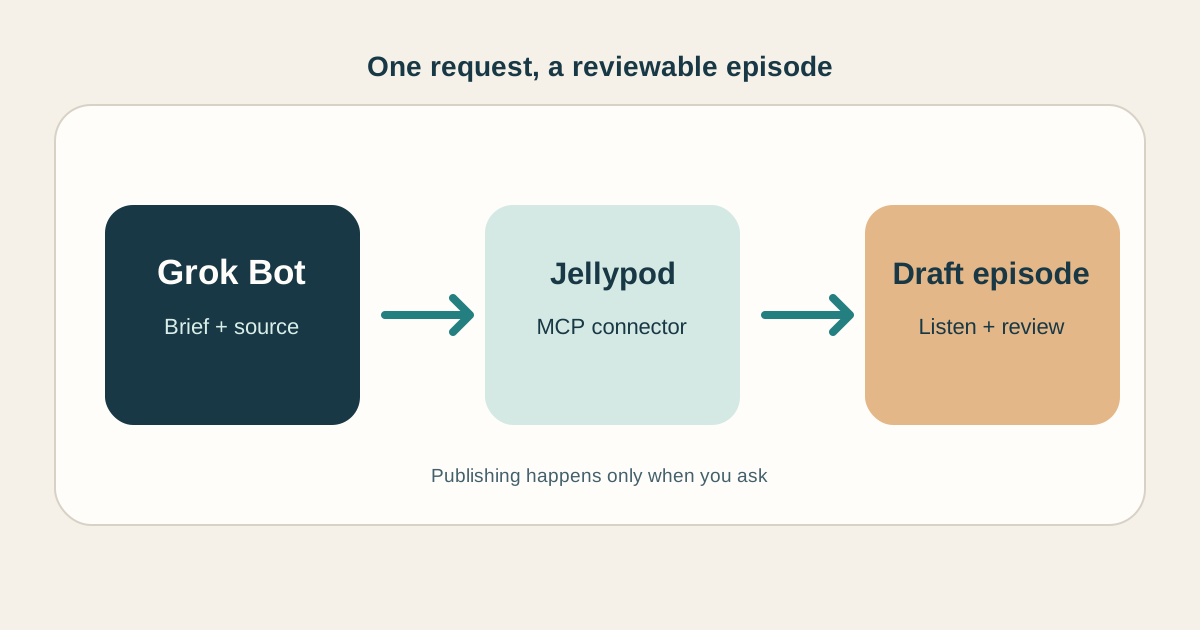
How to Make Grok Bot Create an AI Podcast
Connect a Bot to Jellypod, give it a source and a brief, then review the finished episode before it goes live.
Read more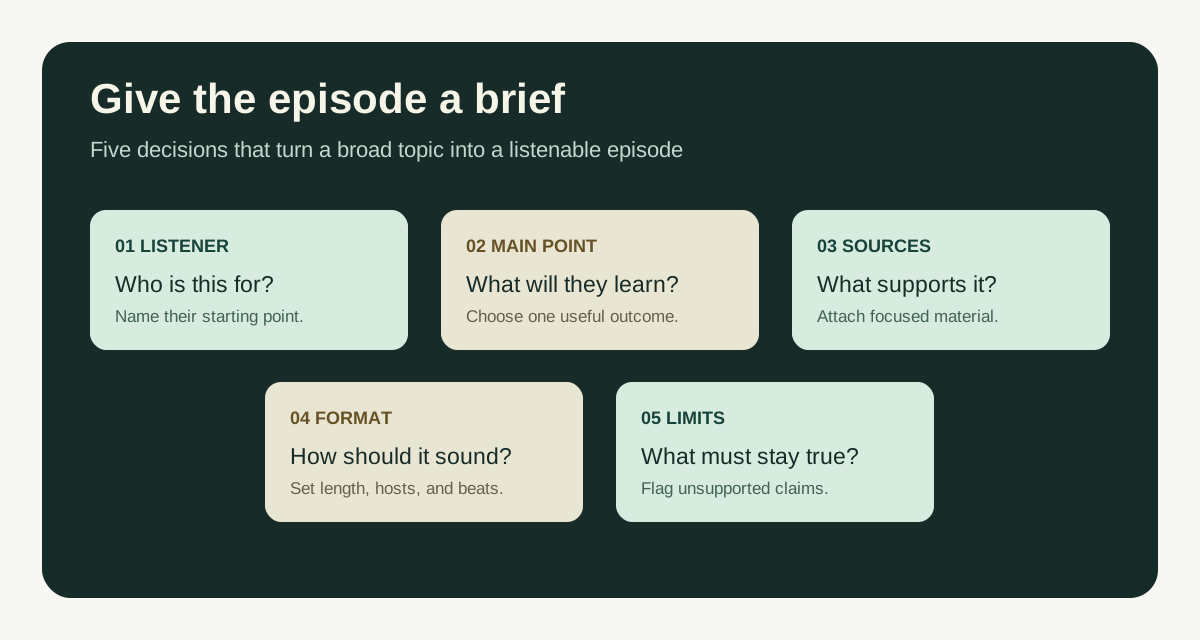
Guideline for Prompts to Create Good Podcasts
A simple guideline for writing podcast prompts, with a copyable template and examples for documents, lessons, and new topics.
Read more
Best AI Video Generators in 2026, Sorted by the Job You Need Done
Cinematic clips, talking avatars, explainers from documents, viral clips, or an editor with AI. Find the right kind of AI video generator before you compare tools.
Read more
Finish the full video in Jellypod
7-Day Free Trial. Cancel Anytime.
Edit every scene, caption, and voice
AI Video draws every scene in one of 16 styles, syncs captions word by word, and renders a 1080p MP4. Regenerate one scene and the rest stay as they are. Voiceovers keep your own slides or pages on screen, with the narrator and timing yours to change.
Use it when the deck has to stand on its own without a presenter. Starting from a PDF? Use the PDF to video converter. Want new illustrated scenes instead of your slides? Use AI Video.