
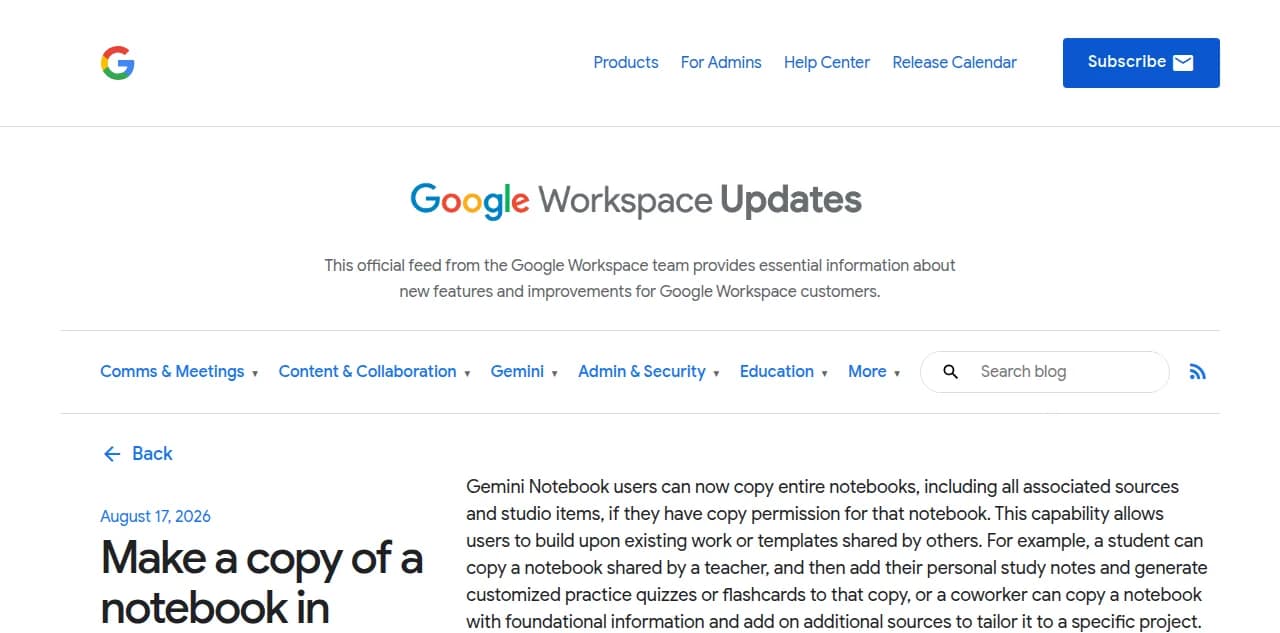
On August 17, 2026, Google gave every Gemini Notebook user a Copy button. Click it on a notebook you have access to, and you get your own independent duplicate: same sources, same Audio Overview, same quizzes and slide decks. It is the easiest a NotebookLM podcast has ever been to hand to somebody else.
It is also still not a podcast.
A copy is a second private file that lives in the copier's own account, and nobody else can subscribe to it. Jellypod exists for the step after that: the same sources, produced into an episode with your own hosts and an editable script, then published once to a real RSS feed that Spotify, Apple Podcasts, and everyone's podcast app can find on their own. Google's August 17 announcement made an Audio Overview easy to duplicate. It did not make it easy to distribute.
What does Gemini Notebook's new copy feature actually do?
It duplicates a whole notebook, not just the audio.
Anyone with copy permission on a notebook can click Copy and get an independent version in their own account: the source documents (if they have access to the originals), plus every Studio artifact already generated, Audio Overviews, Video Overviews, Study Guides, Flashcards, Quizzes, and Slide Decks, along with the prompts used to generate them. Google's own example is a classroom one: "a student can copy a notebook shared by a teacher, and then add their personal study notes and generate customized practice quizzes or flashcards to that copy." The feature shipped to every Google Workspace customer and personal Google account with Gemini Notebook access, and sharing permission for it is on by default, so a notebook you already shared can be copied today without you changing a setting.
What gets copied, and what does not?
Everything you built gets copied. Everything you did in the moment does not.
| Comes with the copy | Stays behind |
|---|---|
| Source documents (if the copier already has access) | Your personal chat history |
| Every Studio artifact: Audio Overview, Video Overview, Study Guide, Flashcards, Quiz, Slide Deck | Notes you typed into the original |
| The prompts used to generate those artifacts | A live link back to the original (the copy is a snapshot) |
Because the copy does not sync, an update to the original notebook, a new Audio Overview, a corrected source, never reaches anyone who already copied it. A teacher who revises a lesson has to track down every student's copy by hand, since there is no way to push the fix to a copy already made.
Does copying a notebook create a podcast feed everyone can subscribe to?
No. It creates one duplicate file per person who clicks Copy.
Podcast apps and directories work off a single RSS feed that every subscriber points at, so one new episode reaches everyone automatically. A copied notebook is the opposite of that: each recipient ends up with their own disconnected file, in their own account, with no shared feed underneath any of them. Fifty students copying the same class notebook produces fifty separate notebooks, not fifty subscribers to one show. Getting from sources to an actual feed is the same gap NotebookLM's original Audio Overview always had, covered in how to turn NotebookLM into a published podcast: no RSS, no Spotify or Apple listing, no single place a new episode shows up for everyone at once.
What happens when a teacher shares a class notebook this way?
Each student keeps a personal copy, and none of those copies share a feed.
Google's launch example is a teacher who shares a notebook and a student who copies it to "add their personal study notes and generate customized practice quizzes." That is genuinely useful for individual study. It is a different job from what a class podcast needs: one script the teacher controls, one Audio Overview every student hears the same way, and one place to post next week's episode so it reaches the whole class without asking anyone to click Copy again. Chris Read, a Canadian high school history teacher, ran into this exact wall before switching over: "NotebookLM generated fixed conversations he couldn't meaningfully edit," so he moved his lesson audio to a workflow where he keeps editorial control over the script and shares the finished episode by a single link to Google Classroom, the same class every time.
How is a copied Audio Overview different from a published podcast?
A copy is a file. A published episode is a feed with an audience already plugged into it.
| Gemini Notebook copy | Published podcast (Jellypod) | |
|---|---|---|
| What the recipient gets | A private, independent duplicate | A subscription to a feed |
| Needs a Google account | Yes | No |
| Updates automatically | No, each copy is a snapshot | Yes, new episodes appear for every subscriber |
| Reaches Spotify, Apple Podcasts, YouTube | No | Yes |
| Script is editable before publishing | No | Yes |
| Hosts are consistent across episodes | Two fixed voices per notebook | Your own named hosts, every episode |
The gap shows up in how creators who do publish actually distribute a show. Across Jellypod podcasts that have connected at least one distribution platform, more than half connect to two or more, so a single finished episode reaches multiple directories without the creator manually handing a file to each listener. A copy-and-duplicate model cannot produce that number by design: it makes more files, not more places one file can be found.
Frequently asked questions
Can I copy someone else's Gemini Notebook Audio Overview? Yes, if the notebook owner has copy permission turned on, which is the default. Click Copy on a notebook you can access and Google creates an independent duplicate in your own account, including its Audio Overview and other Studio artifacts.
Does the copy update when the original notebook changes? No. A copy is a one-time snapshot. If the original owner adds a source, edits a document, or regenerates the Audio Overview afterward, none of that reaches notebooks that were already copied.
Can I publish a Gemini Notebook Audio Overview to Spotify or Apple Podcasts? Not directly, whether it is an original or a copy. Neither generates an RSS feed, which is what podcast directories require to list a show. Jellypod takes the same source material to a real, hosted feed instead.
Is the new copy feature the same as the NotebookLM rebrand to Gemini Notebook? No. The rename to Gemini Notebook happened in July 2026 and added a secure cloud computer for code execution. The copy-a-notebook feature is a separate addition that shipped a month later, on August 17, 2026.
The short version
Gemini Notebook's new Copy button makes an Audio Overview easy to hand to one person at a time. It still does not make it a show, because a copy has no shared feed, no sync, and no listing on Spotify or Apple Podcasts. Turn the same sources into a published podcast on Jellypod instead of asking every listener to click Copy.