Paste a PDF into a text-to-speech reader and you get one voice narrating the document exactly as written, headers, footnotes, page numbers, and all. That is PDF to audio. PDF to podcast is a different job entirely: a script drafted from the document's argument, then produced with hosts who discuss it instead of reciting it.
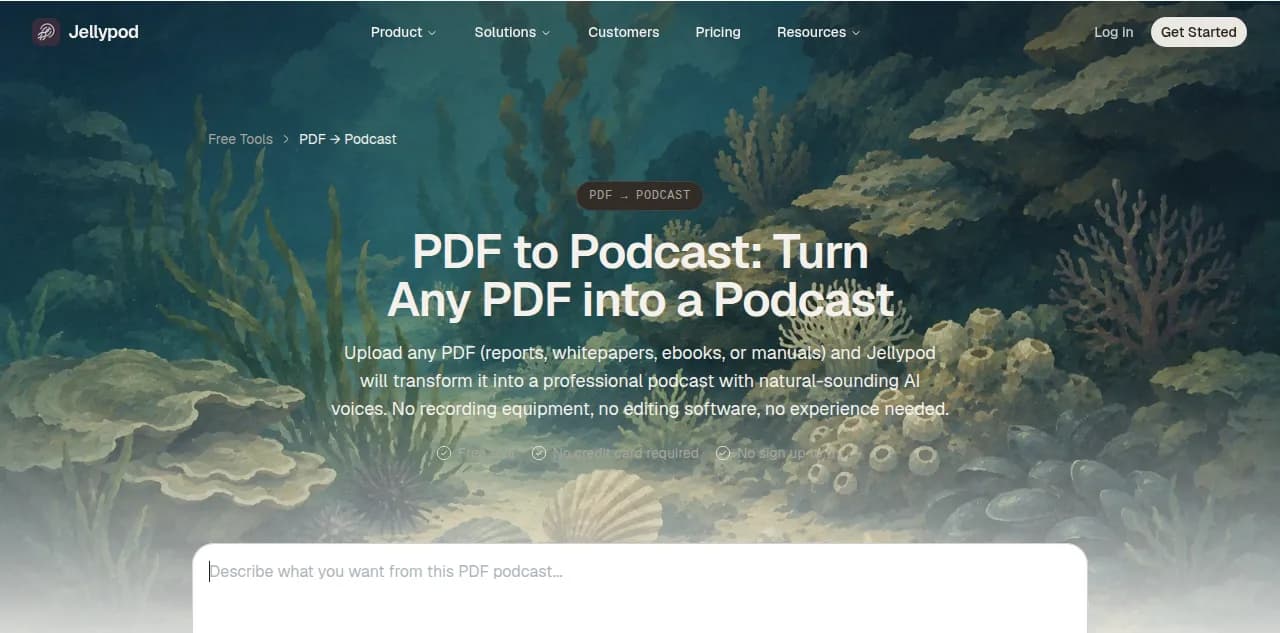
Turning a PDF into a podcast means running it through a tool that writes that script and generates audio from hosts you choose, rather than a flat narration of the raw text. Jellypod does this in three steps: upload the PDF, edit the script it drafts, and generate audio with the hosts you pick. The format keeps growing on its own. PDFs have historically made up about one in 14 sources ever uploaded to Jellypod. In the last 90 days alone, that share was closer to one in four, more than links, Word documents, and YouTube videos combined.
That behavior lines up with how people already read. Nielsen Norman Group's eye-tracking research found that users have time to read at most 28% of the words on a page during an average visit, and 20% is the more realistic number. A 40-page report assumes the opposite: full attention, start to finish, in order. Reading it out loud in one flat voice does not close that gap. It just moves the same wall of text from the eyes to the ears. A conversation closes it, because a conversation is the format people already default to when they want to understand something they cannot fully read.
Is PDF to podcast the same as PDF to audio?
No. PDF to audio usually means a single synthetic voice reading the document's text top to bottom, including the parts that only make sense on a printed page. PDF to podcast means the source becomes a script, rewritten for how people talk, and produced with distinct hosts who introduce an idea, ask the follow-up question a listener would actually have, and skip whatever only works when you can see it.
The tools built for each job look different, too.
| Tool | What it produces | Hosts and voices | Script control | Where the audio goes |
|---|---|---|---|---|
| Browser reader, Mac Preview, or a free converter like NoteGPT | One flat narration of the raw text | A single synthetic voice | None, reads verbatim | Download only |
| Gemini Notebook (formerly NotebookLM) Audio Overview | One two-host discussion | Two fixed voices | Prompt nudges only | Download or share a link |
| Adobe Acrobat's Generate podcast feature | One conversational summary | Preset voices, adjustable tone and depth | Choose summary depth only | Download only |
| Jellypod | A full podcast episode | Custom hosts, nearly 400 voices, voice cloning | Full script editing before audio exists | RSS feed to Spotify, Apple Podcasts, and YouTube |
Google's Audio Overview is now called Gemini Notebook after a July 2026 rebrand, but the underlying feature is unchanged: one file, two preset voices, no script to edit before it generates. Adobe took a different swing in January 2026, adding a Generate podcast feature to Acrobat that turns a document into a conversational summary. It is still one file you download when it finishes, not a show with an RSS feed.
How do you turn a PDF into a podcast?
Upload the PDF, review the script the tool drafts, then generate audio from hosts you choose. That middle step, a script you can read and edit before any audio exists, is what actually separates a podcast from a one-shot narration.
- Upload the source. Drop the PDF into Jellypod directly. Reports, whitepapers, research papers, and scanned documents with a text layer all work the same way.
- Review the draft script. Jellypod writes a conversation built around the document's argument, not a transcript of its sentences. Cut whatever only makes sense with the page in front of you, like figure references, footnotes, and page numbers.
- Choose your hosts. Pick voices from the expanded voice library, or clone a voice if you want the same host to carry across every episode you publish.
- Generate and publish. Produce the audio, then either publish straight to Spotify, Apple Podcasts, and YouTube, or download the file if all you need is an MP3.
How long can a PDF be to convert it into a podcast?
Long enough that page count is rarely the real limit. Jellypod's PDF workflow is built for anything from a one-page brief to a 200-page report, and a 40-page report usually compresses into a 10 to 15 minute episode once the parts written for a page rather than an ear get cut.
The practical ceiling is whether the document has an argument worth turning into a conversation. A dense but well-structured whitepaper or textbook chapter makes a strong episode because there is a throughline to explain. A raw data dump with no argument usually does not, no matter how good the voices sound.
What happens to a PDF once it becomes a podcast episode?
It gets a second life the PDF alone never had. Once the episode is produced, Jellypod publishes it through an RSS feed to Spotify, Apple Podcasts, and YouTube, the same way any other show reaches listeners. The episode also gets a transcript, so the content that started as a PDF is now searchable in two formats instead of locked inside one file most people download and never open.
That is the real gap between PDF to audio and PDF to podcast. An audio file sits wherever you saved it. A podcast episode shows up in the app someone already opens on a commute, and it keeps the source PDF linked underneath it for whoever wants the original.
Frequently asked questions
Is there a free way to turn a PDF into a podcast?
Yes, with limits. Gemini Notebook (formerly NotebookLM) is free with a Google account and generates a two-host Audio Overview from a PDF, though you cannot edit the script or publish it as a show. Jellypod starts with a 7-day free trial, and drafting and editing stay free after that; credits are used when the audio is generated, and publishing, downloading, and rendering are free.
Do I need multiple hosts, or is one enough?
One host works fine for a straightforward summary. Two or more hosts help when the source has some tension worth explaining out loud, like a report with a counterintuitive finding, because one host can set up the question and the other can answer it the way a reader would want it explained.
Can a scanned PDF be turned into a podcast?
Only if it has a text layer. A photo or scan saved as a PDF with no underlying text needs to be run through OCR first so there is actual text to draft a script from. Most PDFs exported from a word processor, browser, or document tool already include that text layer.
How is PDF to podcast different from an audiobook?
An audiobook narrates prose from start to finish in the order it was written, which works well for a book meant to be read that way. Most PDFs, like reports, whitepapers, and slide decks, are not written to be read start to finish. Turning one into a podcast means restructuring it into a conversation first, not just reading the pages in order.
The short version
PDF to audio reads your document out loud. PDF to podcast turns it into something people choose to listen to on purpose, with a script you can edit and hosts who explain it instead of reciting it. If you already have a PDF sitting in a folder, try converting it into a podcast episode and see how it compares to reading it again.