You generated an Audio Overview in NotebookLM, played it back, and thought: this could be a real show. Then you looked for the export-to-Spotify button and there was not one.
That is the wall most people hit. NotebookLM produces a single Audio Overview you listen to once. It does not give you an RSS feed, a way to publish to Spotify or Apple Podcasts, custom hosts, or an editable script.
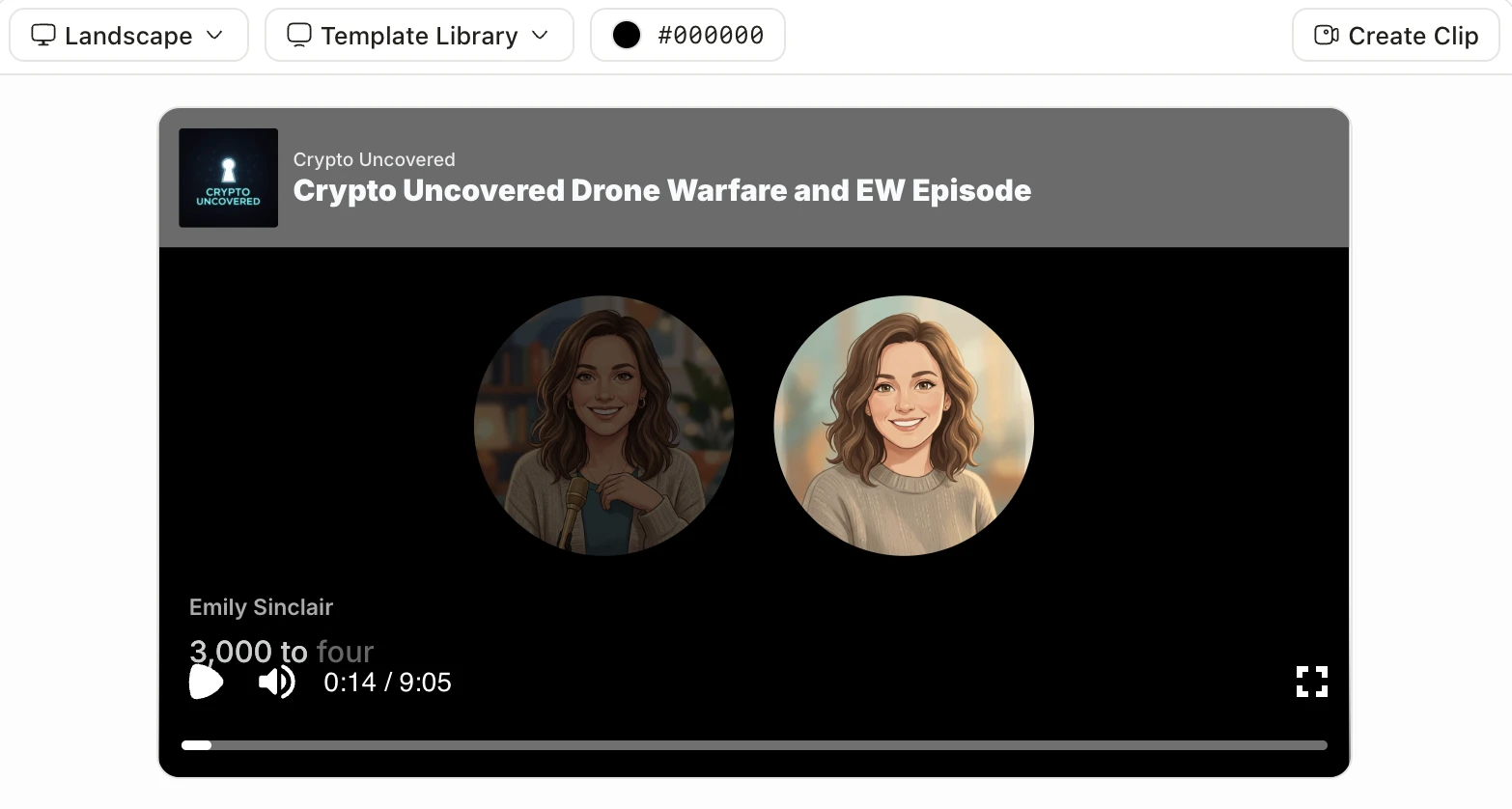
The easiest way through it is Jellypod, which carries the whole workflow in one place. You drop in the same documents you gave NotebookLM, set your hosts, edit the script, and publish to a real RSS feed that syndicates to Spotify, Apple Podcasts, and YouTube. No new source material, no separate hosting account, no feed XML to hand-write. The audience is already there: according to Edison Research's Infinite Dial 2026, 58% of Americans aged 12 and over listened to a podcast in the last month, an all-time high of about 167 million people.
This guide is the workflow: from NotebookLM sources to a published show, step by step.
Google renamed NotebookLM to Gemini Notebook in July 2026. It is the same product, and everything here still applies. See what changed in the rebrand.
Can you publish a NotebookLM podcast to Spotify or Apple Podcasts?
Not directly. NotebookLM has no RSS feed, and an RSS feed is exactly what Spotify and Apple Podcasts ingest to list a show. NotebookLM gives you an Audio Overview you can download or share as a file, which is fine for a one-off listen but is not a podcast those directories can carry.
To get onto Spotify and Apple you need a host that generates a compliant RSS feed and submits it. The practical path is to take the same sources you used in NotebookLM and produce the episode in a tool that owns hosting and distribution, then publish to Spotify and Apple Podcasts and YouTube from one place.
The workflow: from NotebookLM sources to a published show
The starting point is identical to NotebookLM: the documents, links, and notes you already have. The difference is that the workflow does not stop at a single playback.
- Gather the same sourcesThe PDFs, Google Docs, slides, and URLs you would have dropped into NotebookLM. Nothing new to write.
- Add them to JellypodUse them as the context for an episode, the same generate-from-sources flow NotebookLM popularized.
- Set your hostsName them, give them personalities, and keep them consistent across every episode instead of accepting two anonymous voices.
- Edit the scriptRefine the dialogue before any audio is generated. Fix anything that misreads your point and add the example you always use.
- Add cover artPodcast directories require a square cover image that meets their specs before they will display your feed. See the podcast cover art guide for exact dimensions, file format requirements, and design tips for each platform.
- Generate and publishProduce the audio, then publish to a real RSS feed that syndicates to Spotify, Apple Podcasts, and YouTube, plus your own podcast website.
Once the loop is set up, each new episode is mostly source-gathering and a quick script pass. If you are still learning the NotebookLM side first, start with how to create a podcast with NotebookLM, then come back here to ship it.
Already generated the Audio Overview and just want to edit it? You can skip the source step and import the NotebookLM audio directly. Jellypod transcribes it, maps the speakers onto your own hosts, and gives you an editable script, so a finished overview becomes a show you control.
Does NotebookLM give you an RSS feed?
No. NotebookLM is a research and Audio Overview tool, not a podcast host, so there is no feed to submit anywhere. Every podcast app, Spotify, Apple Podcasts, Overcast, and the rest, discovers and updates shows through RSS. No feed means no listing.
A podcast platform fills that gap by generating the feed for you and keeping it valid as you add episodes. With Jellypod the RSS feed is created automatically when you publish, so a new episode appears across every directory without you touching feed XML.
How do you share a NotebookLM podcast?
If all you want is to hand one Audio Overview to a colleague, NotebookLM lets you download or share the file directly, and since August 2026 you can also let someone copy the whole notebook, Audio Overview included, into their own account. That is still the ceiling of its sharing model: a file or a private duplicate, handed over one recipient at a time, with no feed behind any of it.
Sharing a real show works differently, because listeners subscribe to a feed rather than receive a file. Once the episode lives on an RSS feed you have three durable ways to distribute it:
- The major directories. Submit the feed once to Spotify and to Apple Podcasts and YouTube, and every future episode appears automatically.
- Your own podcast website. A hosted podcast website gives you a link to share anywhere, with an embedded player, so people can listen without an app.
- Clips for social. Pull short vertical clips from an episode to promote it, then point viewers back to the feed.
With Jellypod the feed is created and kept valid for you, so sharing is a one-time setup rather than a manual submission for every episode.
Can you edit the script and change the voices?
In NotebookLM, no. The Audio Overview is auto-generated with two preset voices and no script you can open and rewrite, which is the main reason it reads as a demo rather than a show you would put your name on.
Moving the sources into a production tool unlocks both. You get an editable script to tighten the dialogue before audio exists, and control over hosts, including cloning your own voice or running a multi-host conversation. That control is what turns a generic overview into something recognizably yours.
What does this look like in practice?
Educators are the clearest example. A professor drops a unit's slides, lecture transcript, and assigned readings into the workflow, generates a short conversational episode in their own cloned voice, edits the script for accuracy, and publishes it to the class. The source material already existed; the workflow just changed the format into one students finish.
As Steve DeNunzio, an MBA professor at The Ohio State University, puts it: "It is not about replacing lectures. It is about reinforcing the arc of learning in the moments students actually have." The same pattern works for clinical education, training, and more, where dense source material gets ignored in its original format.
Frequently asked questions
Can I move an existing NotebookLM Audio Overview into a podcast?
You can now do both. If you already generated the Audio Overview, import the audio file directly: Jellypod transcribes it, separates the speakers onto your own hosts, and hands you an editable script to refine before you publish. Or start from the same sources you gave NotebookLM and generate a fresh episode. Either way you end up with an editable, hostable episode instead of a one-off file.
Do I have to record anything?
No. The workflow is generate-from-sources, the same as NotebookLM. You provide documents and links, not a microphone recording. The only manual step is a quick script edit before the audio is produced.
What is the difference between NotebookLM and a podcast platform?
NotebookLM is a research assistant that can produce an Audio Overview. A podcast platform like Jellypod takes sources all the way to a published, owned show: custom hosts, editable scripts, RSS hosting, distribution to Spotify and Apple, and analytics. See the full NotebookLM alternatives comparison for how the options stack up.
Is it free to try?
Drafting and editing are free on Jellypod, and you only use credits when you publish, download, or render. You can build and edit a full episode from your NotebookLM sources before committing to anything. See what NotebookLM's own paid tiers cost if you're also weighing an upgrade there.
Can you steer or guide what the podcast covers?
Not inside NotebookLM. It decides the structure, the running order, and how deep the conversation goes, with no way to set chapters or emphasize a section. Moving the sources into a production tool gives you that control: you define the outline, choose which sources feed each part, and edit the script before any audio renders, so the episode covers what you want in the order you want.
Did NotebookLM's June 2026 update or the Gemini Notebook rename change any of this?
No. Google's June 2026 update added a newer model, code execution, and better source discovery, and the July 2026 rename to Gemini Notebook added a secure cloud computer. Both were aimed at research and left Audio Overviews exactly as they were: one auto-generated file, no script to edit, no RSS feed. See what changed when NotebookLM became Gemini Notebook for the full breakdown.
The short version
NotebookLM is a great place to hear the idea of your podcast. It is not where you publish one, because there is no RSS feed, no distribution, and no script or host control. Move the same sources into a workflow built to ship, and the Audio Overview becomes a real show on Spotify and Apple. Start with your NotebookLM sources in Jellypod.