

Trusted by 100K+ creators
SCORM export for audio and video training
Export your Jellypod audio or video as a self-contained SCORM ZIP. Your LMS records playback completion and lets learners resume where they left off. Included with Business and Enterprise.
Start a Business trial7-Day Free Trial. Cancel Anytime.
4.6out of 5 on G2












The media you reviewed, packaged for your learners
Each ZIP contains one learning object and its media. Available captions, transcript and your Organization logo are included automatically. The LMS owns learner access and records.
Create a narrated slide walkthrough, an illustrated training video, or a podcast recap. Business and Enterprise include unlimited SCORM exports. The package records playback completion, not quiz results or proof of understanding.
From reviewed media to an LMS assignment
Step 01
Render your reviewed content
Review the narration and visuals in Jellypod. The editor download saves your edits and prepares the latest audio or video before packaging.Step 02
Export a SCORM ZIP
Open Download, choose Download as SCORM, then set the file name, standard, completion threshold and skip setting. Episodes can export as audio or video.Step 03
Upload and test in your LMS
Upload the intact ZIP. Check playback, incomplete status, resume and completion with a test learner before assigning it.
Choose a format your LMS supports
Choose a version your LMS supports, then test the exported ZIP in its learner view. The guidance below describes vendor format support; it is not a certification of Jellypod packages.
Moodle
Choose SCORM 1.2.
TalentLMS
Choose SCORM 1.2; 2004 is unsupported.
Docebo
Choose SCORM 1.2; documented 2004 support is 3rd Edition.
360Learning
Its Rustici player supports 1.2 and 2004 4th Edition. Confirm your player.
Cornerstone
Confirm the SCORM edition with your LMS administrator.
Litmos
Supports 1.2 and 2004; confirm 4th Edition before using 2004.
Read the vendor documentation and testing checklist. Check playback, resume, and completion with a test learner before assigning the package to your team.
Choose the completion threshold
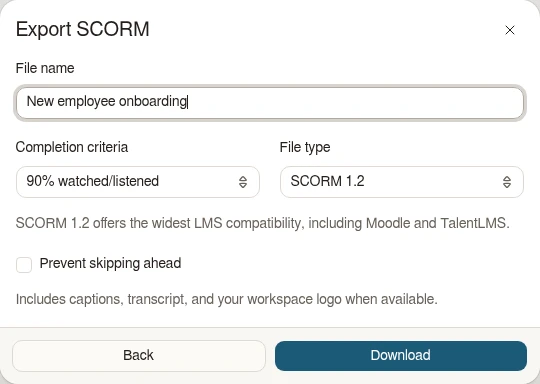
Set completion from 5% to 100% in 5% increments, with 90% as the default. Optionally prevent skipping ahead. The image shows the actual export component with sample content.
FAQ
Can I use SCORM export today?
Do exports use credits?
Which standard should I choose?
Will a Jellypod edit update my LMS package?
Does completion measure learning?
Prepare your training pilot
Explore related
More from Jellypod
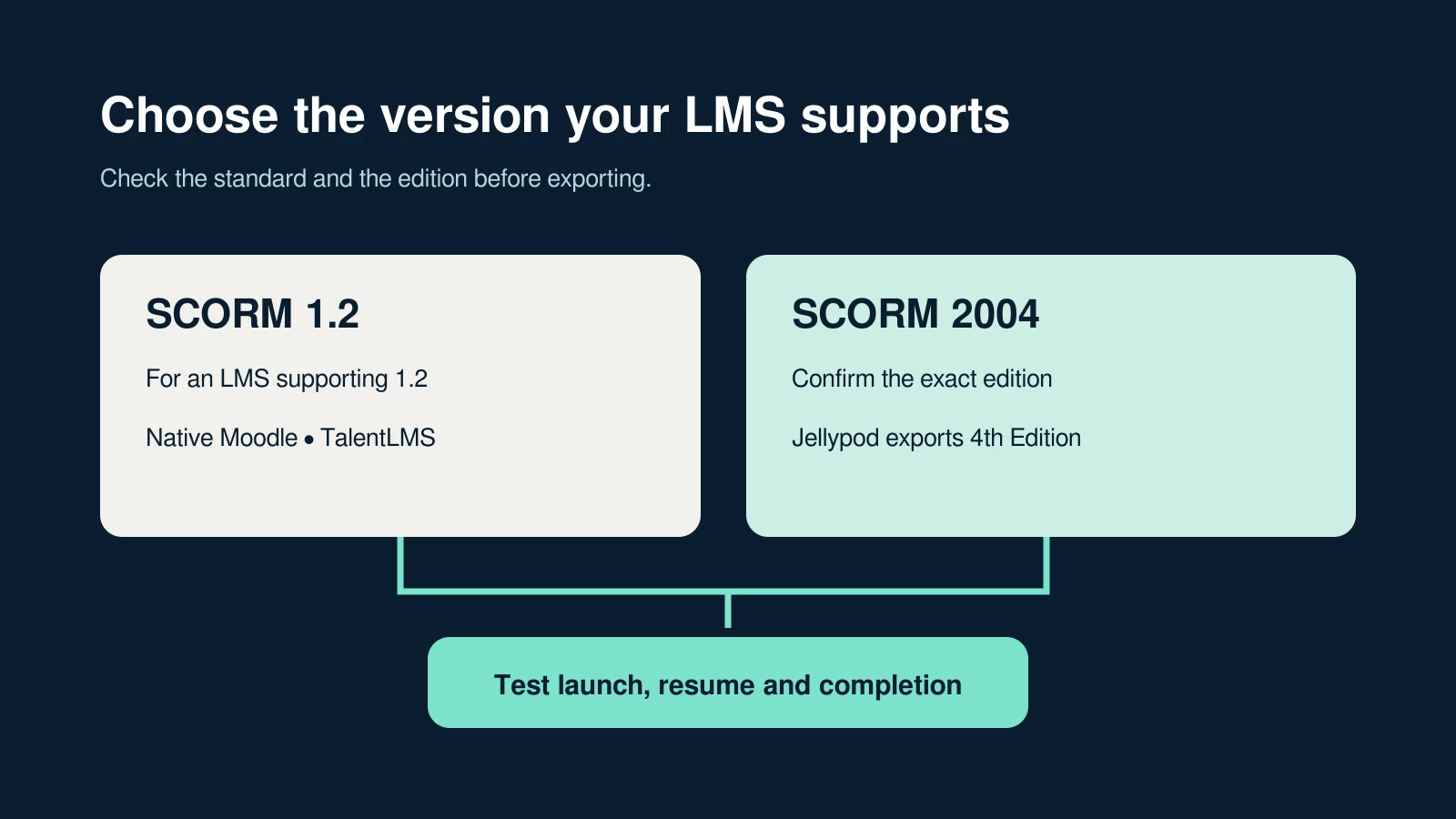
SCORM 1.2 vs 2004: Which Should You Export?
Choose the version your LMS supports, understand completion and success, and test one lesson before assigning it to learners.
Read more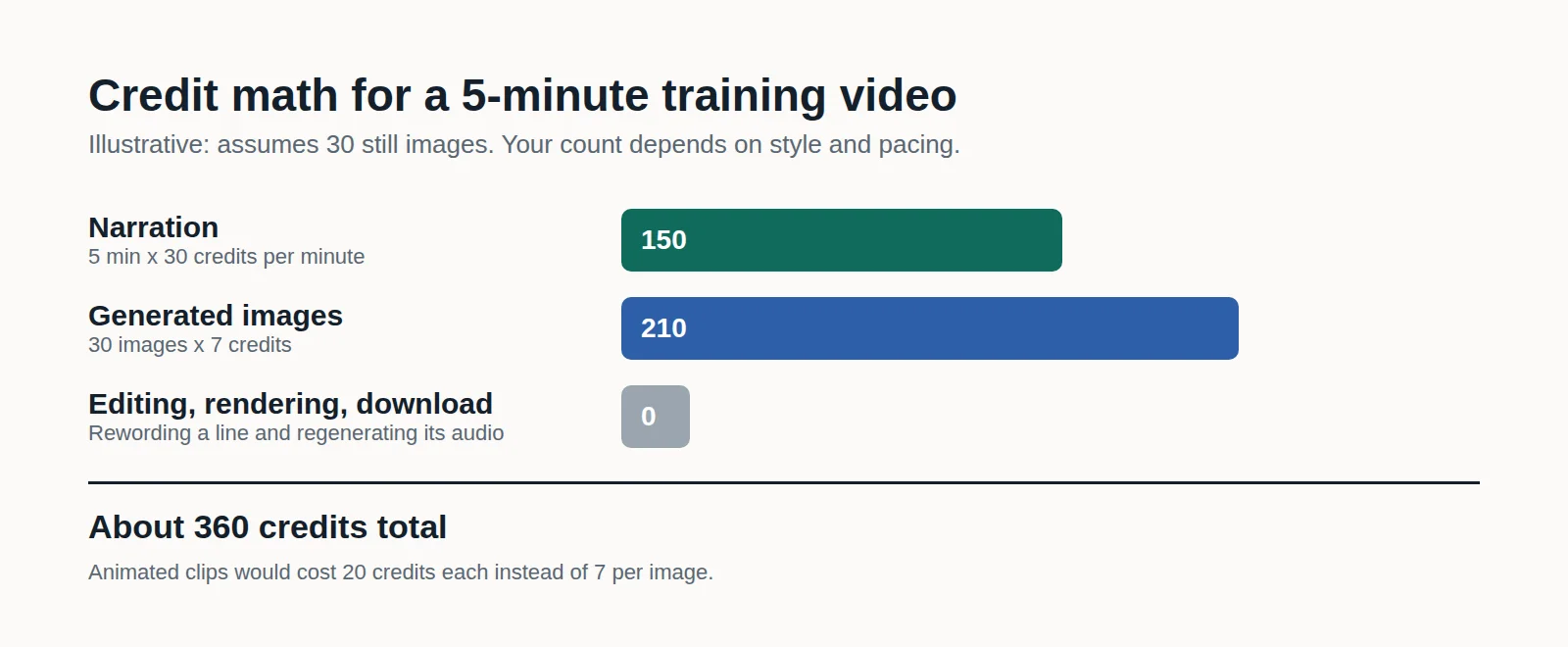
How to Make Employee Training Videos With AI (and What It Costs)
Turn an SOP, policy PDF, or slide deck into a narrated training video you can fix line by line when the process changes, and see the credit math before you generate.
Read more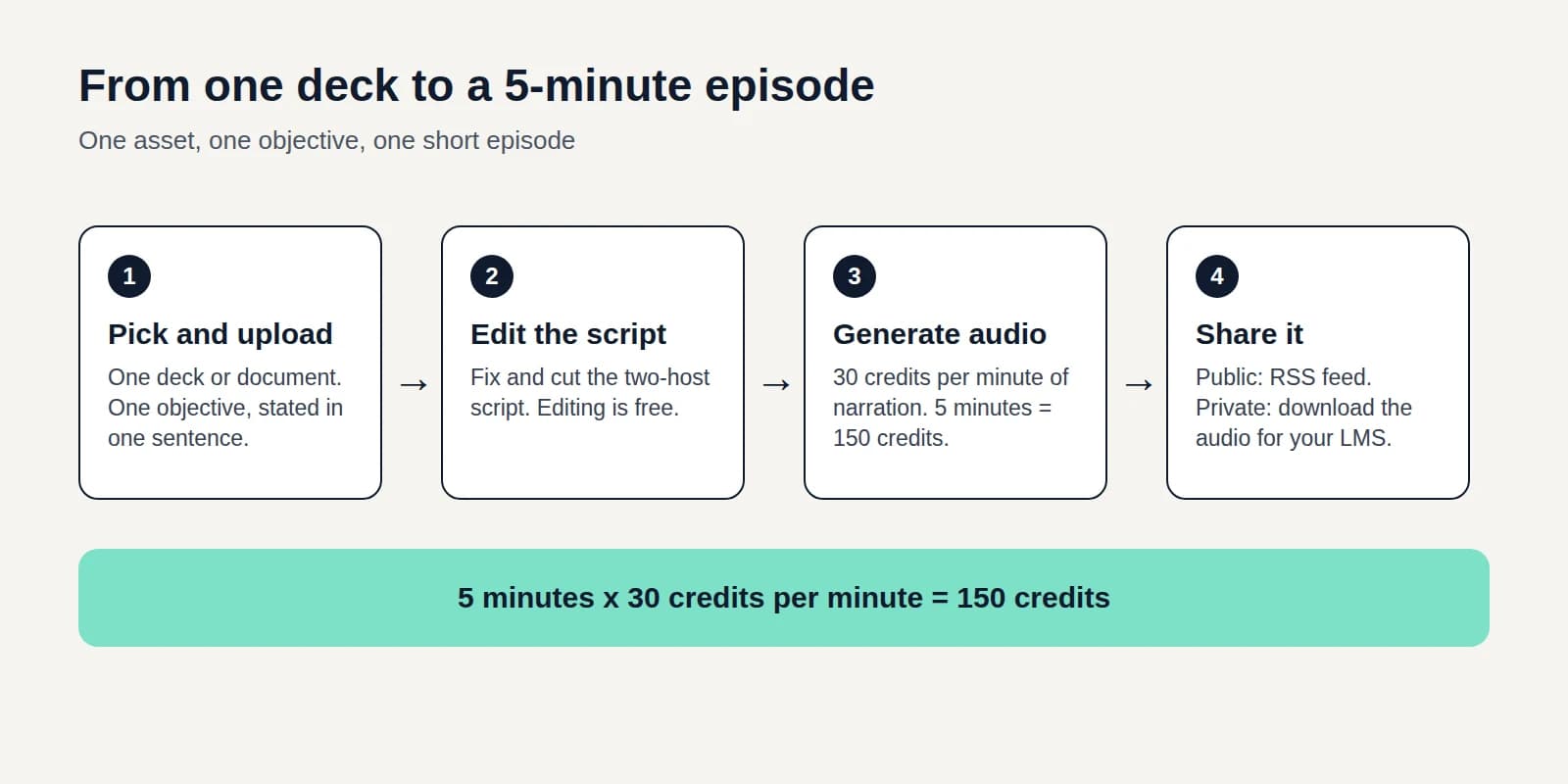
Audio Microlearning: What It Is and How to Build It From Existing Decks
Turn a training deck into a five-minute episode people can play on a commute, and learn where audio beats video and apps, and where it does not.
Read more
Plan your first LMS pilot
7-Day Free Trial. Cancel Anytime.