A multi-host AI podcast starts with roles, not voices. Decide who explains the source, who asks the questions, and who keeps the episode moving. Then assign a distinct voice to each role and review every speaking turn before producing the audio.
Jellypod's AI Hosts supports one to four hosts in an episode. You can give each host a name, backstory, personality, and voice, then edit the generated conversation before you publish it. That makes the format useful for a professor turning a reading into a guided discussion, an L&D team explaining a policy change, or a nonprofit presenting two sides of an issue.
How many AI hosts should an episode use?
Start with two hosts. Two voices are easy to distinguish, and each one can have a clear job: one leads while the other explains, questions, or challenges. Add a third voice when the material needs another credible point of view. Use all four only when each person has a specific role that lasts through the episode.
Jellypod allows between one and four hosts per episode. The product limit is not a target. A four-person panel about a clinical guideline may make sense if the script separates a moderator, clinician, patient educator, and implementation lead. Four interchangeable commentators will sound crowded.
Use this test before adding another host: remove the host's lines from the outline. If the episode loses a necessary question, expertise, or transition, keep the role. If nothing changes, cut it.
| Host count | A useful format | Example |
|---|---|---|
| Two | Guide and specialist | A trainer introduces each policy section, then a specialist explains how it changes daily work |
| Three | Moderator and two viewpoints | A faculty host compares two interpretations of a case with two subject-matter voices |
| Four | Structured panel | A nonprofit frames a policy issue through research, community, operations, and moderator roles |
How do you give each host a distinct role?
Write one sentence that defines what each host contributes. The sentence should describe a job in the episode, not a vague personality trait.
"Maya is warm and curious" says how a host sounds. "Maya asks the question a new employee would ask after each section" tells the writer what Maya does. You need both, but the job comes first.
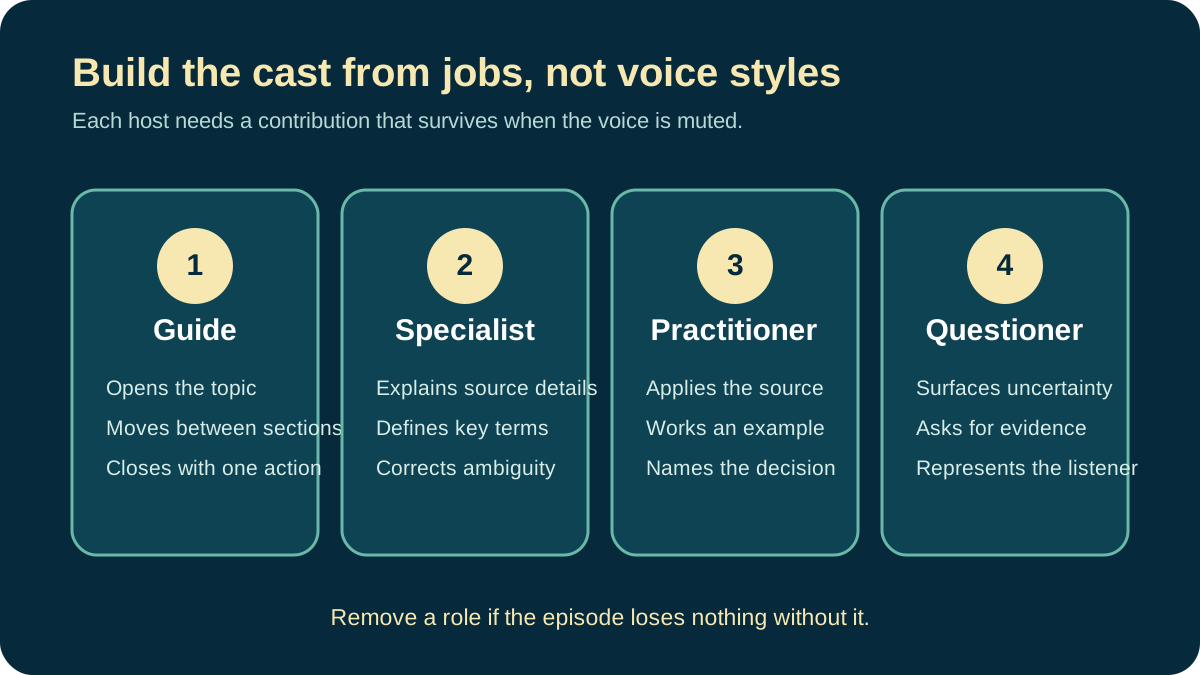
Four roles cover most professional conversations:
- The guide introduces the topic, handles transitions, and closes the episode.
- The specialist explains terms, evidence, and source details.
- The practitioner connects the source to a decision or task.
- The questioner surfaces ambiguity and asks for a concrete example.
The source material should determine the cast. An educator can pair a course guide with a skeptical student voice. A healthcare team might use a clinician and a patient educator. An internal communications team can use a host who states the policy and another who works through realistic employee questions.
Avoid fictional credentials. An AI host can present sourced clinical information, but a made-up backstory must not imply that the voice is a licensed clinician or a real employee. Label AI-generated hosts where your audience or distribution channel expects that disclosure.
How do you choose voices listeners can tell apart?
Choose contrast that survives ordinary listening conditions. Pitch can help, but pace, accent, vocal weight, and speaking style often matter more. Test the voices on a phone speaker, not only through studio headphones.
Open the Jellypod voice library and preview the same sentence across your shortlist. Use a sentence from the actual episode. A product name, acronym, or technical term will tell you more than a generic demo line.
Then listen to the voices back to back. If you need the speaker label on screen to tell them apart, the pairing is too close. Change one voice before you write around the problem.
Voice cloning needs an additional check. Clone only a voice you own or have permission to use. Jellypod's voice-cloning workflow can put an approved human voice beside an AI host, but the script still needs to make it clear when the voice represents the person and when it is performing generated dialogue.
How do you set up several hosts in Jellypod?
The production flow has five parts:
- Create or open the podcast that will contain the episode.
- Add each host, including a name, role, personality, and selected voice.
- Choose one to four of those hosts for the episode.
- Add the documents, URLs, notes, or other source material the conversation must follow.
- Generate the script, review the speaker assignments, then produce the audio.
The hosts persist across a series, so the same names and personalities can return in later episodes. You can change which hosts appear in a specific episode without rebuilding the entire show. That is useful for a course series where one guide appears every week and a specialist joins only for the relevant module.
How should a multi-host podcast script be structured?
Label every speaking turn. Give one host ownership of each section, then use the other voices for questions, examples, or a genuine counterpoint. Randomly alternating names is not a conversation.
Here is a short training example:
[PRIYA, GUIDE]
The updated expense policy changes two deadlines. Sam, start with the one
that affects every employee.

[SAM, SPECIALIST]
Receipts are now due within ten calendar days of the purchase. The previous
policy allowed thirty days.

[PRIYA]
What happens when a hotel sends the final invoice late?

[SAM]
Submit the available receipt within ten days, then attach the final invoice
when it arrives. The policy's exception section covers that case.
The names make production unambiguous. The roles keep the exchange useful. Priya does not repeat Sam's answer, and Sam does not introduce a new topic before answering the question.
For longer episodes, organize the script into sections with one lead host each:
- The guide states the question and identifies the relevant source.
- The specialist gives the answer and cites the source detail.
- The practitioner works through an example.
- The guide summarizes the decision and moves to the next section.
The podcast script guide includes complete solo, interview, narrative, and roundtable templates. Use its multi-host template as the production document, then replace generic host labels with the names in your show.
How do you keep an AI conversation from sounding scripted?
Natural dialogue is specific and uneven. One host may answer in two sentences. The other may ask a six-word follow-up. If every turn has the same length and sentence pattern, the conversation will sound manufactured even when the voices are strong.
Read only the speaker labels and first sentence of each turn. You should be able to hear the logic of the exchange: question, answer, clarification, example, decision. If the sequence is a stack of mini-essays, rewrite the transitions.
Contractions help, but filler does not. Phrases such as "exactly," "great point," and "I completely agree" add little when they appear before every response. Keep an interjection only when it changes the pace or shows a meaningful reaction.
And let hosts disagree only when the source supports the disagreement. Manufactured debate can distort a policy, study, or clinical document. A questioner can challenge an assumption without inventing an opposing fact.
What should you review before publishing?
Review the script before the voices and the voices before the full mix. This order makes errors cheaper to fix.
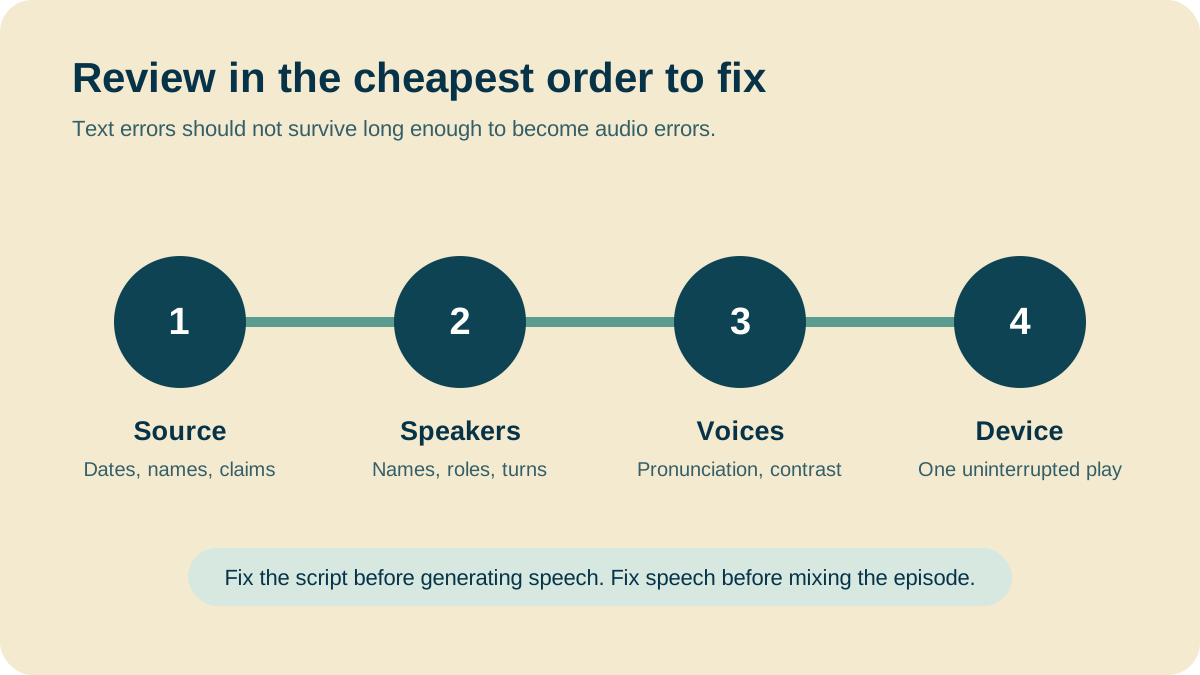
First, compare every factual line with the source. Check dates, names, units, quotations, and policy language. Next, confirm that each line belongs to the right host and that the host names are consistent. Then generate the speech and listen for pronunciation, pauses, and voice separation.
Finish with one uninterrupted playback on the device your audience is likely to use. For student or employee listening, that usually means a phone and ordinary earbuds. Note any moment where you lose track of the speaker or need to rewind for the meaning.
Use this final checklist:
- Every host has a necessary role.
- Speaker labels and generated voices match.
- Names, acronyms, and technical terms are pronounced correctly.
- The conversation stays faithful to the supplied sources.
- Disclosures and voice permissions match the intended audience and channel.
- The closing tells the listener what to do with the information.
Build the first two-host episode
Use two hosts, one source, and one decision your audience needs to understand. That small format is enough to test the roles, voice contrast, and review process before you add a larger panel.