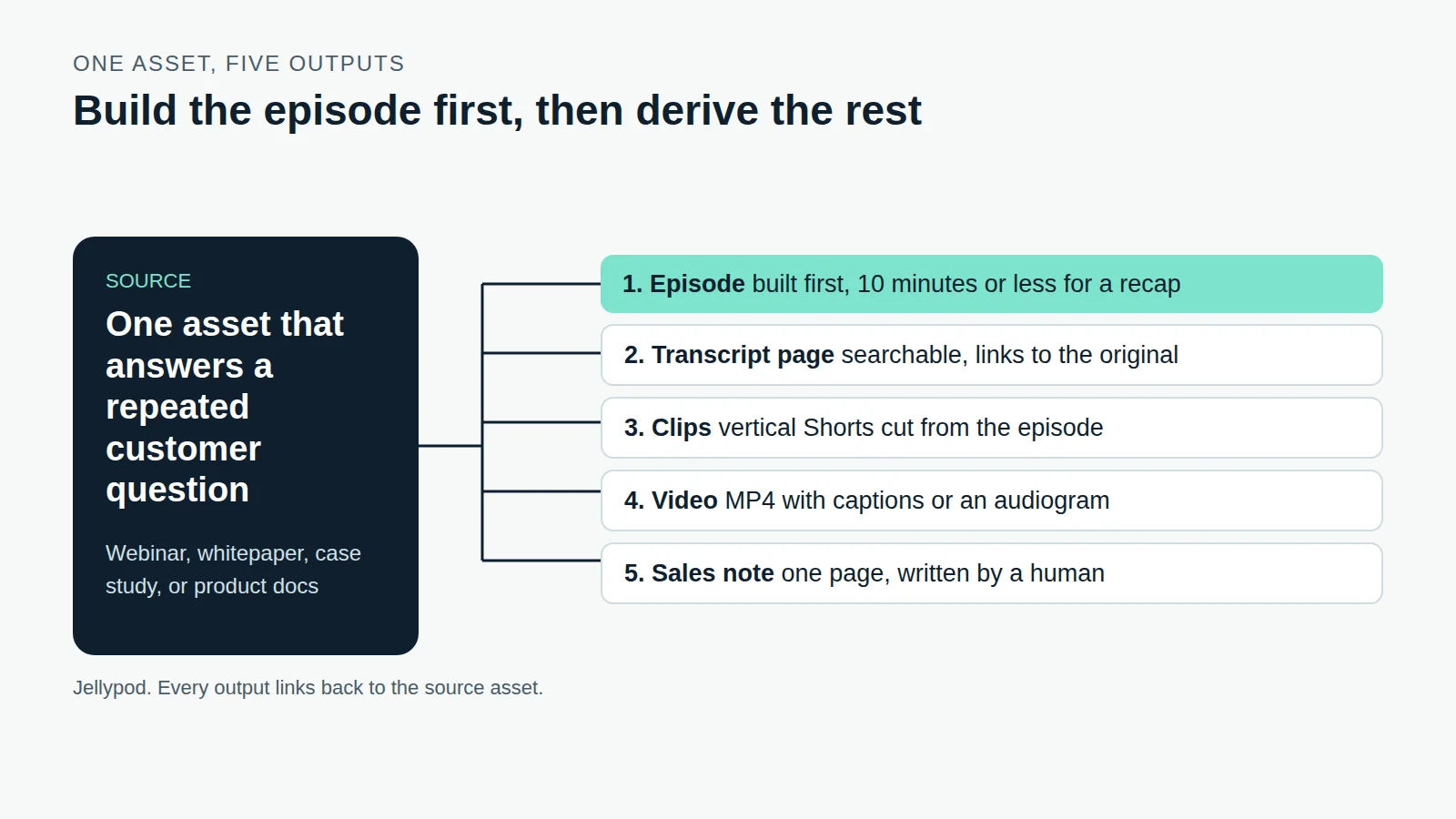
Ask Claude or ChatGPT for a podcast and you get a script. To get an episode with voices, audio, and a feed, you connect the assistant to a tool that does the production.
Jellypod runs a hosted MCP server at https://mcp.jellypod.com/mcp. Once Claude, ChatGPT, or another MCP client is connected, you ask for an episode in chat. Jellypod drafts the script, voices the hosts, renders the audio, and saves the result to your library as a draft. Nothing publishes unless you ask.
Key takeaways
- Connect once with the server URL. Claude and ChatGPT sign in with OAuth on any plan; Zapier and n8n need an API key, which requires the Creator plan or higher.
- The assistant generates episodes as drafts. It publishes only when you explicitly ask.
- Credits are charged when narration is generated, at 30 credits per minute, so a 10-minute episode costs 300. Regenerating narration, publishing, and downloading are free.
- The connector takes prompts, web and YouTube URLs, and pasted text. It does not take file uploads, and it cannot delete content or clone voices.
Can Claude or ChatGPT generate a podcast?
Not on its own. On its own, an assistant writes text. With Jellypod connected, it calls generate_episode in your account, which returns a content ID and a progress state, and the assistant polls until the audio is ready. You then get a Listen link, and clients that support MCP Apps show a player inline.
You can give it a prompt, a finished script (each turn labeled with a saved character's name in brackets), or a mix of public webpage URLs, YouTube URLs, and plain text as research. A good first request: "Turn this article into a 10-minute two-host episode for my podcast, keep it as a draft." If you are writing the script yourself, the podcast script guide covers structure that works when read aloud.
For a comparison of standalone generators, see the best AI podcast generators.
How do you connect Claude or ChatGPT to Jellypod?
Add a remote MCP server with the URL above, Streamable HTTP transport, and sign in when the client asks.
- Claude (web and desktop): add a custom connector with the server URL.
- ChatGPT (web): turn on developer mode under Advanced settings, then add Jellypod as an app with the server URL.
- Claude Code: run
claude mcp add --transport http jellypod https://mcp.jellypod.com/mcp, then/mcpand sign in. - Codex CLI:
codex mcp add jellypod --url https://mcp.jellypod.com/mcp, thencodex mcp login jellypod.
Per-client steps live in the MCP Connector docs and on the integrations page, so check those when a client changes its settings screen.
Should you use OAuth or an API key?
Use OAuth whenever a person is at the keyboard. Use an API key when nobody is.
OAuth opens a Jellypod sign-in window. You approve once, and the assistant acts with your own library and permissions. It works on every plan. Zapier and n8n cannot complete an interactive sign-in, so they send a Jellypod API key as an Authorization: Bearer header instead. Create the key under Developers in the studio. API keys require the Creator plan or higher, which is the constraint people hit first.
If you would rather build against Jellypod without an assistant in between, the public API covers the same generation flows.
What does an assistant-generated episode cost?
The same as one generated in the studio. Credits are reserved when generation starts and settle to the actual length: 30 credits per minute of narration, so a 10-minute episode is 300 credits. Images cost 7 credits each and video clips 20 credits, when the template generates them.
Regenerating narration, rendering, publishing, scheduling, and downloading cost nothing. A failed generation releases its reservation. Through MCP, though, a failed generation cannot be retried in place: the assistant creates new content with a new idempotency key, and it is supposed to tell you that is a new credit-bearing action. If you run out, extra credits are $10 per 1,000. See Understanding Credits.
What can the assistant not do?
It cannot do anything outside your podcast content, and some things are deliberately left in the studio.
- Publishing: episodes always start as drafts. The assistant sets
auto_publishor publishes, schedules, and unpublishes only when you explicitly ask. - Files: no uploads, local paths, or private URLs. If the client can read a PDF, it can pass the extracted text. When the original file matters, use the studio or the API.
- Deleting, voice cloning, billing, team, and account settings: studio only. The connector never exposes them.
- Failed generations: not retryable in place, as above.
New podcasts are private, and publishing an episode does not make its podcast public.
How do you automate podcast episodes without writing code?
Let a trigger elsewhere start the episode. Zapier can fire it from a spreadsheet row, form, or CRM change. n8n, cloud or self-hosted, adds approvals and transforms around the same call. Both use the API key route above.
If the trigger is a clock or an inbox, you may not need either. Jellypod's automations run on a daily or weekly schedule, and the B2B repurposing playbook shows how one source becomes several formats. Pulling YouTube sources? See how transcript extractors compare first.
What does an agent-run episode look like in practice?
Llew Jury, a tech investor in Brisbane, runs a weekly AI news show this way. Every Monday at 5:30am a Manus research agent scrapes the week's LLM news. The output goes into Jellypod, and a seven-minute episode with two hosts lands on Spotify: his own voice clone, made from a 60-second recording, and an invented co-host named Ollie Carter. He checks the transcript, then publishes with one click. Read the full story.
The split matters: the agent handles the research, and Jellypod owns the voices, audio, and feed.
Can Grok make a podcast too?
Grok can draft the script and do the research. It cannot give you a subscribable show. Grok Imagine generates video clips of 1 to 15 seconds, with audio included by default, so it fits b-roll, not a 20-minute episode with recurring hosts and an RSS feed.
The workable pattern mirrors Llew's: use Grok for the research and script draft, then paste the finished script into Jellypod, where each turn is labeled with a saved character. That gives you consistent hosts, editable lines, and distribution to Spotify and Apple Podcasts.
What if your tool is not listed?
Any client that supports remote MCP servers works. Point it at the server URL with Streamable HTTP, use OAuth if the client can complete it, and fall back to a bearer API key if it cannot. The protocol itself is an open standard Anthropic released on November 25, 2024, which is why one server covers Claude, ChatGPT, Cursor, and the rest.
Frequently asked questions
Do I need a paid plan to connect Claude or ChatGPT?
Can the assistant publish without asking me?
Can I upload a PDF through Claude or ChatGPT?
What happens to credits when an assistant generates an episode?
The short version
An assistant plus one MCP connection turns a chat request into a finished draft episode. Connect with the MCP server, pick OAuth or an API key by whether a person is present, and budget 30 credits per minute. Then review the draft and publish it yourself.
![A script with [Maya] and [Dev] speaker labels beside the three speaker blocks an import reads from it](/_next/image?url=%2Fblog%2Fhow-to-write-a-podcast-script%2Fscript-block-format.webp&w=3840&q=75&dpl=dpl_HRNS8EH1Z2unmgMVzqyGZSXhhQBL)