How-to guides
To turn a PDF, notes, slides, or a webinar into a podcast, upload it, edit the script an AI drafts from it, and generate audio with the hosts you choose. PDF-to-audio tools read the raw text in one flat voice instead. Jellypod supports one to four hosts per episode, and the same sources can become an explainer video, a faceless YouTube video, or a short.
Turn documents into podcasts
Scripts, voices, and automation
![A script with [Maya] and [Dev] speaker labels beside the three speaker blocks an import reads from it](/_next/image?url=%2Fblog%2Fhow-to-write-a-podcast-script%2Fscript-block-format.webp&w=3840&q=75&dpl=dpl_HRNS8EH1Z2unmgMVzqyGZSXhhQBL)
NotebookLM workflows
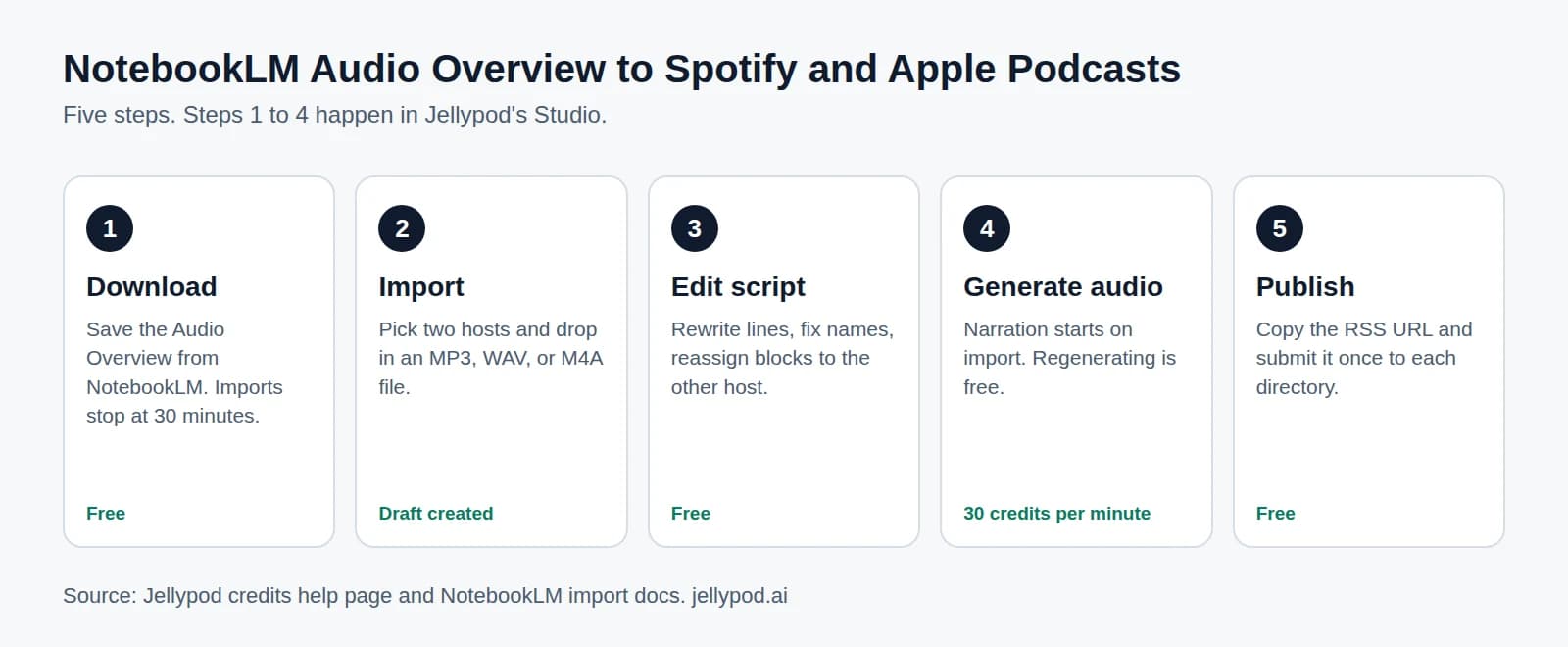
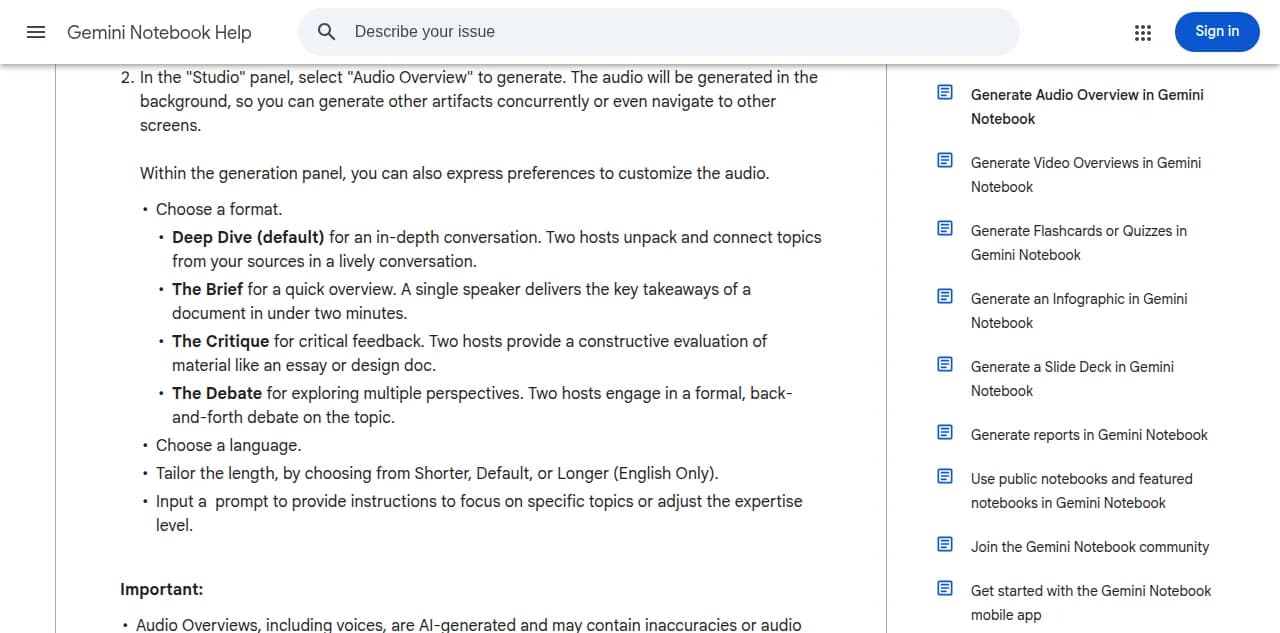
How to Make a NotebookLM Podcast Longer (or Set Its Length)
 by The Jellypod Team
NotebookLMHow-to guides
Videos and clips
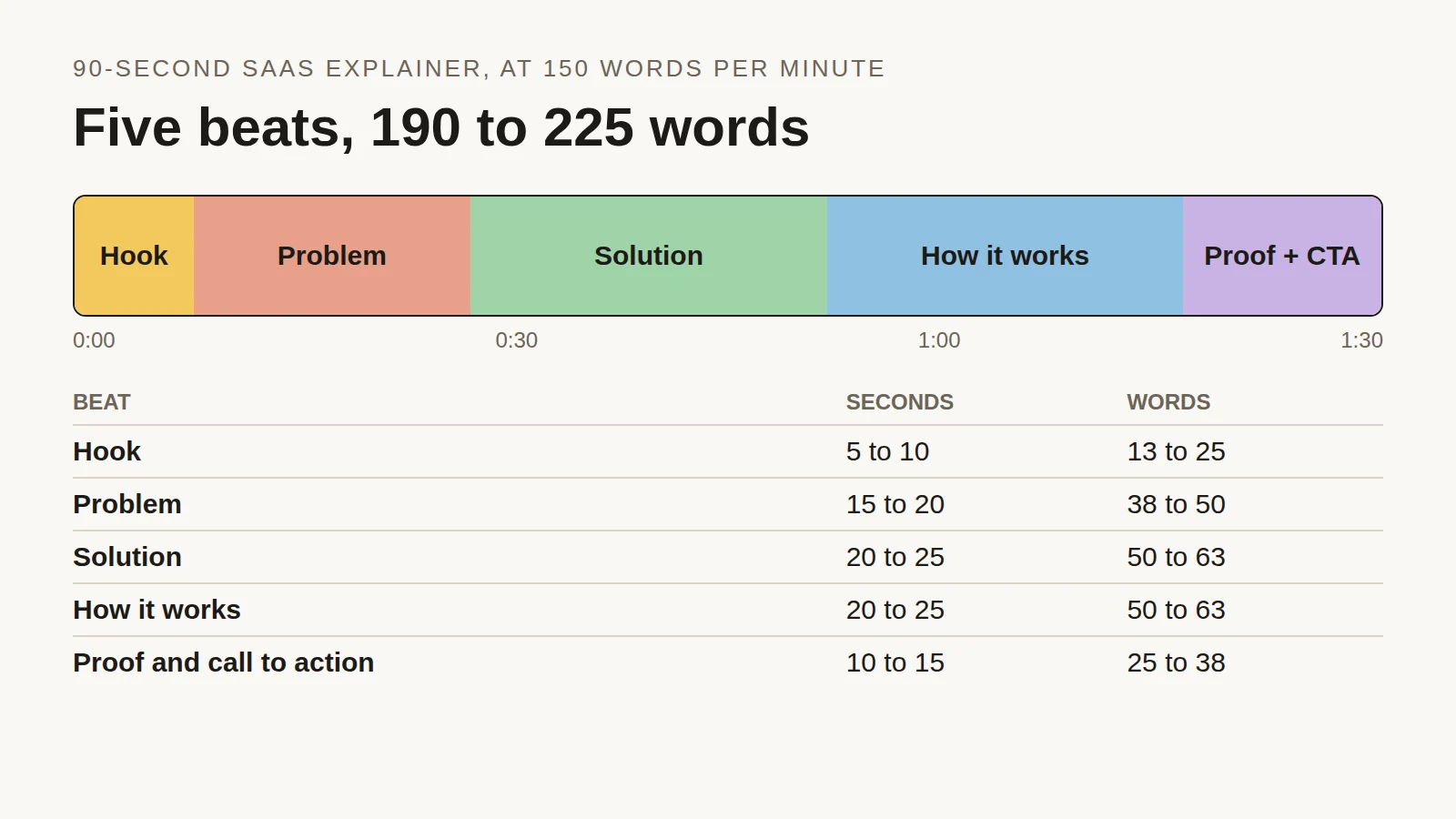
Explainer Video Script Template: Structure, Timing and a 90-Second Example
by The Jellypod TeamAI videoHow-to guides
More to read
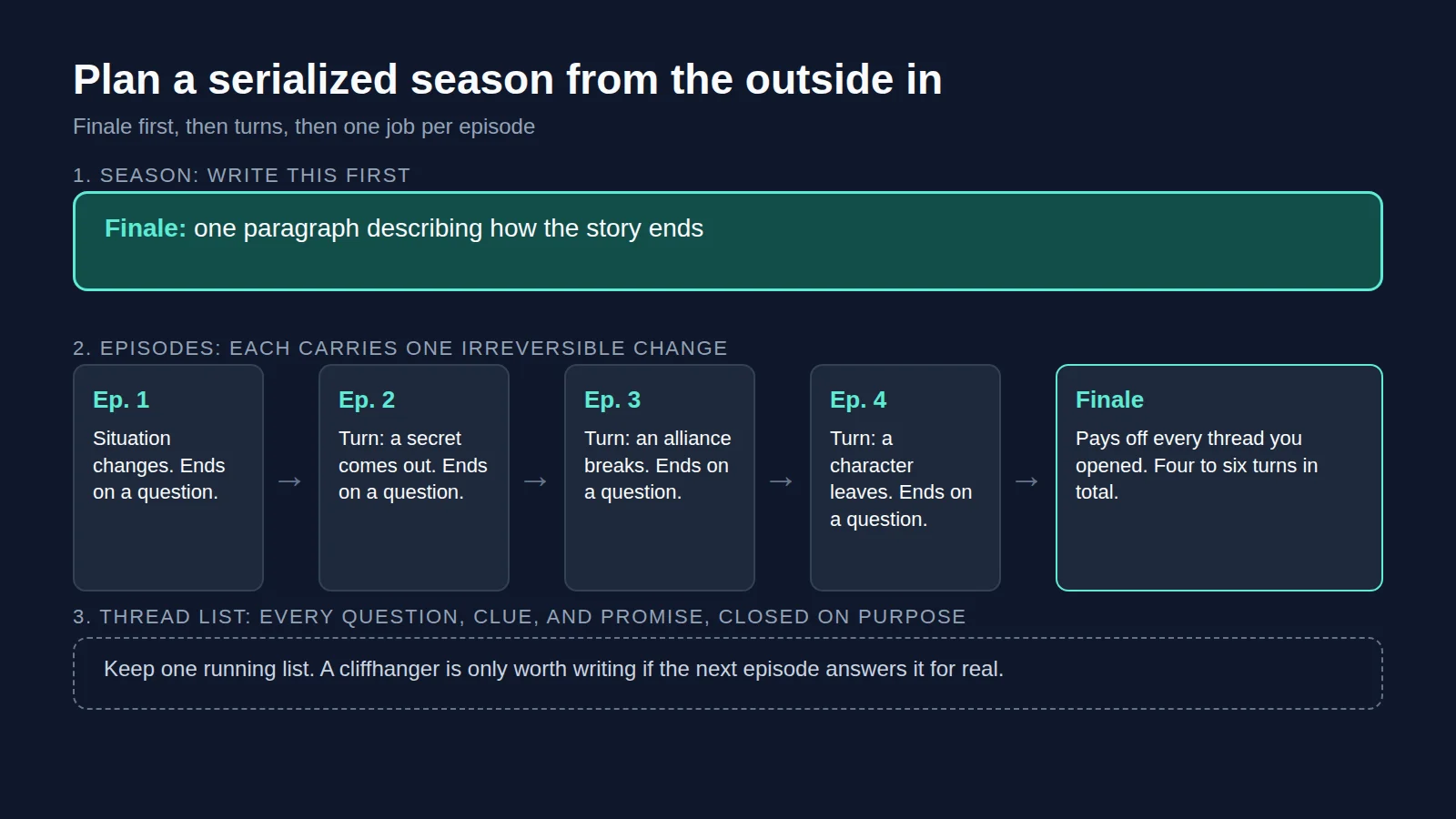
Serialized Audio Drama: Plan Seasons, Arcs, and Cliffhangers
by The Jellypod TeamHow-to guidesPodcasting
How to Make an Audio Drama: From Idea to Published Series
by The Jellypod TeamHow-to guidesPodcasting
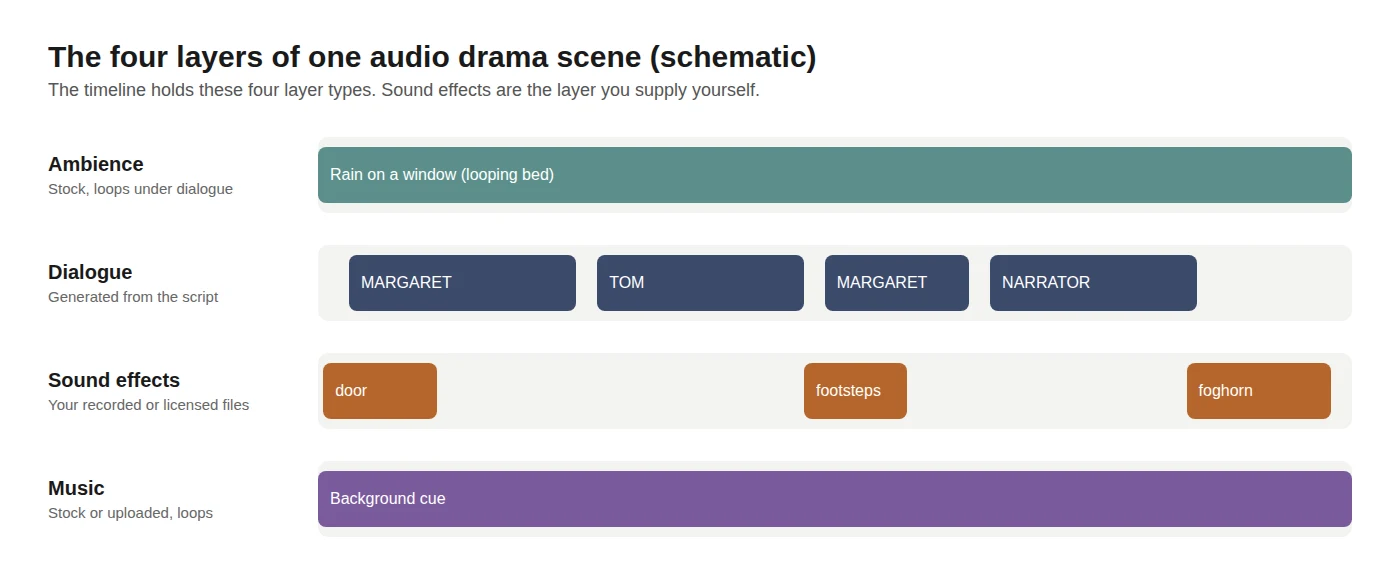
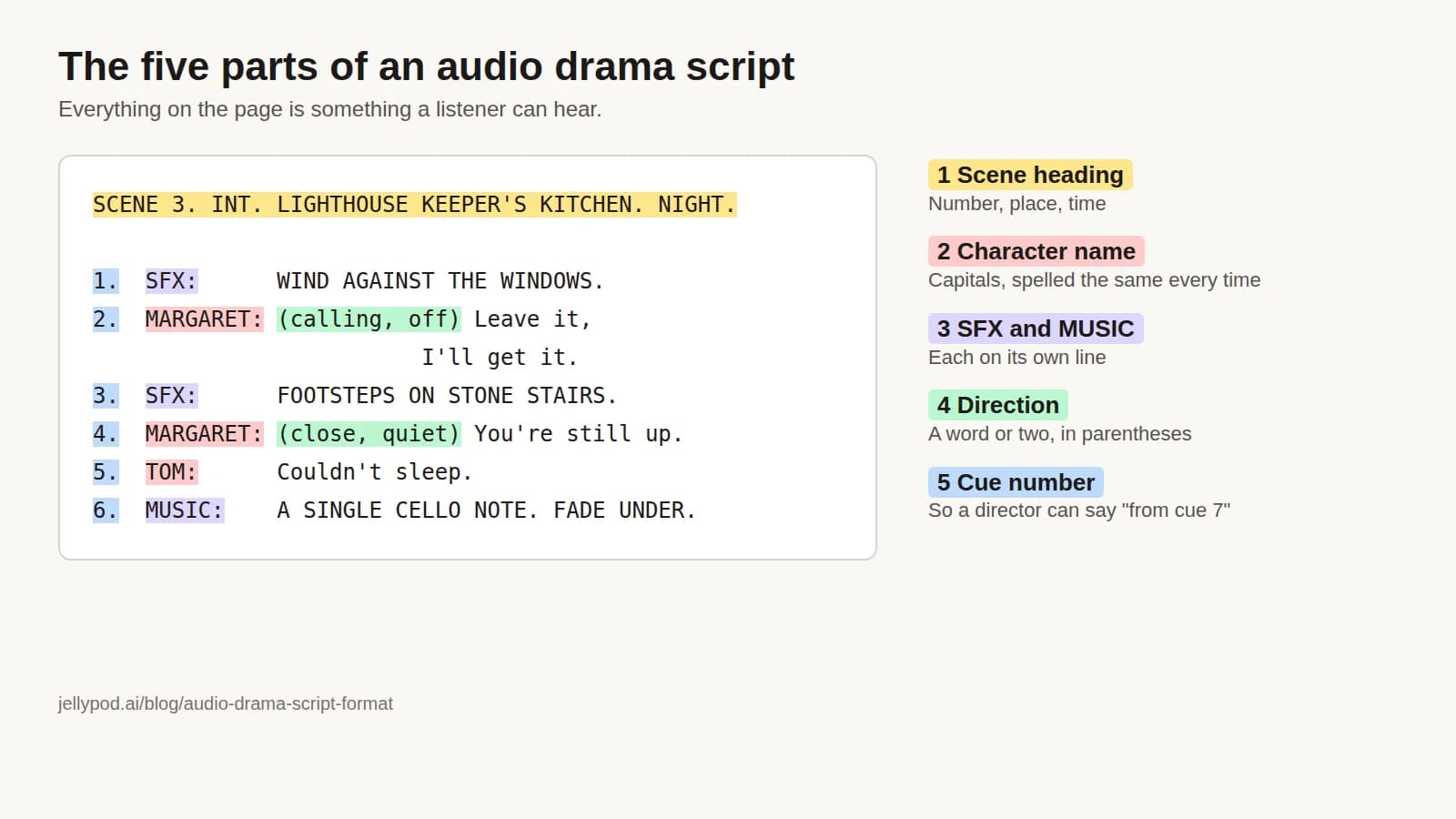
Audio Drama Script Format: Layout, Example, and How to Import It
by The Jellypod TeamHow-to guidesPodcasting
Make it with Jellypod
Start creating with Jellypod today
Turn any idea, document, or link into editable, high-quality podcasts and videos. Reach global audiences in your own voice, in 121 languages.