To make a faceless YouTube channel, pick a niche where every video answers a different question, produce each one as a narrated video with generated visuals, and upload it yourself. YouTube pays these channels on the same terms as any other, as long as each video has its own storyline and you label AI content when the rules require it.
Jellypod handles the production middle: you give it a prompt, document, URL, or YouTube link, and it writes the narration, draws the scenes, and renders a landscape MP4 with word-synced captions. Topic choice and the upload stay with you, which is also where monetization is won or lost.
Last checked against YouTube's policy pages on September 29, 2026. The Partner Program thresholds change on February 1, 2027, so recheck before you plan around them.
Key takeaways
- The production is five stages: topic, script, narration, visuals, upload. Jellypod covers script, narration, and visuals in one pass, so the topic and the upload are yours.
- YouTube's monetization policy excludes templated, mass-produced output. A channel qualifies when each video has "a distinct storyline, focus, or concept."
- A stock narrator voice or a clone of your own voice does not need YouTube's AI label. A voice made to sound like a specific real person does.
- Today you need 1,000 subscribers plus 4,000 watch hours. From February 1, 2027, new applicants need 8,000 hours (about 96,000 views of a 10-minute video at 50% average view duration).
- A 10-minute video costs roughly 700 credits on Jellypod, so Starter's 5,000 monthly credits cover about six of them.
What are the steps to make a faceless YouTube channel?
Every faceless channel runs the same five stages, whether a person or software does each one.
- Topic. You decide what the video argues or explains. Do not delegate this stage, because it is what YouTube's policy checks.
- Script. Drafted from a source and edited by you, or written from scratch.
- Narration. A stock synthetic voice, a clone of your own voice, or a hired narrator.
- Visuals. Illustrated scenes, slides, screen recordings, or stock footage, timed to the narration.
- Upload. Title, description, thumbnail, and YouTube's AI-use setting.
Most tools cover one stage, and the hours go into aligning audio to visuals by hand. In Jellypod, stages two through four are one flow. You attach a source or type a prompt, pick hosts and a visual style, choose a length (3, 5, 7, 10, 15, 20, or 25 minutes, up to your plan's cap), and generate. You can also paste finished narration with Upload Script, and Jellypod keeps every word in order and skips the writing step.
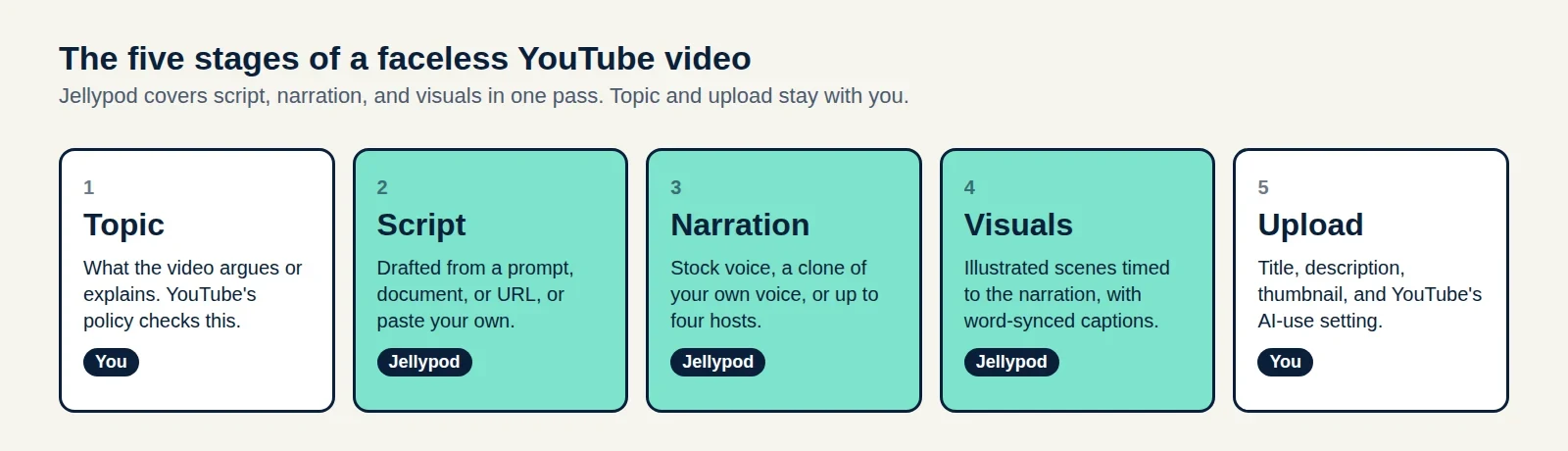 Where your work sits in the pipeline: the first and last stages are yours.
What can you actually make with Jellypod, and what does it cost?
The limits below come from the product's plan definitions, not from marketing copy.
| Plan | Longest video | Voice clones | Monthly credits |
|---|---|---|---|
| Starter | 15 minutes | 2 | 5,000 |
| Creator | 20 minutes | 8 | 11,000 |
| Business | 25 minutes | 20 | 30,000 |
The Educator plan shares Starter's 15-minute cap. Starter is $25/mo billed annually as of September 2026. Video costs 30 credits per minute of narration plus 7 credits per generated image (20 per generated video clip, and Whiteboard and Sketch styles only draw images). A 10-minute video with about 60 images comes to about 720 credits. Rendering and re-rendering are free, and you can export landscape 16:9, portrait 9:16, or square 1:1.
Jellypod does not post to YouTube, so you download the MP4 and upload it in YouTube Studio. Videos have no background music unless you add your own in the editor.
How do you keep a consistent narrator without showing your face?
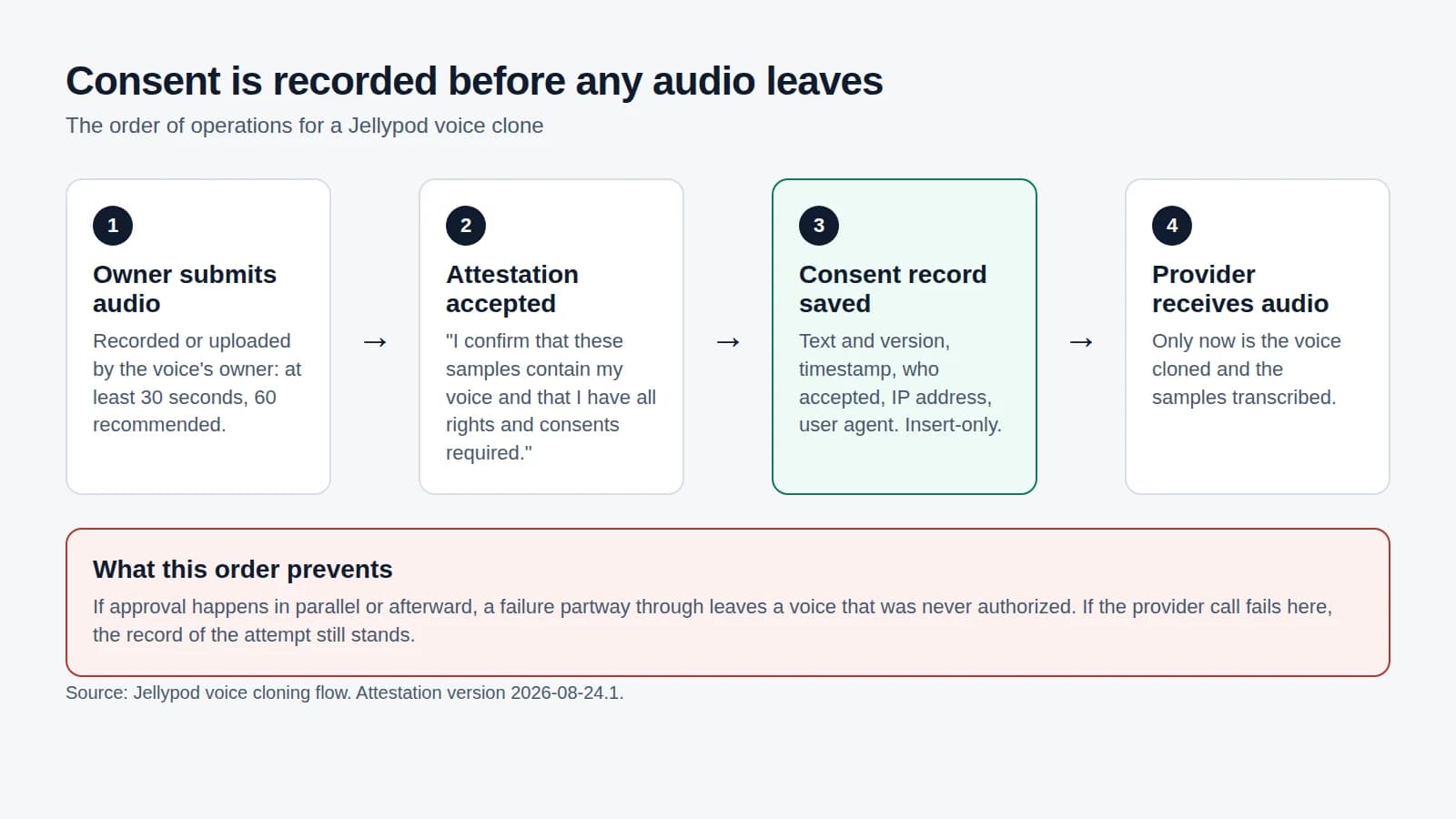
Clone your own voice once and reuse it as the host on every video. Jellypod needs at least 30 seconds of audio across your samples (60 seconds is recommended), and you confirm you have the rights to the voice before it clones. The result is one recognizable narrator across the whole channel without a recording session per video.
If you prefer not to use your own voice, pick a stock voice from a library of 3,300+ voices across 121 languages, or cast up to four hosts for a conversational format. Clone only voices you own or have permission to use, which our guide to AI voice cloning consent covers in detail.
What gets a faceless channel demonetized?
YouTube's channel monetization policy draws the line at mass production, not at faces. It lists these as ineligible:
| Failing pattern | What to do instead |
|---|---|
| "AI-generated content made with generic or unoriginal templates giving the impression of mass production" | Write each script from a different source, with its own argument |
| "Videos where characters are put in the same situation over and over again with the same outcome" | Change the question or the stakes each episode |
| "Image slideshows, templated storylines, or scrolling text with minimal or no narrative" | Give every video a claim, evidence, and a conclusion |
The policy's own example of what is fine is similar content in which "each video has a distinct storyline, focus, or concept." A shared intro, style, and narrator are all allowed. A shared script with the nouns swapped is not.
That makes explainers the safest niche: each video answers a different question by construction. Ranked lists with interchangeable entries carry the most risk. To find questions people ask, pull the transcripts of the videos already ranking and look for what they skip.
Do you need to label your AI voice on YouTube?
Only if the voice or footage could be mistaken for a real person or event. YouTube's disclosure policy requires a label for realistic content that "makes a real person appear to say or do something they didn't do," alters footage of a real event or place, or generates a realistic scene that did not happen. It lists "cloning one's own voice to create voice overs or dubs" among the things that need no label, along with using generative AI for a script, outline, or thumbnail.
Run your narrator through this three-case test:
| Your narrator | Label needed? | Why |
|---|---|---|
| Stock AI voice | No | It does not depict a real person. This is our reading of the policy, which does not name stock voices. |
| Clone of your own voice | No | YouTube names it as an exemption. |
| Clone of someone else's voice | Yes | It makes a real person appear to say something they did not. Do not do this without their consent. |
The third case is rare. As of July 2026, across active shows on Jellypod, library voices outnumbered personal voice clones by more than a hundred to one, and clones were under 1% of voice usage. Jellypod's clone flow asks you to confirm you have the rights to the voice.
To set the label, open your video's upload details in YouTube Studio and answer the AI-use question in the Attributes section. If the answer is yes, select it before publishing. When a case is unclear, label it.
How much watch time do you need to monetize a faceless channel?
Today, the Partner Program requires 1,000 subscribers plus either 4,000 qualified watch hours in the last 12 months or 10 million qualified Shorts views in the last 90 days. From February 1, 2027, new applicants need 8,000 qualified watch hours in the last 365 days or 20 million qualified Shorts views in the last 90 days. Creators already in the program are not affected. Both routes still require the 1,000 subscribers.
Work out what each route asks of a channel that publishes weekly:
| Route | Requirement | In views |
|---|---|---|
| Watch hours (2027) | 8,000 hours in 365 days | About 96,000 views of a 10-minute video at 50% average view duration |
| Watch hours (today) | 4,000 hours in 12 months | About 48,000 views of the same video |
| Shorts (2027) | 20 million views in 90 days | About 222,000 views every day for three months |
The arithmetic: a 10-minute video watched to 50% yields five minutes, so 8,000 hours (480,000 minutes) takes 96,000 views. Spread across 52 uploads, that is roughly 1,850 views per video, a normal number for a channel finding its niche. The Shorts route is out of reach for most new channels by comparison.
This is why length matters. A 10-minute video with a 50% view duration produces five times the watch time of a 2-minute video at the same view count. Put your production budget into long-form videos, write each 10-minute script at roughly 1,400 to 1,600 words, and use short vertical clips to get found. The AI podcast clip generator guide covers cutting clips, and if you already record audio, how to make a video podcast covers the video side.
 Views needed at 10-minute length and 50% average view duration.
Channels that start before January 31, 2027 face the lower bar, which is the practical reason not to wait.
How does this compare with other faceless video tools?
Jellypod draws original scenes for what the narration says instead of matching stock clips to keywords, which helps with the templated-output risk above. For how it fits against other tools, see our comparison of Synthesia, Pictory, and InVideo alternatives and the AI video generator page.
Frequently asked questions
Can a faceless YouTube channel be monetized?
Yes, on the same terms as any channel. YouTube's policy excludes mass-produced, templated content, not channels without a face. Meet the subscriber and watch-hour thresholds and keep each video distinct.
Does a faceless channel need to disclose AI?
Only for realistic content that could be mistaken for a real person or event. A stock voice or a clone of your own voice does not trigger the label. A voice built to sound like someone else does.
The short version
Choose a niche where each video is its own argument, generate the narration and visuals from your own script or sources, label AI only when it imitates a real person, and plan for 8,000 watch hours if you have not joined by January 31, 2027. Generate your first faceless video and check the output before you commit to a schedule.