Two very different products both get called an AI podcast clip generator. One cuts a moment out of the recording you already made. The other writes and produces a new short video from your episode's content.
Cut a clip when your recording has a sharp, self-contained moment and the host's real voice is the draw. Generate a new one when the episode is informative but talky and nothing stands alone. Keep either one to 30 seconds for a single idea, and use 60 only when the idea needs a setup.
Jellypod Shorts is the generating kind. You attach your episode's transcript as a source, pick a narrator and a visual style, and get back a finished vertical video with captions and an original score. It does not scan your audio for a moment to cut.
Key takeaways
- Cutting tools excerpt real audio and need a clip-worthy moment already on tape. Generating tools, including Jellypod Shorts, write a new script from your episode and need no soundbite.
- Jellypod Shorts run 30 seconds or 1 minute. Use 30 for one idea and 1 minute only when the idea needs a setup.
- A 30 second short costs 64 to 155 credits depending on how many shots are animated, so the 3,000 credit free trial covers at least 19.
- Instagram recommends original content and drops accounts that repost others' work unchanged. A clip built from your own episode passes. Run the four-question slop test before you post.
What is the difference between cutting a clip and generating one?
A cutting tool transcribes your episode, flags a segment with a hook and a payoff, and exports it as a captioned vertical video. Opus Clip and Descript are examples. The clip is a real excerpt: your host's actual words and voice, and it exists only if the moment was on tape.
A generating tool makes something new. In Jellypod, you attach a source (a file, link, pasted text, or your episode transcript), pick one to four characters to narrate, and choose a visual style. Jellypod writes the narration, draws every shot, adds word-synced captions and an original instrumental score, and renders a 9:16 video. The short is a retelling of the episode, not an excerpt.

Cutting preserves authenticity, which matters when the appeal is a specific voice or exchange. Generating works when nothing in the raw recording cuts cleanly, and it adds animation and a narrator who never trails off. You can also mix them: generate shorts for the informative episodes and cut clips from the ones with a great exchange.
How do you turn a podcast episode into a short with Jellypod?
- Export the episode transcript from the episode editor.
- Open the Shorts page in the studio sidebar and attach the transcript as a source, or paste only the section you want covered. With no prompt, Jellypod builds the short from the source alone.
- Pick a character, a visual style, a duration (30 seconds or 1 minute), and an orientation. Portrait (9:16) suits TikTok, Reels, and YouTube Shorts.
- Click Generate. It runs in the background and can take a few minutes. The short opens in an editable workspace as soon as the first render is ready.
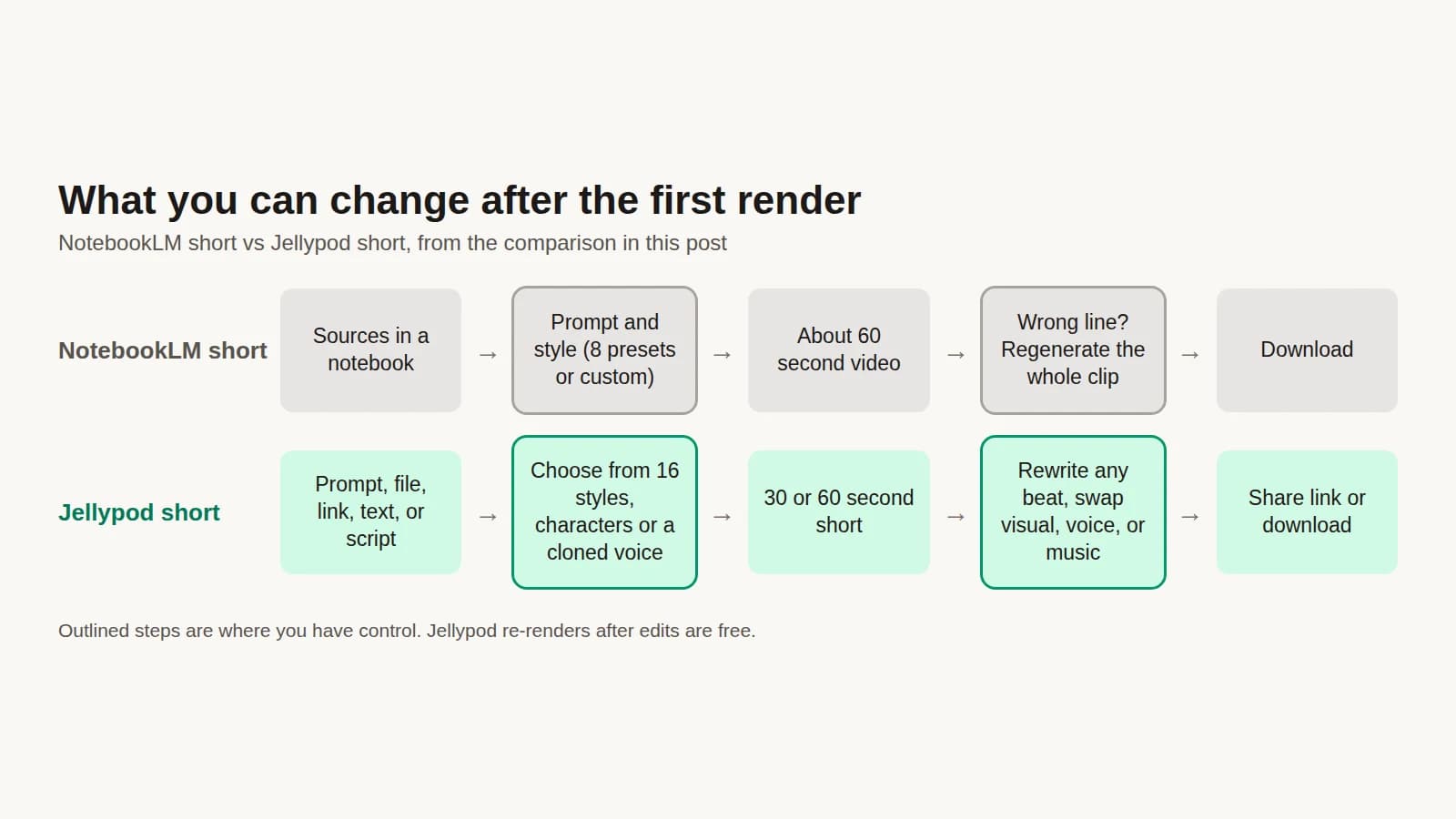
- Rewrite a line, regenerate a visual, swap the voice, or replace the music. Re-rendering after edits is free. Then download the MP4 or share a link.
If you want the host's exact words, use Upload Script instead of a source. Jellypod keeps every spoken word in the same order and skips script writing, so you get your own text narrated by a character rather than a rewrite. The full walkthrough is in Creating Shorts, and the launch details are in Introducing Shorts.
To turn the whole episode into a video instead of a short, use one of the six video templates, such as an audiogram or full-screen captions. How to make a video podcast covers that route.
How long should a podcast clip be?
Thirty seconds is the safest default. Socialinsider analyzed more than 6 million TikTok videos posted between January and June 2026 and found the 15 to 30 second range had the highest engagement rate, at 6.00%. Its explanation: "Thirty seconds is long enough to set up a hook and deliver a complete payoff." That data is for TikTok, so treat it as a starting point for Reels and YouTube Shorts, not a rule.
Jellypod Shorts offer two lengths, 30 seconds and 1 minute. Pick 30 when the clip carries one claim a viewer could repeat. Pick 1 minute when the point needs a small story: a setup, a turn, and a payoff.
Length also sets cost. Generating a short costs 30 credits per minute of narration, plus 7 credits per generated image and 20 per generated video clip. A 30 second short with 7 shots costs 64 to 155 credits. The 7-day free trial includes 3,000 credits, enough for at least 19 such shorts even at the top of that range.
How do you keep a clip from being AI slop?
Instagram's rule is about originality, not about whether AI was involved. Its guidance to creators says that when it finds two or more identical pieces of content, it will only recommend the original. Content must have no visible watermarks to be eligible, and accounts that post 10 or more pieces of other creators' content in 30 days without creating or enhancing it become ineligible, calculated on a rolling basis. The page does not mention AI.

Instagram's original content guidelines page for creators.
A short built from your own episode is your content. What separates it from filler is whether anything of yours is in it. Run this test before you export:
Any single answer in the slop column is reason enough to rework the clip. Source matters most, because a clip built on your transcript already has a specific claim to pull out. For voice, Jellypod characters persist across episodes and shorts, and you can clone your own voice and cast it as the narrator, so clip forty sounds like clip one.
If you cross-post, upload the original file, not a screen recording or a download stamped with another platform's logo.
Where else does this fit?
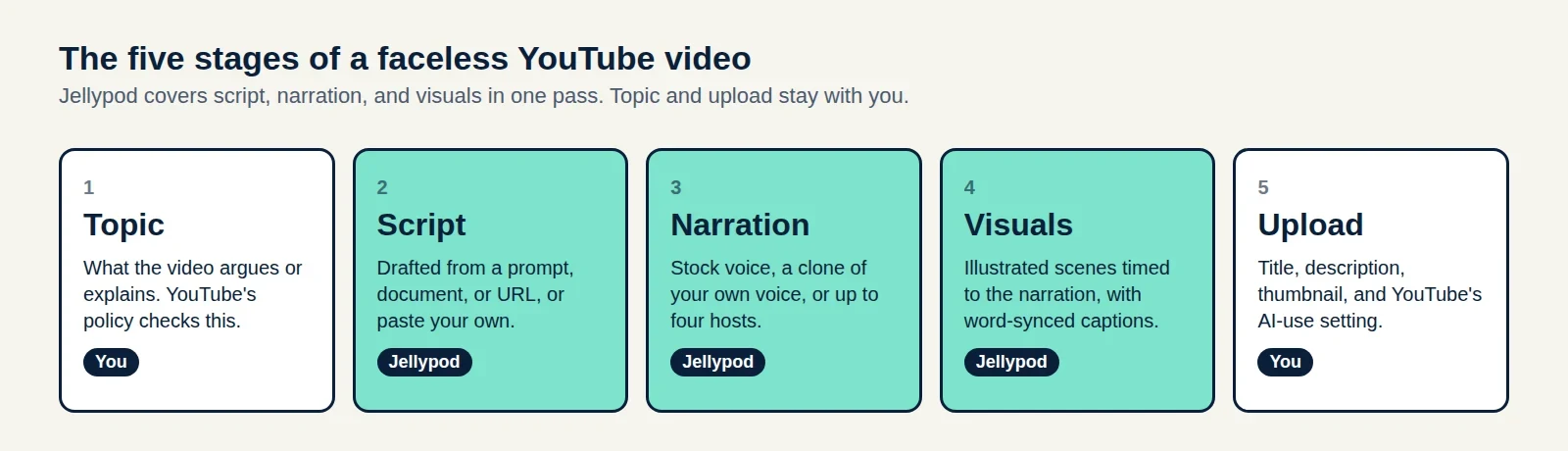
If your source is a document rather than an episode, NotebookLM shorts make a roughly 60-second video with no script editing, which is the main difference from an editable Jellypod short. For a channel built entirely on generated video, see how to make a faceless YouTube channel.