Write a podcast script as a stack of speaker-labelled blocks: a name in brackets on its own line, then the words that person says. That one habit makes a script easy to read aloud, easy to hand to a co-host, and easy for software to parse.
Jellypod reads exactly this format. Paste or upload a script with [Name] labels and it matches each label to a host and voices the lines, or you can have it draft the script for you and edit it before you publish. The steps below work the same whether you record it yourself or use AI voices.
Key takeaways
- Format every turn as
[Speaker Name]on its own line, with the spoken words directly beneath. Plain labels are what let a co-host, a teleprompter, or an import tool follow the script. - Script word for word only what must be exact (intro, outro, ad reads, facts). Leave discussion as bullets.
- Plan about 150 words per minute of finished audio, so a 10-minute episode is roughly 1,500 words.
- Write the intro last, then read the whole script aloud and rewrite every line you stumble on.
![A script written with [Maya] and [Dev] labels on the left, and the three speaker blocks an import reads from it on the right](/_next/image?url=%2Fblog%2Fhow-to-write-a-podcast-script%2Fscript-block-format.webp&w=3840&q=75&dpl=dpl_28NTFvckoysM5WV3DY68id5frrwU)
What format should a podcast script use?
Use one block per speaking turn. The label goes on its own line in brackets, and the line's text follows on the next line, with a blank line between turns:
[Maya]
Welcome back. Today: why most onboarding emails get ignored.

[Dev]
And what to send instead.
This is also the format Jellypod exports. Its import guide says a label can be [Name] or Name: at the start of a line, and it still works if the label is bold, a heading, or a list item, so scripts pasted from Word or Google Docs are recognized. Files can be .txt, .md, .docx, .doc, .rtf, or PDF, up to 4 MB.
Keep three rules so the labels stay reliable:
- One label per person, spelled the same way every time.
- Stage directions like
[Laugh]or[Pause]are fine. Jellypod tries to fold them into the surrounding line, and you can remove any that show up as a false speaker in the review step. - Do not put two speakers in one block.
Should you script every word or use an outline?
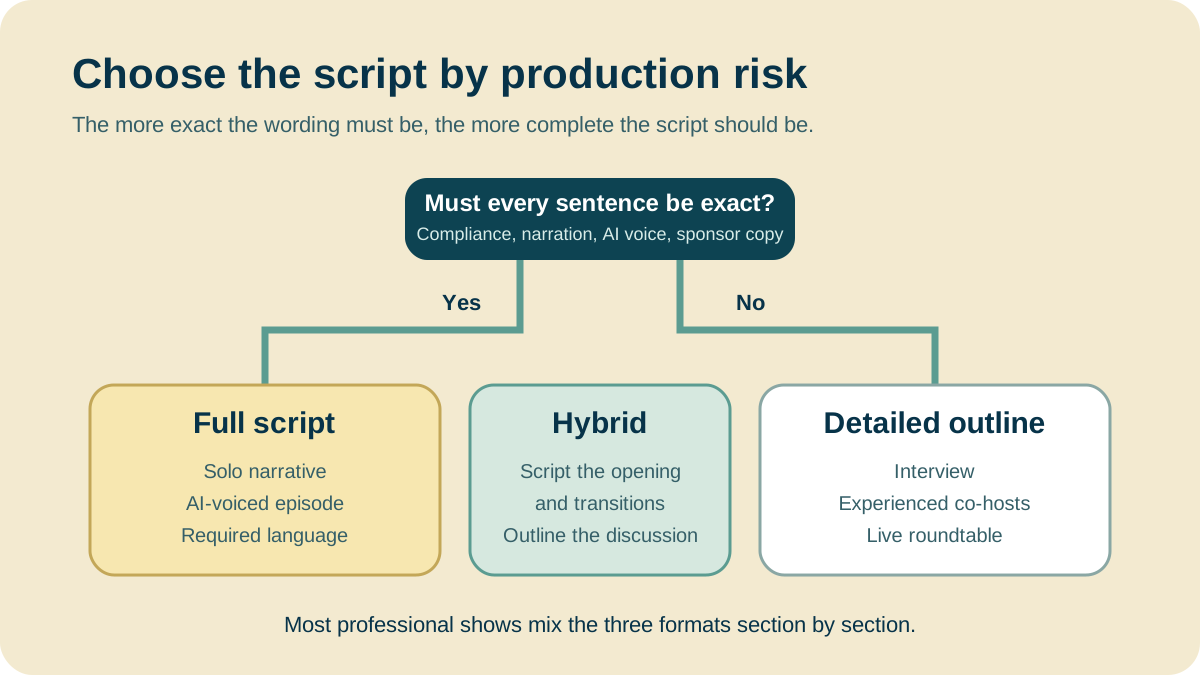
Script word for word when the words must be exact, and outline the rest.
- Full script: any show voiced by AI (the voice reads what it is given), news briefings, sponsor reads, and every intro, outro, and transition.
- Outline: conversation shows between hosts who are comfortable improvising. List the point, the question, and the transition for each segment.
- Hybrid: the usual answer. Write the frame and the facts, bullet the discussion.
How do you write a podcast script step by step?
- Write the one idea first. A phrase is enough: "why small shows still win consulting leads." Every segment must connect back to it.
- List three to five segments. One sentence each, no dialogue yet. This is the spine.
- Draft the segments. Full sentences where the script is word for word, bullets elsewhere. Aim for complete, not polished.
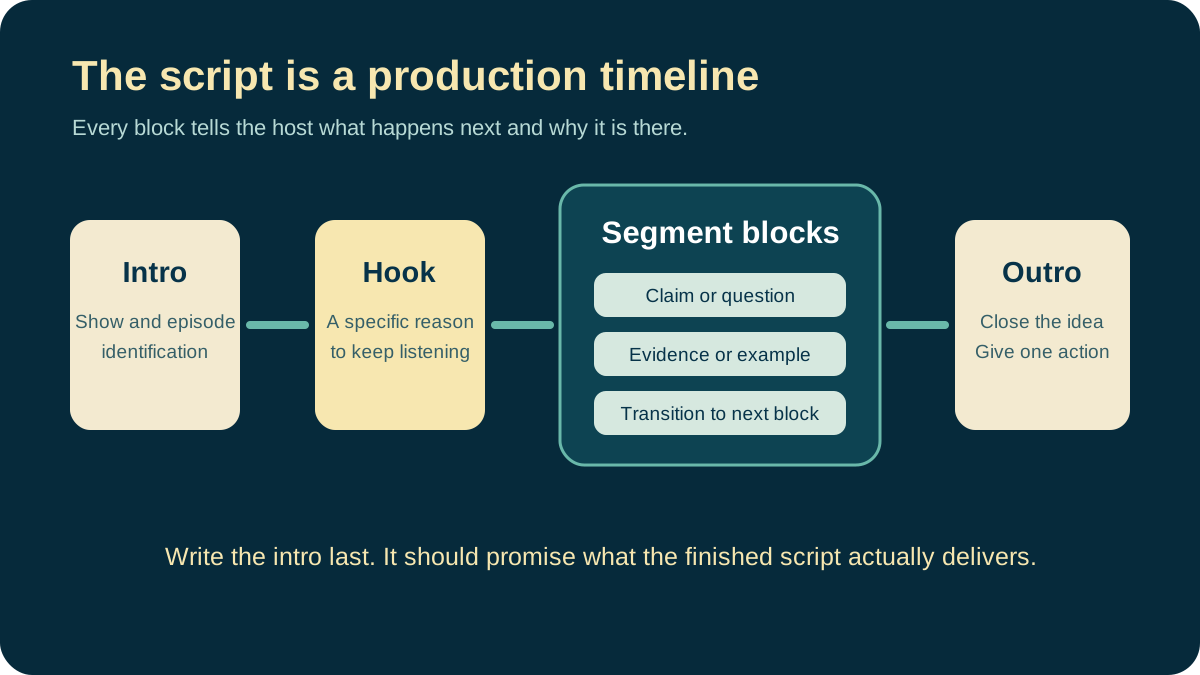
- Write the intro and outro last. Then they promise only what the episode delivers. Make the call to action one specific thing.
- Read it aloud. Mark every place you stumble and rewrite it. Long clauses, passive verbs, and words you never say in conversation are the usual culprits.
- Mark pauses and emphasis. Note
[Pause]before a number or a turn in the argument. If an AI voice will read it, see how Jellypod's audio tags direct delivery, and our guide to making an AI voice sound human for what to change in the text itself.
How long should a podcast script be?
Plan about 150 words per minute of spoken audio. Jellypod's episode planner uses that figure to turn a target duration into a word count, so a 10-minute episode is roughly 1,500 words and a 30-minute one roughly 4,500. Its narration cost estimator assumes a slightly slower 130 words per minute, so treat the pace as a range and time your own voice with a read-through.
Length has hard ceilings when a script is voiced in Jellypod. A script over 75 minutes is refused regardless of plan, and one that exceeds your plan's episode cap is refused rather than trimmed. If a script runs long, split it into two episodes.

What does a podcast script template look like?
Two templates cover most shows. Replace the brackets and delete what you do not need. If the show name is still a placeholder, the podcast intro generator drafts an opening you can paste into the first block.
Solo show template
[Host]
Welcome to [Show Name]. I'm [Name]. Today: [one sentence on the episode].

[Host]
[Hook: why this matters to the listener now, in one or two sentences.]

[Host]
[Segment 1, full text or bullets.] [One-sentence transition.]

[Host]
[Segment 2, full text or bullets.] [One-sentence transition.]

[Host]
[Segment 3, full text or bullets.]

[Host]
That is [Show Name]. [One call to action.] See you next episode.
Interview show template
Write your questions in full and leave the guest's answers unscripted. Note the time you expect each answer to take.
[Host]
Welcome to [Show Name]. I'm [Name], and today I'm talking with
[Guest], [Title] at [Company]. [Why this guest, why now.]

[Host]
[Opening question. About 2 minutes.]

[Host]
[Specific-topic question. About 3 minutes.]

[Host]
[Tactical question. About 3 minutes.]

[Host]
[Guest], where can people find you?

[Host]
Thanks to [Guest]. I'm [Name], and this is [Show Name].
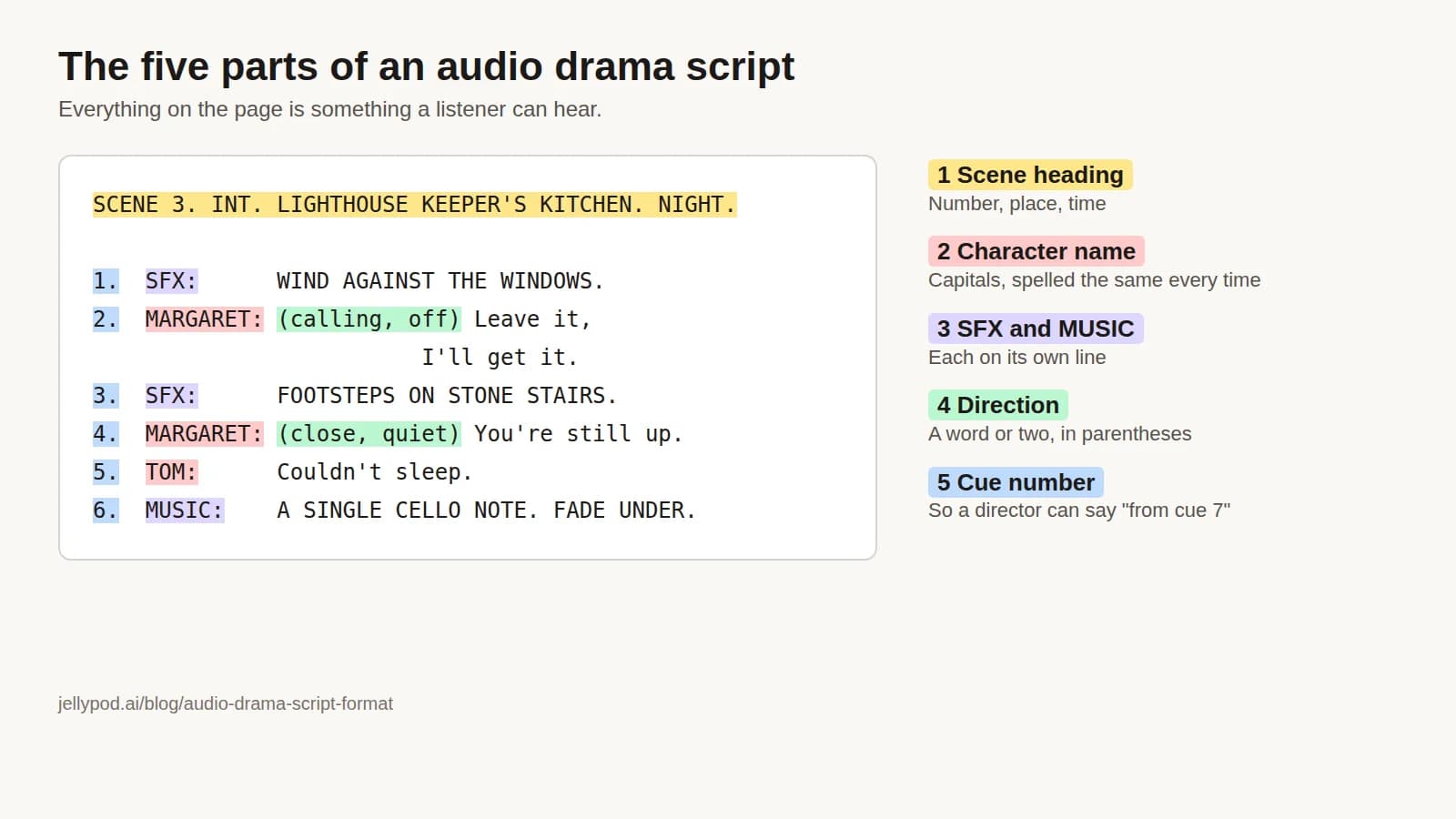
Writing for two or more hosts? Every turn keeps its own label and each host gets lines in their own voice. See the multi-host podcast guide for casting and pacing. Fiction has its own conventions, covered in audio drama script format.
Can AI write a podcast script?
Yes, and the useful question is what control you keep over the draft. Jellypod drafts a script from a document, URL, PDF, or short prompt. Each line becomes a block in the script editor with the host's name above it. You can rewrite a line, reassign it to another host, or fix a pronunciation, then regenerate only the blocks you changed.
If you already have a script, import it. Jellypod lists every speaker it detects and asks you to assign each to a host, or create a new one, before anything is imported. A mislabelled line is caught at that review step instead of in the finished audio.
Whatever tool drafts the script, a person should check names, dates, numbers, and quotations against the source before any voice reads them. A fluent draft can still be wrong.
How do you make a script sound natural?
Write short sentences in the active voice and use contractions ("I'm", "it's"). Cut any line you would never say to a friend. The only reliable test is reading aloud, so do it before you record and again after you edit.
Generate an Editable Podcast ScriptTry Jellypod