To convert an MP4 to SCORM for training, make the video in Jellypod and export the rendered lesson as a SCORM ZIP your LMS tracks.
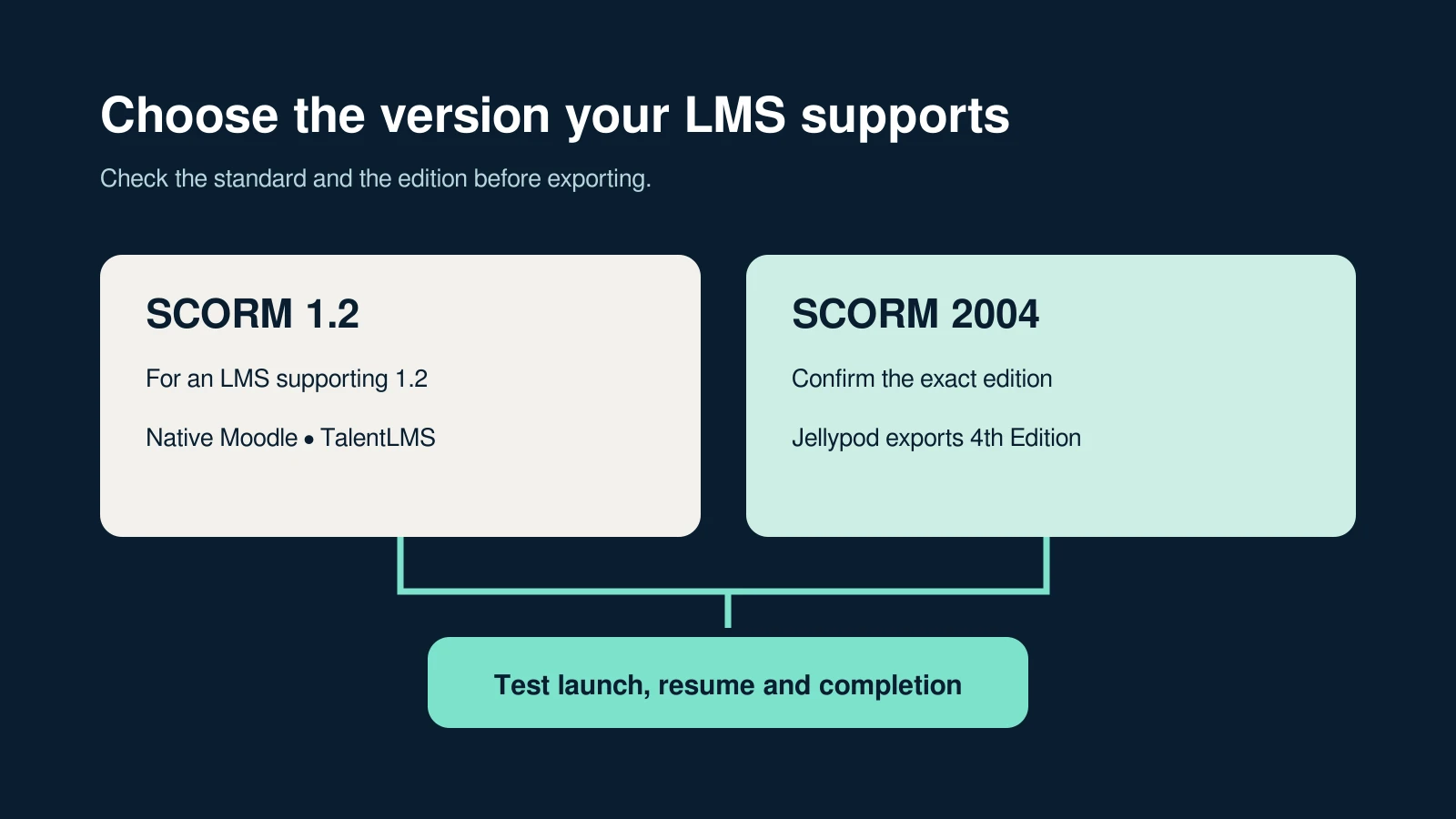
Bring a script, slides, a document, or a recording used as a source. Review the lesson, then download SCORM 1.2 or SCORM 2004 4th Edition.
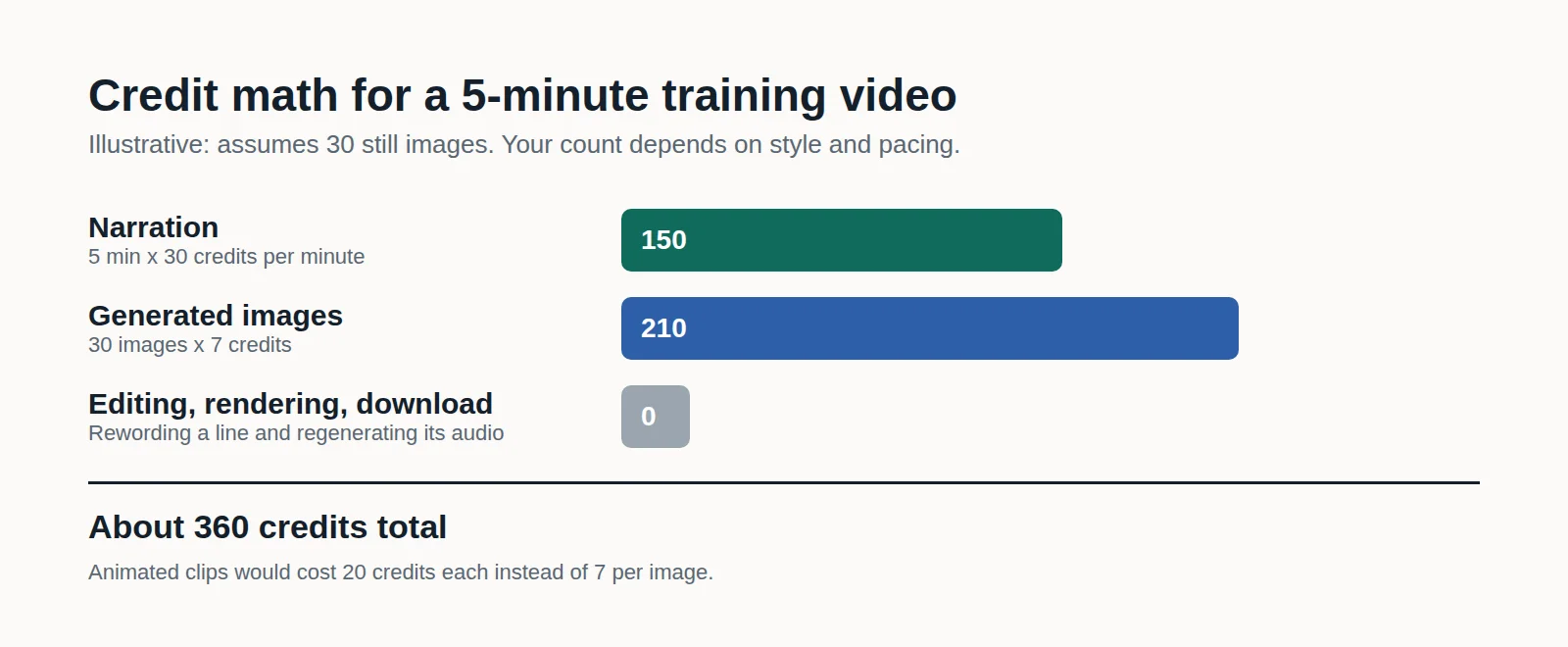
SCORM export is included with Business and Enterprise. Packaging uses no credits.
What is an MP4 to SCORM package?
An MP4 to SCORM package is a ZIP the LMS can launch. The video sits inside it, and the package records how much the learner watched.
Jellypod builds that ZIP from a rendered Episode, Video, Short, or Voiceover. The settings are in Export to your LMS with SCORM.
A video file added as a source is not copied into the ZIP. The browser extracts its audio, and Jellypod drafts a new lesson from that audio.
Publishing a finished MP4 with Upload Audio puts the file on your podcast site. That episode has no script editor and no SCORM download.
Why export a training video to SCORM?
A shared video file has no learner record. The SCORM package reports playback completion to the LMS, and the learner can resume.
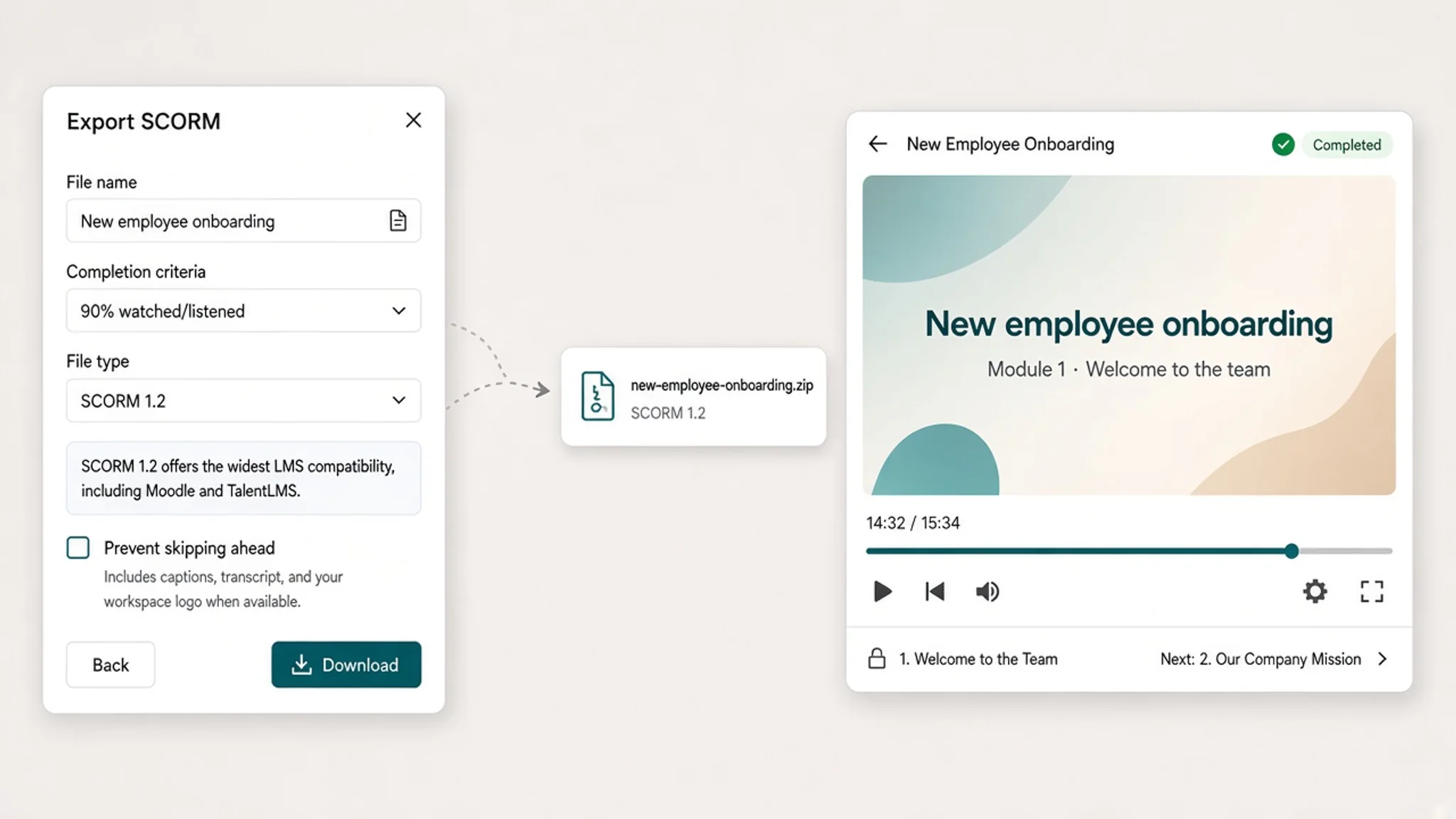
You set the completion threshold from 5% to 100% in 5% steps, and the default is 90%. Seeking past a section does not count it.
When the learner reaches the threshold, the 1.2 package reports passed, and the 2004 package reports completed and passed. The package has no quiz and no assessment score.
You download the ZIP and upload it to the LMS yourself. Jellypod has no direct LMS connection and no xAPI export.
Use SCORM 1.2 vs 2004 to pick a version your LMS supports. The free Educator plan does not include SCORM export.
How do you convert a training video to SCORM?
- Create the lesson in Jellypod from a script, a deck, a document, or a recording. Keep the original slides with an AI voiceover for training videos, or use Video for new illustrations, as shown on the learning and development page.
- Review the narration against the source and fix the lines that are wrong. Render the lesson when the review is done.
- On Business or Enterprise, open Download and choose Download as SCORM. Set the file name, SCORM 1.2 or SCORM 2004 4th Edition, the completion threshold, and whether to prevent skipping ahead. Episodes export as audio or video, and Videos, Shorts, and Voiceovers export as video.
- Download the ZIP and upload it intact as a SCORM activity. With a test learner, exit before the threshold, reopen to check resume, then reach the threshold and check the completion record.