New hires finish onboarding training when it arrives in small pieces, on the day each piece matters, in a format that fits around their actual work. A 40-page handbook and a 90-minute orientation recording fail that test, but the same material cut into five-minute episodes passes it.
Jellypod does the cutting. You upload the handbook, deck, or recording, edit the script it drafts, and get audio a new hire can play on the commute or between meetings. Below is a sample ten-day plan, what it costs in Jellypod credits, and where audio is the wrong tool.
Key takeaways
- Split onboarding into one five-minute episode per workday for the first two weeks, instead of one long orientation.
- Start from documents you already have: Jellypod accepts PDF, Word, PowerPoint, and audio or video recordings as sources.
- A ten-episode, five-minute track is about 1,500 credits at 30 credits per minute, well inside the 5,000 monthly credits on the Starter plan.
- Keep confidential material on a Private podcast, which has no RSS feed, and share the downloaded audio through your intranet or LMS.
- Audio covers policies and context. Tool walkthroughs and manager conversations still need a screen or a person.
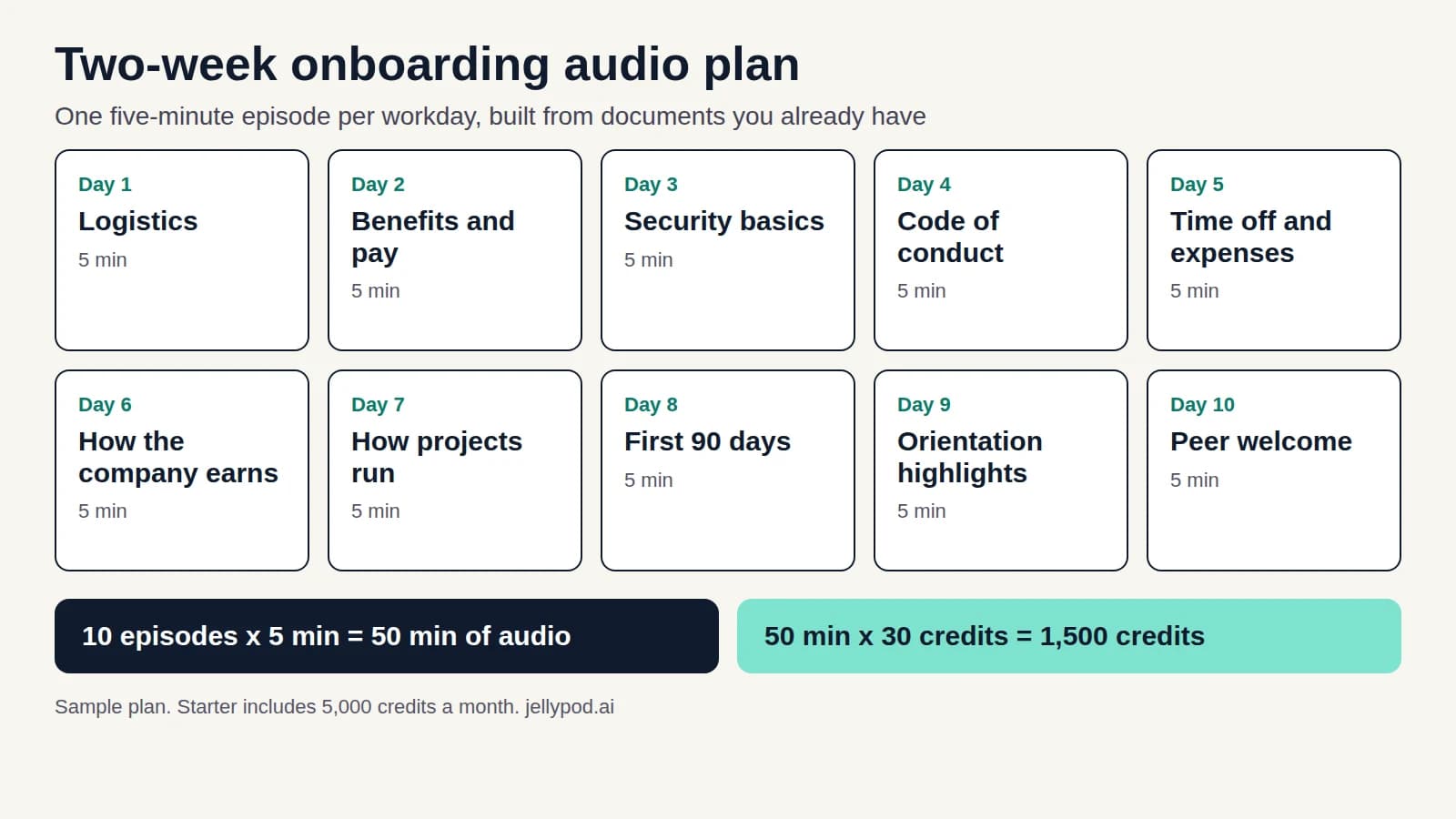 The sample plan below, at 30 credits per minute of generated audio.
How long should onboarding training take?
It depends on the company. SHRM says onboarding "can span one or two days of activities at some companies; others offer a more extensive series of activities spanning months," and can last up to 12 months. The trouble starts when a long process gets compressed into orientation week, when the new hire is also setting up a laptop and learning names.
So plan the first two weeks as a paced track and leave the rest to managers. Ten workdays with one short item each is a load a new hire can carry without falling behind on the actual job.
What can you turn into onboarding audio?
Anything that is mostly explanation: the employee handbook, benefits guides, security and acceptable-use policies, a recorded orientation, a leadership welcome, an org overview deck. Jellypod's supported source types include PDF, Word, PowerPoint, and audio and video files up to 100 MB each, and PDFs are trimmed to their first 250 pages. A Zoom recording works as a source, because the audio is extracted automatically.
If your material lives in slides, the slides-to-podcast tool shows what that conversion looks like.
Audio is a poor fit for anything the new hire has to watch or do. A tool walkthrough needs a screen, and a first one-on-one needs a person. Keep those live or on video.
What does a two-week onboarding audio plan look like?
This is a sample plan, not a benchmark from a study. Adjust the topics to your company. Each episode is five minutes.
| Day | Episode | Source to upload |
|---|---|---|
| 1 | Logistics: who to ask for what, systems access, first-week schedule | Onboarding checklist, IT setup doc |
| 2 | Benefits and pay: what to enroll in and by when | Benefits guide |
| 3 | Security basics: passwords, devices, phishing reports | Security policy |
| 4 | Code of conduct and how to raise a concern | Handbook conduct section |
| 5 | Time off, hours, and expenses | Handbook policy sections |
| 6 | How the company makes money and who the customers are | Company overview deck |
| 7 | How the team runs a project, start to finish | Manager's onboarding notes |
| 8 | What "good" looks like in the first 90 days | Role expectations doc |
| 9 | Highlights from the orientation session, for anyone who missed a part | Orientation recording |
| 10 | A welcome and advice from a teammate | Recorded peer interview |
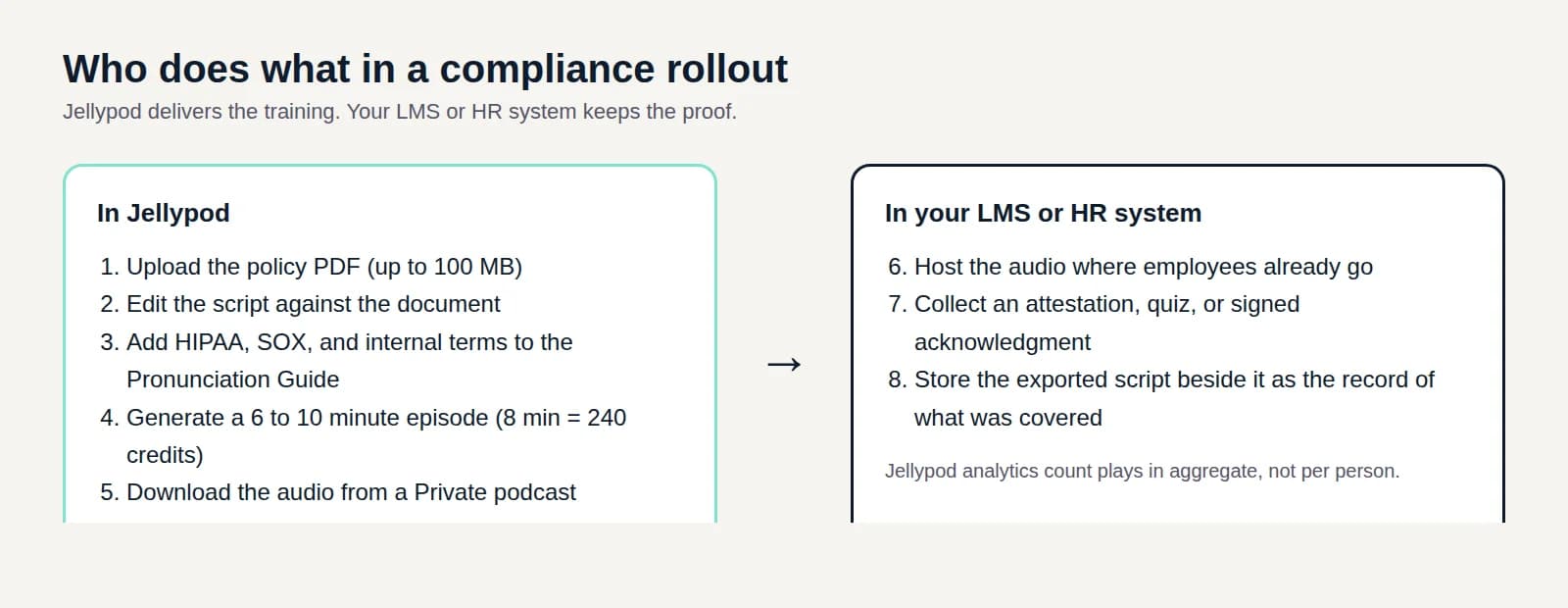
Regulated topics such as safety or legal training need more than a five-minute episode, and compliance training best practices covers how to handle them.
How do you build the track in Jellypod?
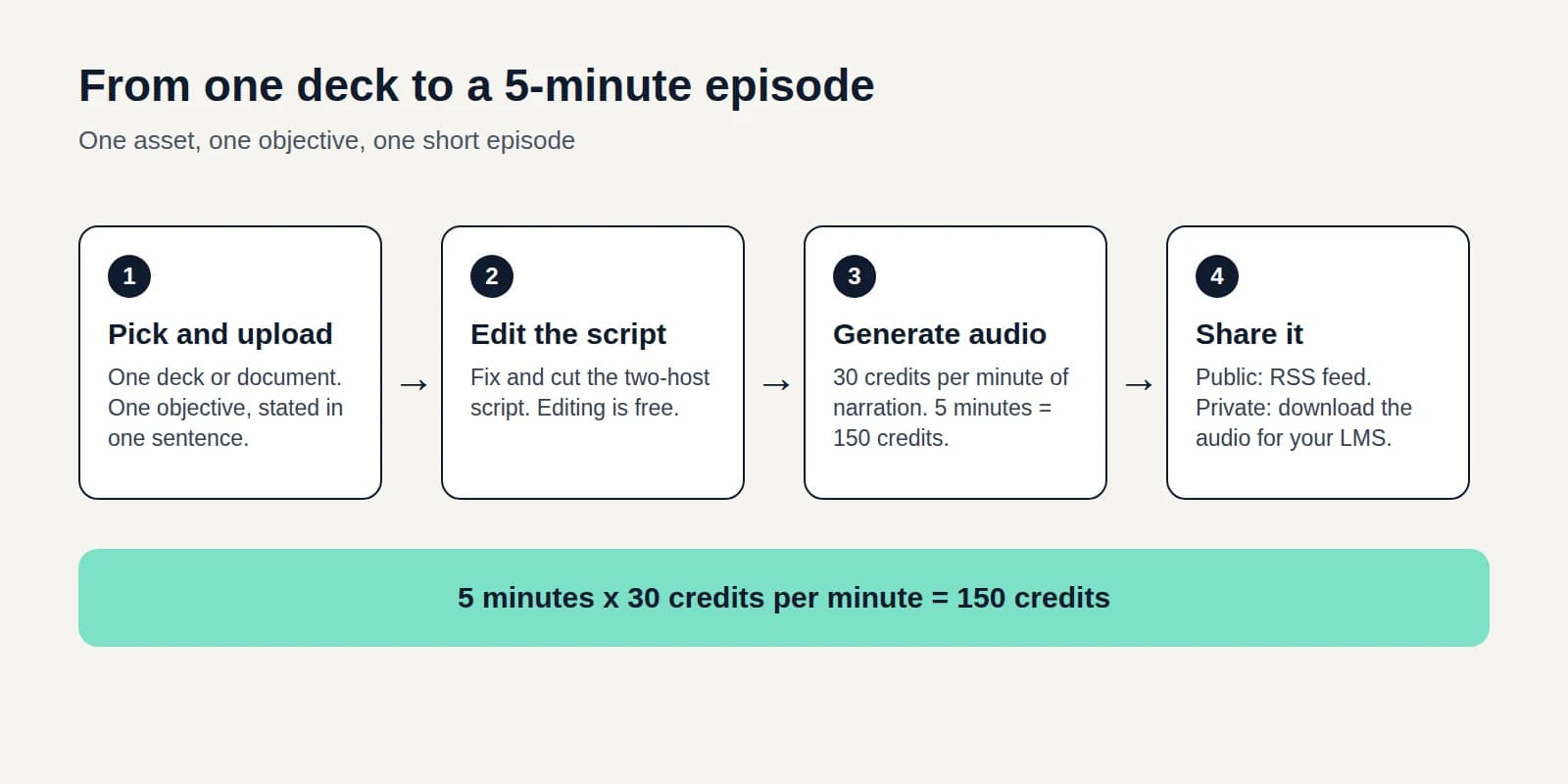
- Pick one document per episode and decide the single thing the listener should know or do afterward.
- Add it as a source and let Jellypod draft the script.
- Edit the script line by line before any audio exists. Confirm names, dates, deadlines, and dollar amounts against the original, since a policy error in audio is easy to miss.
- Generate the narration and listen once through.
- Distribute it (see the next section).
Generation costs 30 credits per minute of audio. Editing, regenerating narration, publishing, and downloading are free. Ten five-minute episodes come to 1,500 credits, and the Starter plan includes 5,000 credits a month. If several episodes share a schedule, automations can generate on a recurring cadence, though a fixed handbook rarely needs it. The Starter plan includes 2.
How should new hires get the episodes?
There are two routes, and the choice matters for confidential content.
A Public podcast gets an RSS feed, so new hires can subscribe in Spotify or Apple Podcasts. Anyone can find it, so use it only for material you would put on a careers page.
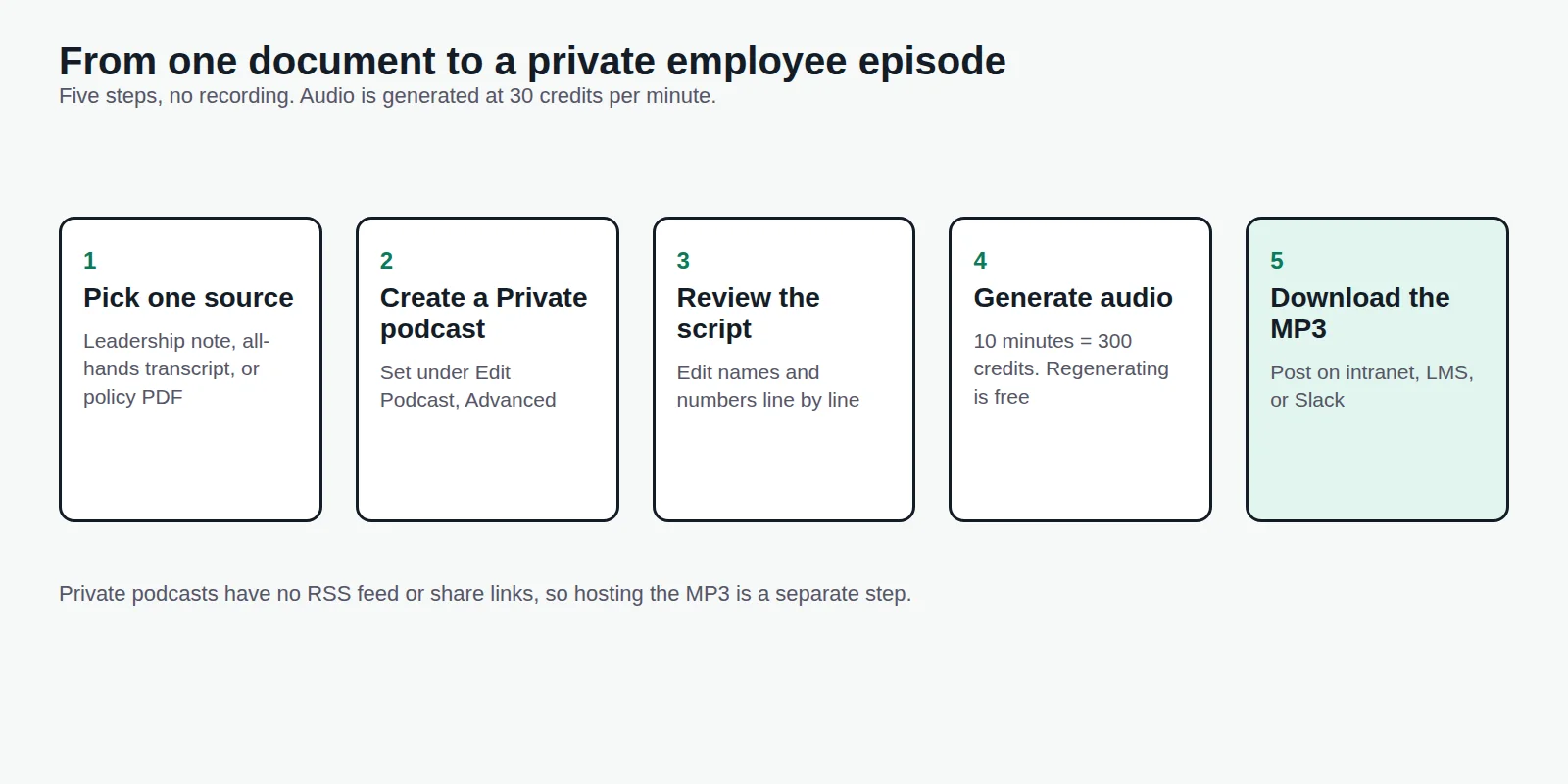
A Private podcast has no website, RSS feed, or share links. You download the audio from the Studio and post it where new hires already look: the intranet, your LMS, or a Slack channel. That fits handbook and policy content. For more on internal audio, see how to run an internal communications podcast, and for short-form design, audio microlearning.
What is the difference between onboarding and orientation?
Orientation is the first-day event: paperwork, logistics, introductions. Onboarding is the longer process that follows, covering role training, culture, and expectations. Orientation is one part of onboarding.
Should onboarding training be self-paced or scheduled?
Use both. Policy and context work as self-paced audio. Manager check-ins, team introductions, and hands-on tool training need a scheduled session. A simple rule: if the new hire has to do something with their hands, schedule it. If they only need to understand something, record it.
What to do next
Pick the three onboarding documents new hires ask about most, and turn them into episodes first. If those get played, build out the rest of the ten days. Jellypod's learning and development page shows the workflow with a training example.