

Best Free Podcast Hosting: 6 Top Options for 2026
The best free podcast hosting options in 2026 are Jellypod, Spotify for Creators, Apple Podcasts, Buzzsprout, Podbean, and Simplecast. Each one lets you store episodes and push them to the major listening apps without an upfront bill, but they differ sharply in what the free tier actually allows.
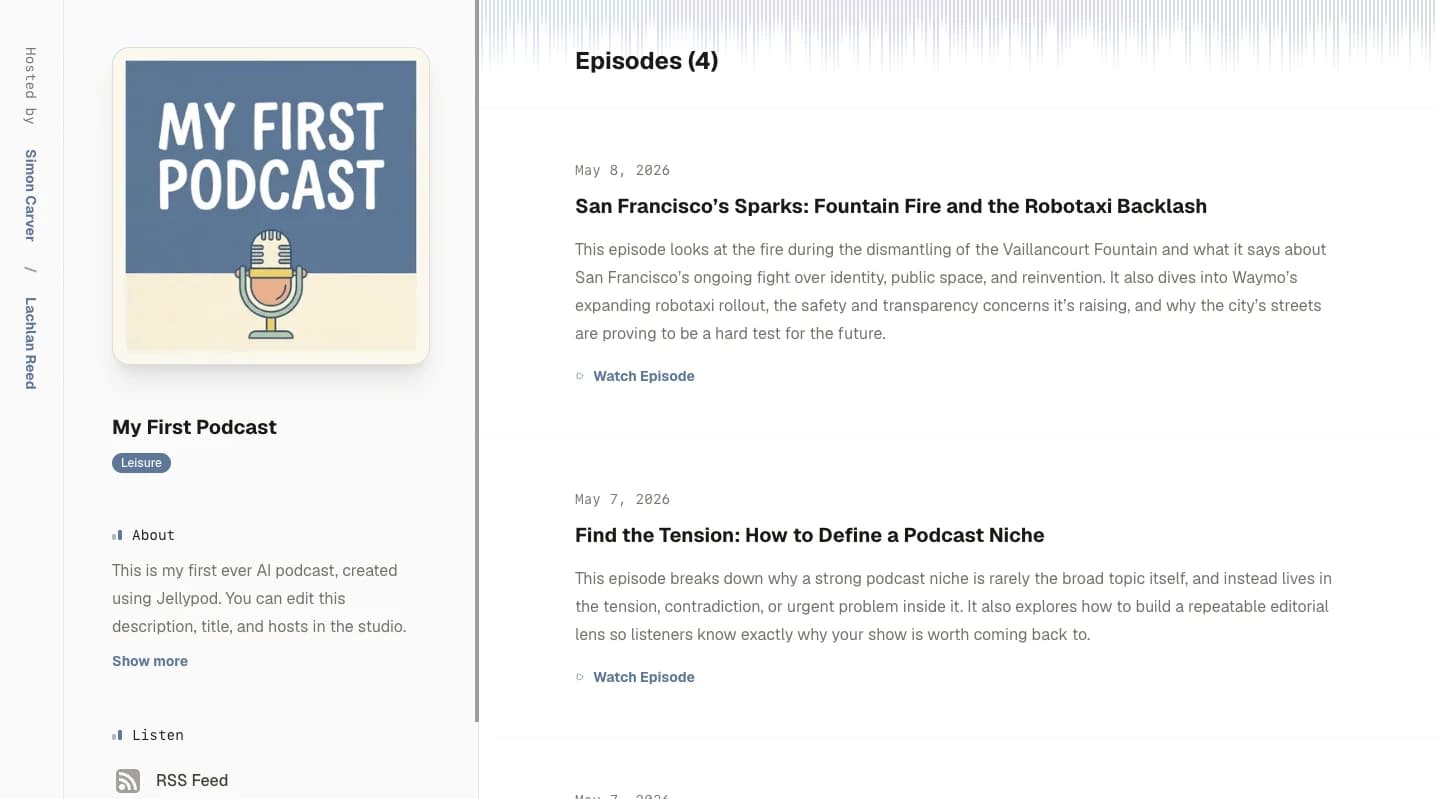
Jellypod takes a different angle from a classic host. Drafting episodes is free, and every paid plan includes podcast hosting, an RSS feed, and a podcast website, so you never get a separate hosting invoice stacked on top of your subscription. If you want a genuinely no-cost forever tier for a manually recorded show, Spotify for Creators and Apple Podcasts are the closest fit. If upload caps and episode expiry could trip you up, read the limits section below before you commit to any platform.
What is the best free podcast hosting in 2026?
There is no single winner, because "best" depends on whether you record manually, generate episodes with AI, or want the widest built-in audience. Here is how the six leading options compare.
Jellypod
Best for: Podcasters who want AI-assisted episode creation with hosting already included.
Jellypod is more of an AI production studio than a bare host. You can generate full episodes from text, scripts, or outlines, clone your own voice, or build AI cohosts, then publish without touching a separate hosting tool. Drafting is free, and hosting, RSS, and a podcast website come bundled with every paid plan rather than billed on the side.
- Pros: combines creation and hosting in one workflow, removes most recording and editing work, and offers one-click distribution to the major apps.
- Cons: it is built for AI-assisted and scripted shows, not live recording or call-in formats.
Spotify for Creators
Best for: Creators who want free hosting with a direct line into Spotify.
Spotify for Creators (formerly Spotify for Podcasters) offers unlimited free hosting with no storage cap, one-click distribution to Spotify and other major apps, and built-in monetization tools. Spotify is also leaning further into AI audio with Spotify Studio, which keeps the platform central to how new shows reach listeners.
- Pros: free hosting with no storage or bandwidth limits, a large built-in audience, and support for both audio and video.
- Cons: limited advanced editing and branding, and monetization tools favor larger shows.
Apple Podcasts
Best for: Creators who want to be native to Apple's ecosystem.
Apple Podcasts provides free hosting through Apple Podcasts Connect, listener analytics, and monetization through paid subscriptions and premium content. As one of the largest directories in the world, it puts your show in front of a massive built-in listener base.
- Pros: direct access to Apple's ecosystem, subscription monetization, and detailed listener analytics.
- Cons: less customization than a dedicated host, and monetization only matters once you have an audience.
Simplecast
Best for: Independent podcasters who prioritize analytics and a clean dashboard.
Simplecast is known for one of the most user-friendly dashboards in podcasting, with in-depth listener analytics, an embeddable player, and one-click distribution to Apple, Spotify, YouTube, and more. It leans toward creators who want data to guide growth.
- Pros: clean interface, strong analytics, and a customizable embeddable player.
- Cons: entry plans are limited, and the advanced features most creators want sit behind a paid upgrade.
Podbean
Best for: Podcasters who want live streaming and audience interaction.
Podbean is one of the few hosts whose free plan supports live podcasting, alongside auto-distribution to Apple, Spotify, and other directories and basic analytics. Its free tier includes 5 hours of total storage, which is enough to test the waters before committing.
- Pros: live streaming and audience interaction, an easy dashboard, and a workable free tier for small shows.
- Cons: the free plan is capped at 5 hours of total uploads, and monetization and customization require paid plans.
Buzzsprout
Best for: Beginners who want the simplest possible start.
Buzzsprout is famously beginner-friendly, with step-by-step guides, one-click distribution to the major apps, and transcription tools. Its free plan includes 2 hours of uploads per month, and episodes on the free tier are removed after 90 days.
- Pros: simple setup, an intuitive interface, and easy distribution.
- Cons: the free plan is limited to 2 hours per month, and free-tier episodes expire after 90 days.
What do free podcast hosting plans actually limit?
"Free" almost never means unlimited. The real question is where each platform draws the line, because that line determines whether you outgrow the free tier in month one or month twelve.
- Upload and storage caps. Buzzsprout limits its free plan to 2 hours per month, and Podbean caps its free tier at 5 hours of total storage. Weekly shows hit these ceilings quickly.
- Episode expiry. Some free tiers do not host your back catalog forever. Buzzsprout removes free-plan episodes after 90 days, so older episodes disappear from your feed unless you upgrade.
- Monetization gating. Apple Podcasts and Spotify for Creators both include monetization tools, but they only pay off once you have a sizable audience.
- Customization and branding. Directory-owned free hosting on Apple and Spotify gives you less control over your player, website, and branding than a dedicated host.
One thing you keep across almost every option is your RSS feed, the file that carries your episodes to every app. Understanding how that feed works is what lets you move hosts later without losing subscribers, and it is what powers submission to the wider set of podcast directories beyond the big two.
Is free podcast hosting good enough to start?
For most new podcasters, yes. A free plan is more than enough to publish your first episodes, get listed on Spotify and Apple Podcasts, and find out whether you enjoy the format before spending anything. The main risks are the limits above: if you publish weekly, a 2-hour monthly cap or a 90-day expiry window will pressure you sooner than you expect.
The honest tradeoff is time versus money. Directory-owned free hosting costs nothing but gives you less control, while an AI-assisted studio like Jellypod removes the recording and editing workload and folds hosting into a paid plan. If your bottleneck is producing episodes at all, that bundled approach can be worth more than a stripped-down free tier.
When should you pay for podcast hosting?
Upgrade when the free tier starts costing you reach or time. The clearest triggers are a publishing cadence that exceeds your upload cap, a back catalog you want to keep online past a 90-day window, and a need for full analytics, custom branding, or a proper podcast website. Paying also makes sense when your production workflow is the constraint and automation would keep you consistent.
If any of those apply, compare what each tier includes on the Jellypod pricing page before you move. The goal is not to pay for storage you do not need, but to stop the free-tier limits from capping your show's growth.
Final thoughts
Each free podcast hosting option has a clear strength. Jellypod is best when you want AI-assisted creation with hosting already included. Spotify for Creators and Apple Podcasts give you free hosting inside the biggest listening ecosystems. Simplecast suits analytics-driven creators, Podbean is the pick for live shows, and Buzzsprout is the gentlest on-ramp for beginners.
Once you are publishing consistently, the next question is how to earn from your audience. How to make money podcasting covers seven revenue models and the audience size each one needs. Until then, pick a free option that fits how you actually make episodes, and get your show live today.