Recording every episode is the part most professionals drop. The explanations are already in the lecture, the policy, or the sermon. The missing piece is a voice that still sounds like them.
Jellypod voice cloning turns a short sample into a reusable host. You clone once, then generate later episodes from a script. The full product walkthrough lives on the voice cloning feature page. This note is the practical setup.
How to clone a voice in Jellypod
- Record or upload 2 to 3 minutes of clean speech. A quiet room and a decent mic beat a long, noisy file.
- Keep the delivery consistent. The sample is a teaching tape for an impression of you, not a highlight reel.
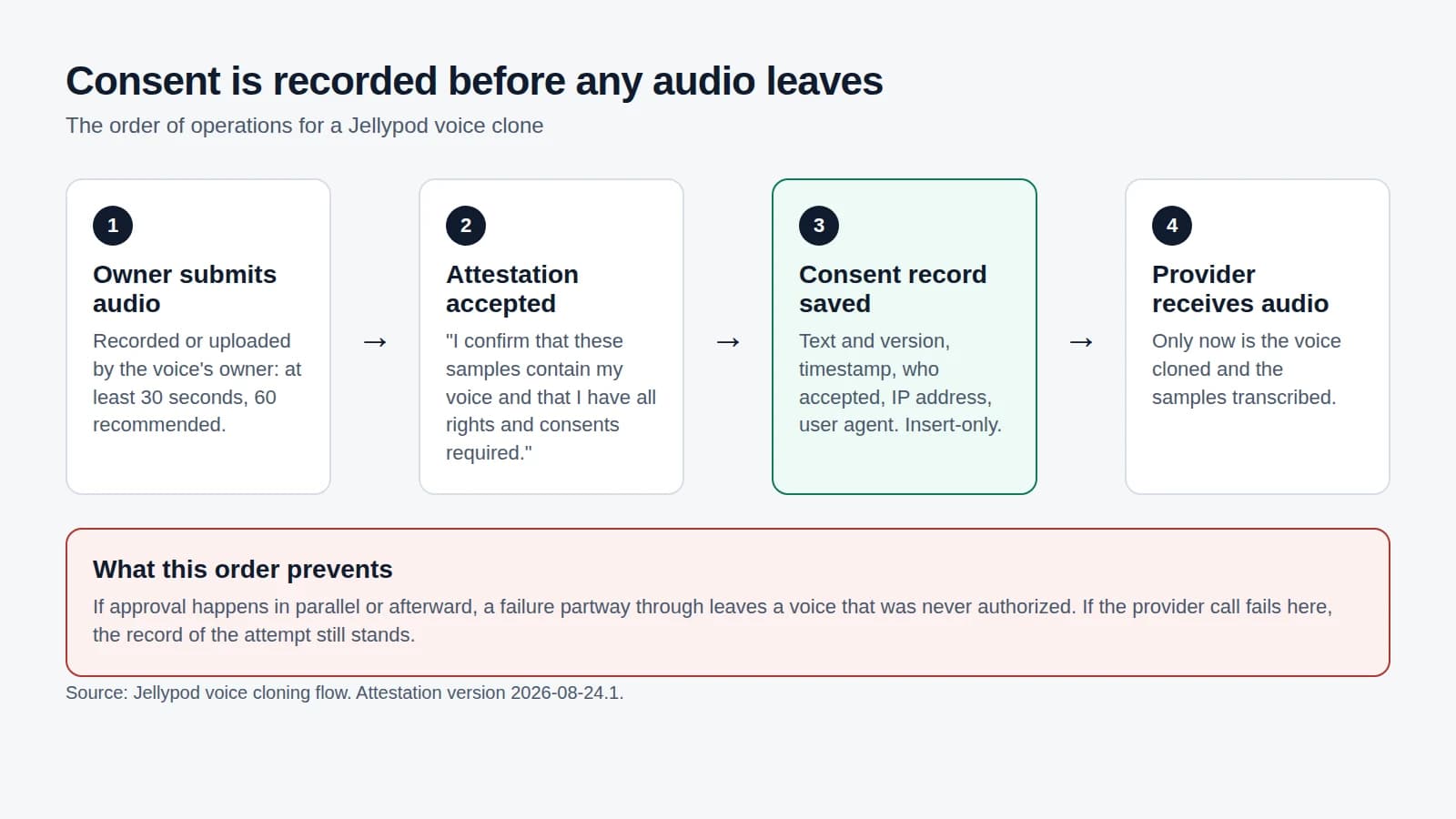
- Review the inferred details, then accept the clone. Jellypod will not send audio to a voice provider without that acceptance. See how consent works.
- Assign the clone to a host and generate from an editable script.
You can put the clone next to an AI co-host, or run the episode as a solo. Guests upload their own samples through voice clone invites so you never upload someone else's voice on their behalf.
When a clone is the wrong tool
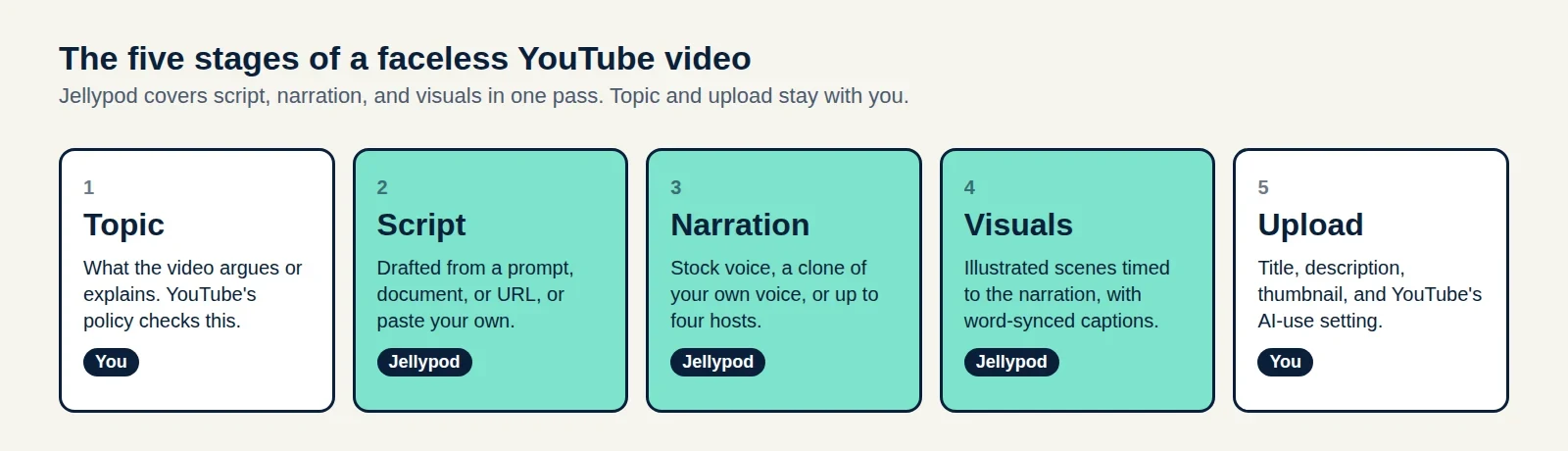
Skip cloning if you only need a stock host. The voice library covers dozens of accents, and YouTube's AI disclosure policy treats stock voices and your own clone differently from cloning someone else.
Clone only a voice you own or have written permission to use.
Try it on a real source
Paste notes into the notes-to-podcast tool or start a topic in the AI podcast generator, then swap the host to your clone before you publish.
Frequently asked questions
How much audio do I need?
Aim for 2 to 3 minutes. Shorter samples work in a pinch. Noisy or heavily compressed audio produces a thinner clone.
Do I have to re-record after I clone?
No. The clone reads later scripts. You only record again if you want to improve the sample.
Can I clone a guest?
Yes, if they submit the sample and accept the clone themselves. Use voice clone invites.
Is drafting free?
Drafting and script edits use no credits. Credits are used when you generate audio. Publishing and downloading use no credits.
Script edits, publishing, and exports use no credits. Jellypod has a Free plan with 500 credits and no credit card, and paid plans include a 7-day free trial.
See voice cloning in JellypodTry Jellypod